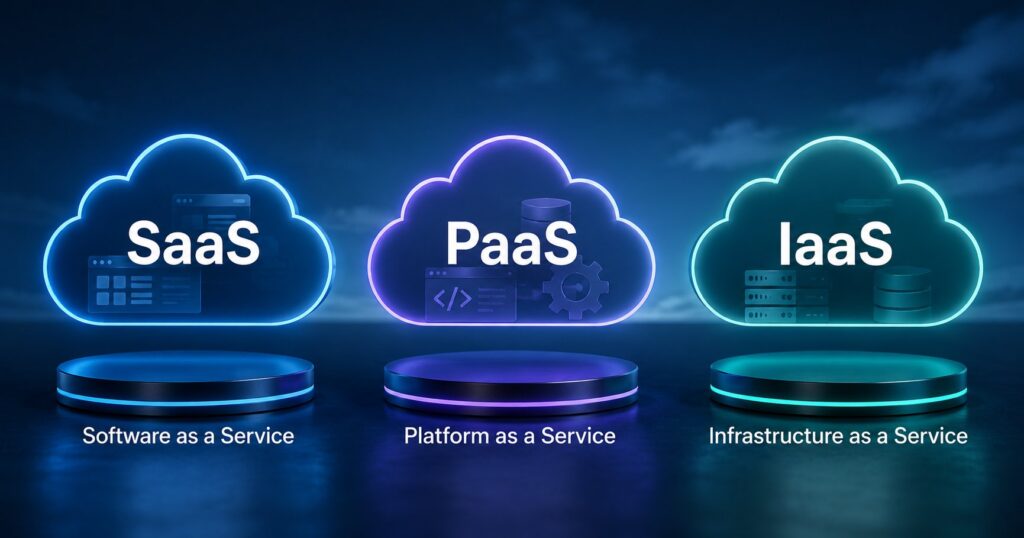
SaaS vs PaaS vs IaaS are the three foundational service models that organize most of cloud computing. Each one represents a different layer of abstraction: how much of the technology stack the cloud provider manages versus how much the customer manages. Understanding the three models is one of the foundational frames for talking sensibly about cloud strategy, vendor selection, and cost. The vocabulary is dry and the acronyms are unhelpful, but the underlying concept matters: cloud services come at different abstraction levels, and picking the right level for a given workload is the central decision.
This post walks through what each of the three service models actually is, who’s responsible for what at each layer, where you’ll encounter each model in real businesses, the realistic trade-offs between them, and how to think about which layer fits which kind of workload.
The three layers, in plain English
Think of running a software application as a layered cake. The bottom layers are physical infrastructure (servers, networking, the data center that houses them). The middle layers are operating systems, runtimes, and platform services. The top layer is the application itself. Every layer has to exist and be managed by someone for the application to actually work.
Infrastructure as a Service (IaaS) means the cloud provider manages the bottom layers (physical hardware, networking, virtualization) and the customer manages everything above (operating system, application runtime, application code, data, identity). Examples: AWS EC2, Azure Virtual Machines, Google Compute Engine, DigitalOcean Droplets, Linode, Vultr.
Platform as a Service (PaaS) means the cloud provider manages everything up through the application runtime, and the customer just brings the application code and data. Examples: Heroku, AWS Elastic Beanstalk, Google App Engine, Azure App Service, Render, Fly.io. The customer doesn’t see or manage operating systems or runtime patches.
Software as a Service (SaaS) means the cloud provider manages everything: the application is built and operated by the provider, and the customer just uses it through a web browser or app. Examples: Microsoft 365, Google Workspace, Salesforce, Slack, QuickBooks Online, Shopify, HubSpot. The customer brings their data and configuration; the application itself is the provider’s product.
The responsibility shift between the three models is the mental model worth keeping. As you move from IaaS to PaaS to SaaS, more of the technology stack becomes the provider’s responsibility and less is the customer’s. The customer’s effort decreases; the customer’s control also decreases.
Who manages what (the responsibility matrix)
This is the table that often clarifies the difference:
| Layer | IaaS | PaaS | SaaS |
|---|---|---|---|
| Application code | Customer | Customer | Provider |
| Application data | Customer | Customer | Customer |
| Runtime / middleware | Customer | Provider | Provider |
| Operating system | Customer | Provider | Provider |
| Virtualization | Provider | Provider | Provider |
| Servers (compute) | Provider | Provider | Provider |
| Storage hardware | Provider | Provider | Provider |
| Networking | Provider | Provider | Provider |
| Physical data center | Provider | Provider | Provider |
The customer always owns the data (because the data is what the customer is contributing to the relationship). The provider always owns the physical infrastructure. What shifts is everything in the middle.
Where each model fits
The right cloud service model for a workload depends on what your team is trying to do and what skills are available.
SaaS is the right answer when the business problem already has a well-built application that solves it. Email, accounting, CRM, payroll, project management, customer support, marketing automation, and dozens of other common business functions are all areas where SaaS solutions are mature and the cost of building your own would be absurd compared to subscribing to an existing one. Most small businesses run almost entirely on SaaS for everything except their core product.
PaaS is the right answer when you’re building a custom application and you want the cloud provider to handle everything except your code. PaaS dramatically reduces the operational burden compared to IaaS: no patching, no server config, no load balancer setup, no certificate renewal. The trade-off is that you’re constrained to whatever the platform supports. If your application has unusual requirements (specific OS-level configurations, exotic dependencies, custom networking), PaaS may not fit. For typical web applications and APIs, PaaS is often the lowest-effort production path.
IaaS is the right answer when you need control of the operating system and runtime, or when your workload doesn’t fit a PaaS model cleanly. Examples: legacy applications that need specific OS versions, applications with unusual networking or storage requirements, organizations with strong devops capability that prefer to build their own platform on top of raw infrastructure, and high-scale workloads where the per-unit cost of PaaS becomes prohibitive. IaaS gives maximum flexibility at the cost of maximum operational responsibility.
A realistic mid-sized organization might use all three: SaaS for business productivity (Microsoft 365, Salesforce, QuickBooks), PaaS for their internal-tool web applications (Heroku or App Service), and IaaS for any custom systems with specific requirements. The three models aren’t mutually exclusive; they’re complementary tools.
The trade-offs (because there are always trade-offs)
The marketing pitch for each model emphasizes its advantages. The honest picture includes the disadvantages.
SaaS trade-offs:
- Advantage: zero operational responsibility, fast time-to-value, predictable per-user pricing, no infrastructure expertise required.
- Disadvantage: limited customization (you get what the application offers, not what you wish it offered), data lives in the provider’s tenant, switching providers is harder than it sounds, costs scale linearly with users and can become significant at headcount scale.
PaaS trade-offs:
- Advantage: deploy custom applications without managing infrastructure, automatic scaling and patching, fast development iteration, lower operational burden than IaaS.
- Disadvantage: platform constraints (specific runtimes, specific deployment patterns), vendor lock-in (moving off PaaS often requires meaningful re-engineering), per-unit cost higher than IaaS at scale, debugging platform-level issues can be opaque.
IaaS trade-offs:
- Advantage: maximum flexibility, lowest per-unit cost at scale, no platform constraints, full control of the stack.
- Disadvantage: highest operational responsibility, requires real devops/sysadmin capability, more attack surface to manage, scaling and reliability are your problem rather than the provider’s.
The simplest decision heuristic: start with the highest abstraction layer that fits your need, and only descend to a lower layer when the higher layer’s constraints actually bind. SaaS first, PaaS if SaaS doesn’t have what you need, IaaS if PaaS doesn’t fit either.
The "as a Service" family expands
SaaS, PaaS, and IaaS are the three foundational service models, but the cloud industry has spawned a longer list of "as a Service" categories that fit between or alongside them.
- FaaS (Function as a Service): even more abstracted than PaaS. You deploy individual functions that run on demand without thinking about servers at all. Examples: AWS Lambda, Azure Functions, Google Cloud Functions, Cloudflare Workers.
- CaaS (Containers as a Service): PaaS-adjacent, focused on running containerized applications. Examples: AWS ECS/Fargate, Google Cloud Run, Azure Container Apps.
- DBaaS (Database as a Service): managed database offerings within or alongside the major clouds. Examples: AWS RDS, Azure SQL Database, Google Cloud SQL, MongoDB Atlas, PlanetScale.
- BaaS (Backend as a Service): pre-built backend services for mobile and web apps. Examples: Firebase, Supabase, AWS Amplify.
- STaaS (Storage as a Service): object and file storage delivered on demand. Examples: AWS S3, Azure Blob Storage, Google Cloud Storage, Backblaze B2.
These all live within the broader cloud framework. SaaS, PaaS, and IaaS are the foundational vocabulary; the others are useful specializations.
How to decide for a specific workload
A practical decision framework:
1. Does a SaaS solution already exist that solves this problem well? If yes, evaluate it first. Building your own version of email, accounting, CRM, or similar commodity functions is almost never justified by the marginal value you’d add.
2. Is this a custom application unique to your business? If yes, consider PaaS. Most internal tools, custom dashboards, customer portals, and unique business applications fit PaaS naturally.
3. Does PaaS constrain you in ways that meaningfully hurt the application? If yes, drop down to IaaS. The escape hatch from PaaS is IaaS; you give up convenience for control.
4. Are you operating at a scale where per-unit cost dominates? At very high scale, the cost difference between PaaS and IaaS can become significant. Most small and mid-sized businesses don’t hit that scale; large enterprises and high-volume consumer products often do.
5. What expertise do you have on the team? Cloud service models that match your team’s expertise will be easier to operate than ones that don’t. A team with strong sysadmin/devops capability can operate IaaS efficiently; a team without that capability should probably stay higher up the abstraction ladder.
Frequently Asked Questions
Are SaaS, PaaS, and IaaS competing or complementary?
Complementary. The three models address different needs at different abstraction layers. Most organizations use all three: SaaS for business productivity tools, PaaS for custom application deployment, IaaS for specialized workloads that need OS-level control. They’re not substitutes for each other; they’re different tools in the same toolkit.
Is SaaS always more expensive than building your own?
At small scale, SaaS is usually cheaper than building because the development and operations cost of building any non-trivial application exceeds the subscription cost. At very large scale, SaaS can become more expensive per unit than custom builds, but the threshold where building becomes economical is much higher than most organizations realize. Build vs. buy decisions should compare total cost (not just license cost) against the realistic cost of building, operating, securing, and continuously improving a custom alternative.
What’s the difference between PaaS and serverless?
PaaS abstracts the operating system but you typically still think about your application as a long-running service. Serverless (FaaS, specifically) abstracts further: you deploy individual functions that run only when invoked, with no concept of always-on servers. PaaS makes you think in services; serverless makes you think in events. Most modern applications use a mix, with PaaS for the always-on parts and serverless for occasional or event-driven work.
Does using IaaS mean managing physical servers?
No. IaaS still abstracts the physical hardware: you rent virtual machines that run on the provider’s hardware. The “I” in IaaS is about virtualized infrastructure, not bare-metal access (though some providers offer bare-metal as a higher-tier service). What IaaS gives you is the operating system and everything above; the provider handles the physical layer regardless.
Which cloud service model has the strongest security?
The answer depends on how it’s measured. SaaS providers typically run sophisticated security programs that an individual customer couldn’t match alone, and they take primary responsibility for most security domains. IaaS gives the customer more control but also more responsibility; security is only as strong as the customer’s configuration. PaaS sits between. In all three cases, the customer is still responsible for identity, access controls, and configuration of the services they consume. There’s no service model where security is fully solved by the provider.