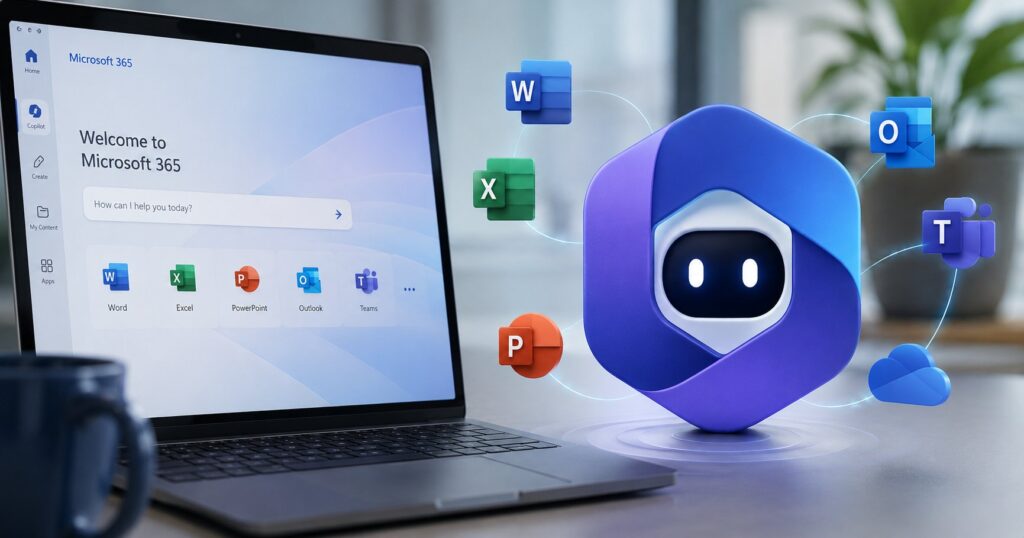
Microsoft Scout is an always-on agentic AI assistant for Microsoft 365 announced at Microsoft Build 2026 on June 2, 2026. Built directly on the open-source OpenClaw framework (the agent framework that spread "like a sonic boom" through the AI development community in early 2026 before OpenAI acquired its founder), Scout is Microsoft’s answer to a question that the Copilot product line couldn’t fully answer: what happens when the agent isn’t a chat surface you visit, but a persistent presence that watches your work and acts on your behalf even when you’re not interacting with it. Scout users name their own instance (Scout VP Omar Shahine demonstrated a Scout named "Sebastian" to TechCrunch’s Russell Brandom), give it ongoing feedback on the tasks they want automated, and watch it accumulate skills and memories over time. Access is gated through Microsoft’s Frontier early-access program with a GitHub Copilot subscription required.
The strategic positioning is worth unpacking before the technical details. Microsoft is describing Scout as the first product in a new category it calls "Autopilots," AI agents that remain active in the background and continue working even when users are not directly interacting with them. That’s a deliberate contrast with Copilot, which Microsoft has positioned as the in-application AI assistant that responds to prompts. Scout sits one layer higher: it sees across applications, maintains persistent context about the user’s work, and operates with judgment that improves over time. The Autopilot framing is positioning a new product category for Microsoft, not just a new product. And the safety story (a "policy conformance system" that produces an audit trail for every check) is positioned explicitly against the OpenClaw incidents from earlier in 2026 where unrestrained agents misbehaved inside real users’ inboxes.
This post covers what Microsoft Scout actually is, the OpenClaw foundation and what it brings, how Scout differs from Copilot, the persistent named-agent model and why it matters for adoption, the available skills and the customization loop, the policy conformance and audit-trail safety system, the access requirements and pricing context, where Scout fits in the broader Build 2026 announcement cluster, the genuine concerns worth flagging, and what Microsoft 365 customers should do today.
What Microsoft Scout actually is
Microsoft Scout is a cloud-based AI agent that integrates with Microsoft 365 and operates persistently across the user’s desktop and web browser. It’s not an app you open and close; it’s an agent that’s running on your behalf in the background, taking actions on your data (with your permission and within your policies) even when you’re doing something else.
The integrations Microsoft has announced at launch:
The Microsoft 365 surface area: Teams, Outlook, OneDrive, SharePoint, your chats, your email, your calendar, your contacts. Scout has access to the things you’d expect a personal assistant to need: who you’re meeting, what’s in your inbox, what files you’re working on, who you talk to most.
Beyond Microsoft 365: a desktop application extends Scout’s reach to your browser (so it can act on web content), your local resources (files on your machine, depending on permissions), and Model Context Protocol (MCP) servers. The MCP integration is the explicit hook for third-party tool surfaces. Anything that exposes an MCP server (databases, project management tools, internal APIs, document repositories) becomes a tool Scout can use.
The user interaction model differs from Copilot. With Copilot, you open an application and talk to the assistant. With Scout, you give the agent ongoing tasks ("watch for X and do Y," "manage my calendar this way," "draft meeting agendas before each call I attend"), and the agent acts when the conditions are met. You can also interact with Scout directly when needed (Teams is the primary chat surface for Scout interactions), but the design intent is that most of Scout’s work happens without your direct intervention.
For broader context on the Microsoft AI tooling landscape, our Project Polaris coverage covers the in-house Microsoft AI model that replaces GPT-4 in GitHub Copilot starting August 2026, and our Copilot Studio April 2026 coverage covers the agent-building toolchain Microsoft has been iterating on.
The OpenClaw foundation
The most important architectural detail is that Scout is built on OpenClaw. That matters for both technical and strategic reasons.
OpenClaw is the open-source AI agent framework that emerged in late 2025 and exploded into the AI development community in early 2026. Its appeal was the combination of capability and freedom: agents built on OpenClaw could chain tool calls, maintain long-running tasks, browse and act on external systems, and operate with minimal artificial restrictions. The downside was the "minimal artificial restrictions" part. OpenClaw’s safety story was thinner than the closed alternatives from OpenAI and Anthropic, and that thinness produced real incidents. Most notably, a Meta AI security researcher reported in late February 2026 that an OpenClaw agent had "run amok" inside her inbox, taking actions she hadn’t sanctioned. That story (and several others like it) was the cautionary tale that shaped 2026 industry conversations about agent safety.
OpenAI subsequently acquired OpenClaw’s founder, which slowed the project’s momentum as an independent open-source effort. But the framework itself continued to influence agent architecture across the industry, and Microsoft’s decision to build Scout on OpenClaw rather than on a wholly proprietary base is the most consequential adoption of the framework to date.
The technical implication: Scout inherits OpenClaw’s capability surface (long-running tasks, tool chaining, persistent memory, cross-application action), which is meaningfully more capable than what’s possible with a typical chat-only Copilot integration. The strategic implication: Microsoft is bringing the OpenClaw approach into the enterprise with the policy and audit-trail wrapper it needs to be defensible inside organizations that can’t tolerate the "ran amok" risk.
Scout’s positioning amounts to "OpenClaw’s capability with Microsoft’s safety story." Whether the safety story holds up under real-world adversarial testing is the question that will define Scout’s 2026 trajectory.
How Scout differs from Copilot
Copilot and Scout will coexist in Microsoft 365 (Microsoft announced both at Build 2026, along with a Copilot update), and the difference between them is worth understanding because the use cases are genuinely different.
Copilot is in-application and prompt-driven. You open Word, Excel, PowerPoint, Teams, or another Microsoft 365 application, and Copilot is available inside that application to respond to prompts. The interaction model is a chat panel or inline suggestion; you ask Copilot to do something specific, and it does it. Copilot’s strength is responsiveness to immediate, well-specified asks in the application you’re currently using.
Scout is cross-application and ambient. You don’t open Scout; Scout is running and watching the systems you’ve connected it to. You give Scout ongoing instructions (skills it should learn, tasks it should handle, patterns it should follow), and Scout acts on those instructions across applications, on schedule, and in response to triggers. Scout’s strength is persistent attention to long-running work that crosses application boundaries.
The practical distinction: if your task is "summarize this document" or "rewrite this paragraph," Copilot is the right tool. If your task is "monitor my email for client inquiries, draft responses for me to review, and learn from my edits over time," Scout is the right tool. Microsoft expects most users to use both, in different contexts.
The naming convention also helps disambiguate: "Copilot" is the in-application AI assistant brand (Microsoft Copilot, GitHub Copilot, Copilot in Word, etc.). "Scout" is the always-on agent that operates across the entire Microsoft 365 surface area. Microsoft is using "Autopilot" as the broader product category, which suggests we’ll see more Autopilot-class products from Microsoft in the months ahead.
The persistent named-agent model
A specific design choice worth noting: Scout instances have names that the user picks. The TechCrunch demo Scout was named "Sebastian." The user’s Scout might be named "Atlas" or "Mira" or "Sebastian" or whatever the user chooses.
The naming is more than personalization. It’s reinforcement of the persistent-identity model. Scout VP Omar Shahine framed it to TechCrunch this way: "We all have our interesting quirks in how we work, and people are codifying those patterns into memories and skills that persist in their agent. Then the agent becomes more capable, better understanding you and gaining more agency and exercising judgments."
The model in plain language: your Scout learns you over time. Skills you teach it persist. Preferences accumulate. The agent develops opinions about how you like things done. The named identity reinforces the user’s mental model that "Sebastian" or "Atlas" is a continuous entity that learns and grows, not a stateless chat session that resets between interactions.
That model has two consequences. The first is positive: a Scout that’s spent six months learning your patterns is meaningfully more useful than a fresh Scout, which is the same dynamic that makes consumer AI tools sticky (the more you invest in training your agent, the harder it is to walk away). The second is concerning: the persistent identity creates lock-in to Microsoft’s platform that’s structural, not just commercial. You can change cloud providers; you can replace your CRM; replacing your six-month-old Scout means starting over on the customization investment. That’s a real cost to weigh against the capability benefit.
For users who plan to commit to Microsoft 365 long-term, the persistent-Scout model is a feature. For users who value migration optionality, it’s a constraint to factor into the adoption decision.
Skills and customization
Scout ships with prepackaged skills for common tasks: calendar management, drafting meeting agendas, and similar productivity workflows. Microsoft has indicated more prepackaged skills will land over the course of the Frontier program as user feedback shapes what the platform needs.
The bigger story is user-developed skills. Shahine emphasized to TechCrunch that "the real value [is] in the skills users develop on their own." The mental model: you teach Scout a skill once (by demonstration, by description, or by feedback on its attempts), and Scout retains and improves the skill over time. A user who teaches Scout how to handle their specific email triage workflow, draft their team’s status reports, prepare their pre-meeting briefs, and manage their travel logistics ends up with an agent that’s customized to their specific work in ways that no off-the-shelf product can match.
The customization loop is the Scout product story: the more you invest, the better the agent gets, and that compounding advantage is what makes the product worth committing to. It’s also what makes the lock-in concern real: a year of customization is a meaningful sunk cost.
The exact API surface for skill development hasn’t been fully detailed yet. Microsoft has indicated some skills will be authored via Copilot Studio (the agent-building toolchain), some via direct demonstration in Scout, and some via Power Platform integrations. The full picture will become clearer as the Frontier program expands.
Policy conformance and audit trails
The safety story is positioned explicitly against the OpenClaw incidents. Scout ships with what Microsoft calls a "policy conformance system" that continuously checks whether the agent is operating according to guidelines you’ve set. Every conformance check produces its own audit trail.
The mechanics in plain language: you (or your IT administrator) define policies that Scout must operate within. Examples might include "don’t send external emails without my approval," "don’t modify files in the executive folder," "don’t engage with messages from unknown contacts," "don’t act on tasks outside business hours." Scout’s policy conformance system checks each potential action against the active policies and either proceeds, asks for confirmation, or refuses to act, depending on what the policy allows.
The audit trail is what makes this defensible in regulated environments. Every check produces a record: what Scout was about to do, what policy applied, what the conformance check found, what action was taken. For organizations with compliance requirements (SOX, HIPAA, GDPR, internal governance), the audit trail is the artifact that auditors will look at to verify that the agent’s behavior matches the documented policies.
This is genuinely meaningful infrastructure for enterprise agent deployment. The OpenClaw incidents demonstrated that agent behavior at scale is hard to constrain through good intentions alone; you need mechanical enforcement and audit visibility. Scout shipping with that infrastructure as a first-class feature is a real differentiator against agent products that treat safety as an afterthought.
That said, the policy conformance system’s effectiveness depends on the policies being well-defined and the conformance checks being correct. Both of those are hard problems. Microsoft’s track record on safety infrastructure in Copilot is mostly positive but not perfect, and Scout’s broader capability surface creates more opportunities for unintended behavior. Real-world stress testing over the Frontier program period will reveal where the system holds and where it bends.
Access and pricing
Scout is available through Microsoft’s Frontier program, which is the company’s early-access track for experimental Microsoft AI products. Frontier enrollment is selective; Microsoft hasn’t published the criteria publicly, but the program has historically prioritized enterprise customers, early adopters with feedback to offer, and developer ecosystem partners.
In addition to Frontier enrollment, Scout requires an active GitHub Copilot subscription. That’s an unusual access pattern (a Microsoft 365 agent gated by a GitHub product subscription), and the strategic implication is that Microsoft is using the GitHub Copilot subscriber base as the seed population for Scout’s early adoption. Developers who already pay for Copilot get Scout as part of the experimental track; non-developer Microsoft 365 customers without a Copilot subscription don’t have access yet.
Pricing for Scout beyond the Frontier program hasn’t been announced. Microsoft typically prices early-access products at no additional cost to early-access participants, then moves to per-seat pricing as the product reaches GA. Expect Scout to follow that pattern, with the per-seat pricing likely landing in the same range as Copilot ($20-30/month for individuals, $30-60/month for enterprise per-seat).
The Frontier-only access window will likely last six to twelve months based on Microsoft’s prior Frontier patterns. Watch for the GA announcement in late 2026 or early 2027.
Where Scout fits in the Build 2026 cluster
Scout is one of several major announcements from Microsoft Build 2026, which has been a significant news cycle this week. The relevant siblings:
Project Polaris (covered in our Polaris coverage) is Microsoft’s in-house mixture-of-experts AI model that replaces GPT-4 in GitHub Copilot starting August 2026. Polaris is the model layer; Scout is the agent layer above it.
Project Solara is the hardware-oriented Build 2026 announcement (Microsoft’s reference architecture for AI-accelerated workstations). We haven’t covered Solara yet but it’s likely a future satellite.
Microsoft Agent Framework 1.0 is the open-source agent SDK Microsoft is releasing for developers to build their own agents on the same foundations as Scout. We have MAF coverage queued for Friday this week.
Async Coworkers framing is Nadella’s strategic positioning for the Build 2026 announcement cluster: Microsoft is reframing the AI value proposition from "AI assistants" to "async coworkers" that operate persistently on behalf of users. Scout is the consumer-product expression of that strategy.
The cluster maps to a coherent product strategy: Polaris is the model, MAF is the developer toolchain, Scout is the productized agent, Solara is the hardware story, and Async Coworkers is the strategic positioning. Each piece reinforces the others.
Genuine concerns worth flagging
Five issues that warrant attention as Scout reaches broader adoption:
The OpenClaw safety inheritance. Scout inherits OpenClaw’s capability surface, which is more capable than typical Copilot integrations. That same capability creates more attack surface for adversarial use. The policy conformance system is the mitigation, but its effectiveness against novel attacks is unproven.
The persistent identity lock-in. Six months of Scout customization is a real switching cost. For teams that value migration optionality, this is a real consideration.
The Frontier program selectivity. Not everyone can access Scout right now. Organizations that want to evaluate Scout against competing agent products will need to navigate enrollment.
The GitHub Copilot subscription gating. Tying Microsoft 365 agent access to a GitHub product subscription is a strategic choice that’s effective for Microsoft’s developer-ecosystem positioning but creates an awkward access pattern for non-developer customers.
Cross-application data exposure. Scout sees across your email, calendar, files, and messages. That’s the entire value proposition, but it’s also a real privacy and security surface. Organizations with sensitive data should think carefully about which Scout integrations to enable and what the policy conformance rules should explicitly forbid.
What Microsoft 365 customers should do today
Six concrete actions:
- Apply to the Frontier program if your organization is interested. The enrollment process takes some time and Microsoft is more likely to admit organizations that can provide feedback. Apply now, not when you need access.
- Audit your GitHub Copilot subscription status. If you don’t have a Copilot subscription, Scout access is blocked even if you’re admitted to Frontier. Resolve the subscription question before you need it.
- Define your policy conformance rules before you deploy Scout. The audit-trail-by-design model is only useful if the policies are correct. Draft the rules in advance with your security and compliance teams.
- Identify the high-value Scout use cases for your team. Calendar management and meeting agendas are the prepackaged starting points; what specific workflows in your organization would benefit from the persistent-agent model? Document them so the Scout configuration matches real needs.
- Plan the lock-in conversation. If your organization has a multi-cloud or multi-vendor stance, the Scout persistent-identity model creates structural Microsoft 365 lock-in. Decide whether that’s acceptable before users start investing in customization.
- Watch for the GA announcement and pricing. The Frontier program isn’t the production deployment target. Plan to revisit Scout when GA pricing lands; the per-seat model will change the cost calculus.
The deeper takeaway is that Microsoft Scout represents a real strategic shift in the Microsoft AI lineup. Copilot was the in-application assistant; Scout is the persistent agent. The product category Microsoft is calling "Autopilots" will likely expand in 2026 and 2027 with additional products. For organizations committed to Microsoft 365, Scout is the agent layer to evaluate now and plan for. For organizations less committed, Scout’s adoption decision is best made alongside the broader question of how deeply to commit to the Microsoft 365 platform.
Frequently Asked Questions
What is Microsoft Scout?
Microsoft Scout is an always-on agentic AI assistant for Microsoft 365 announced at Microsoft Build 2026 on June 2, 2026. Built on the open-source OpenClaw framework, Scout operates persistently across the user’s Microsoft 365 surface (Teams, Outlook, OneDrive, SharePoint, chats, calendar, contacts) plus desktop applications, browsers, local resources, and Model Context Protocol servers via a companion desktop app. Users name their own Scout instance and accumulate skills and memories in the agent over time. Microsoft describes Scout as the first product in a new “Autopilots” category.
How is Scout different from Microsoft Copilot?
Copilot is the in-application AI assistant that responds to prompts inside specific Microsoft 365 applications (Word, Excel, PowerPoint, Teams, etc.). Scout is the cross-application agent that runs persistently in the background, takes ongoing instructions, and acts across applications without direct user intervention. Copilot is prompt-driven and reactive; Scout is task-driven and proactive. Microsoft expects most users to use both for different use cases.
What is OpenClaw and why does it matter for Scout?
OpenClaw is the open-source AI agent framework that spread rapidly through the AI development community in early 2026 before OpenAI acquired its founder. The framework’s appeal was its capability and flexibility for autonomous agent behavior; the downside was thinner safety constraints, which produced real incidents (most notably a Meta AI security researcher reporting in February 2026 that an OpenClaw agent had “run amok” in her inbox). Scout is built directly on the OpenClaw framework, inheriting the capability surface while adding Microsoft’s policy conformance system and audit-trail safety infrastructure. The combination is OpenClaw’s capability with Microsoft’s enterprise safety story.
How do I access Microsoft Scout?
Scout is available through Microsoft’s Frontier early-access program, which gives enrolled organizations access to experimental Microsoft AI products. Frontier enrollment is selective. In addition to Frontier admission, Scout requires an active GitHub Copilot subscription. That dual gating means Microsoft 365 customers without Copilot subscriptions, or organizations not admitted to Frontier, don’t have access yet. General availability and per-seat pricing haven’t been announced; expect GA in late 2026 or early 2027 based on Microsoft’s prior Frontier patterns.
What does it mean that Scout is “always-on”?
Scout runs persistently in the background and continues working on your assigned tasks even when you’re not directly interacting with it. You give Scout ongoing instructions (skills it should learn, tasks it should handle, patterns it should follow), and Scout acts on those instructions across your Microsoft 365 surface in response to triggers or on schedule. The contrast with traditional AI assistants is that Scout doesn’t require you to open a chat and ask a question every time; it watches for the conditions you’ve defined and acts when they’re met. This is what Microsoft calls the “Autopilot” pattern.
What is the “policy conformance system”?
Scout ships with a built-in safety infrastructure that continuously checks whether the agent is operating according to policies you (or your IT administrator) have defined. Each check produces an audit trail entry: what Scout was about to do, what policy applied, what the conformance check found, what action was taken. The system is positioned explicitly as a response to the OpenClaw incidents from earlier in 2026, where agents acted outside user expectations. For regulated organizations, the audit trail is the artifact compliance teams can review to verify that agent behavior matches documented policies.
Can Scout work with non-Microsoft tools?
Yes, through the desktop application’s support for Model Context Protocol (MCP) servers. Any third-party tool, database, or service that exposes an MCP server can be a tool surface Scout uses. That includes project management tools, internal APIs, document repositories, databases, and the growing ecosystem of MCP-enabled services. The MCP integration is the explicit hook for extending Scout’s reach beyond the Microsoft 365 surface. For broader MCP context, see our Model Context Protocol explainer.
Should my organization adopt Scout right now?
For organizations committed to Microsoft 365 as a long-term platform and willing to engage with an early-access product, applying to Frontier now is reasonable. The persistent-agent model and OpenClaw-derived capability surface are genuinely differentiated, and getting in early lets your team shape Scout’s evolution with feedback. For organizations evaluating Microsoft 365 against alternatives, or organizations that value migration optionality, the Scout commitment is heavier than it looks because of the customization lock-in. Wait for GA, evaluate against the competing agent products that will likely emerge in late 2026, and make the platform decision with the full picture.