Claude Cowork on web and mobile is here: Anthropic has taken Cowork, previously a desktop-only agent, and expanded it to the web at claude.ai and to the Claude app on iPhone, iPad, and Android. The rollout began on July 7, 2026 as a beta for Max subscribers, with other plans following over the next several weeks. If you have used Cowork on the desktop, the headline is not a new feature so much as a new place to run it, plus a genuinely different way it executes work behind the scenes. This piece explains what changed, where to find it, what you can and cannot do on the new surfaces, and why the shift matters.
The short version: Cowork is where you hand Claude a task and it works across your files, calendar, email, messaging apps, the web, and the other tools you connect until the job is done. Now that agent runs on the web and on your phone, backed by remote sessions on Anthropic’s servers that keep working even when your device is closed. A task can start on your laptop, continue in the background, and be reviewed from your phone.
What Claude Cowork is, briefly
If you are new to it, Claude Cowork is Anthropic’s autonomous work agent. Rather than answering a single question, it takes an assignment and carries it out step by step across your connected tools, using connectors, skills, and plugins to reach your files and services. It is Anthropic’s take on the kind of general-purpose AI agent that does multi-step knowledge work, not just chat. Until now, that agent lived only inside the Claude desktop app.
What changed: web and mobile, plus cloud sessions
Two things are new. The first is obvious: Cowork now runs on the web and on mobile, so you are no longer tied to the desktop app to start or manage a task.
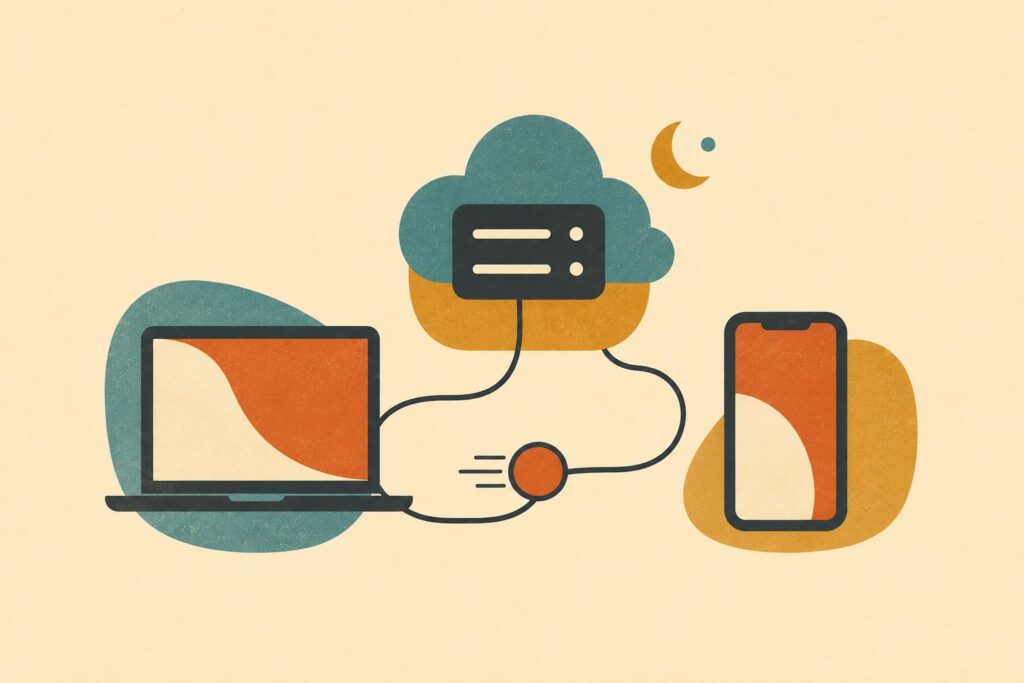
The second is more important and easy to miss. The web and mobile versions run on a different execution model. Instead of running on your machine, these are remote sessions hosted on Anthropic’s servers and saved to your Claude account. That means a session can keep working, and can run scheduled tasks, with no device online at all. In practice, Cowork turns from a desktop program into a cross-device service: you can kick off a job on your laptop, let it continue autonomously in the background, and check on it from your phone later, even after you have closed the app entirely.
Where to find it
On the web, you start a Cowork session from the home screen at claude.ai. On mobile, Cowork lives in the sidebar of the Claude app on iPhone, iPad, and Android. Anthropic has also unified the experience: Chat and Cowork now share one home tab on web and desktop, with one sidebar, one search, and one place for your Projects and Artifacts, so you are not switching between separate surfaces.
Access is staged. The beta opened first to Max subscribers on July 7, and Anthropic has said other plans will get it over the next several weeks, without a fixed date. So if you are on a lower tier and do not see it yet, that is expected.
What you can and cannot do on the new surfaces
On web and mobile, you can start, steer, resume, and review tasks. You can use connectors, skills, plugins, and scheduled tasks, manage your projects, and preview files that Claude creates during a run. For most Cowork workflows, that is the full loop: hand off a task, watch it progress, adjust course, and collect the output.
There is one notable limitation. Live artifacts, the interactive documents and views Cowork can build, remain desktop-only for now. So while you can preview the files a task produces on web and mobile, the richer live-artifact experience still requires the desktop app. Expect this gap to narrow over time, but it is the current line between the surfaces.
To mark the rollout, Anthropic is also extending its doubled Cowork usage limits through August 5, giving people more room to try the agent across the new surfaces.
Why this matters
The move from desktop-only to a cloud-backed, cross-device agent is the real story. An agent that only runs while your laptop is open is a tool you supervise. An agent that runs on a server, persists to your account, and continues in the background is closer to a delegate: you assign work and come back to results, the way you would with a person. Running scheduled tasks with no device online pushes that further, letting Cowork do recurring work on its own timetable.
It also reflects who is actually using Cowork. Reporting on the launch noted that usage data shows most Cowork users are not coding, which fits the framing here: this is general knowledge work, drafting, research, organizing files, working across email and calendar, not just a coding tool. Meeting people on the web and their phones is how a work agent reaches beyond developers.
A fair caveat: this is a beta, it started with Max users, and the artifact gap means the desktop app is still the most complete version. But the direction is clear. Cowork is becoming a place you hand off work from any device and let it run, which is what an agent is supposed to be.
The bottom line: Claude Cowork on web and mobile takes Anthropic’s work agent off the desktop and into the cloud, where sessions persist, run in the background, and follow you across devices. It is rolling out in beta from Max plans first, live artifacts are still desktop-only for now, and the doubled usage limits run through August 5. If you have wanted to start a task on your laptop and check it from your phone, that is now the point.
Frequently Asked Questions
What is new with Claude Cowork on web and mobile?
Cowork, previously a desktop-only agent, now runs on the web at claude.ai and in the Claude app on iPhone, iPad, and Android. Beyond the new surfaces, the web and mobile versions run as remote sessions hosted on Anthropic’s servers, so a task can keep working and run scheduled tasks even when your device is closed. The rollout began July 7, 2026 as a beta for Max subscribers.
How do I access Cowork on the web and my phone?
On the web, start a Cowork session from the home screen at claude.ai. On mobile, open the Claude app on iPhone, iPad, or Android and find Cowork in the sidebar. Chat and Cowork now share one home tab on web and desktop, with a single sidebar, search, and Projects and Artifacts area.
Who can use Claude Cowork on web and mobile?
The beta started with Max subscribers on July 7, 2026. Anthropic has said other plans will get access over the next several weeks, without a fixed date, so lower tiers may not see it immediately.
Can Cowork keep working when my device is off?
Yes. On web and mobile, Cowork runs as a remote session on Anthropic’s servers, saved to your account. It can keep working and run scheduled tasks with no device online, so you can start a task on a laptop, let it continue in the background, and review it from your phone later.
What can’t I do on Cowork web and mobile yet?
Live artifacts, the interactive documents and views Cowork can build, remain desktop-only for now. You can preview the files a task creates on web and mobile, but the full live-artifact experience still requires the desktop app.
Do connectors, skills, and scheduled tasks work on the new surfaces?
Yes. On web and mobile you can start, steer, resume, and review tasks, use connectors, skills, plugins, and scheduled tasks, manage projects, and preview files Claude creates. Most of the Cowork workflow is available outside the desktop app.
Is there a usage-limit change with this rollout?
Yes. To mark the launch on web and mobile, Anthropic extended its doubled Cowork usage limits through August 5, 2026, giving people more room to try the agent across devices.