Disclosure: digitalmatters.me runs on Pantheon, which is one of the managed WordPress hosting platforms covered in this guide. We’ve kept the analysis neutral and sourced pricing and feature claims to public materials so the framework stands on its own merits.
Managed WordPress hosting is the category of hosting where the provider handles infrastructure operations (server setup, security patches, backups, performance tuning, WordPress-aware support) on the customer’s behalf, so the customer can focus on the site rather than the stack. Choosing the right managed WordPress hosting platform is one of those decisions that looks straightforward on the marketing pages and turns out to be heavily situational: what’s right for a 5,000-visit-per-month nonprofit is the wrong answer for a 500,000-visit-per-month media site, and both are wrong for a 25-site agency portfolio.
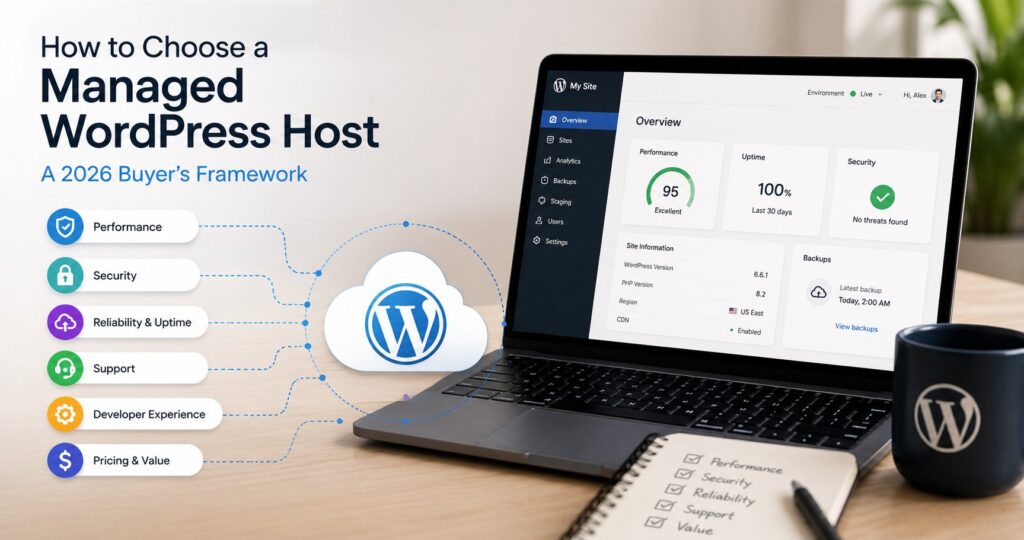
This post is a buyer’s framework, not a single ranking. It covers what managed WordPress hosting actually means, the seven criteria that meaningfully separate the options, the major platforms in the 2026 market (WP Engine, Pantheon, Kinsta, Cloudways, SiteGround, plus the broader budget tier), and how to map your specific needs to the right tier. For deeper comparisons of the two largest pure-play managed-WP hosts, see our WP Engine vs Pantheon piece; for WordPress fundamentals, our WordPress 101 guide.
What "managed WordPress hosting" actually means
Managed WordPress hosting is a packaged service offering on top of shared, VPS, or cloud infrastructure where the provider takes operational responsibility for WordPress-specific concerns. The package typically includes:
- Server configuration tuned for WordPress (PHP version management, MySQL/MariaDB configuration, opcode caching, HTTP/2 or HTTP/3).
- Automated backups on a schedule, with point-in-time restore capability.
- Security hardening: web application firewall, malware scanning, brute-force login protection, automatic WordPress core security updates.
- Staging environments: one-click clones of production for testing changes before promoting.
- Caching layers: object cache (Redis or Memcached), page cache, CDN integration.
- WordPress-aware support: support staff who understand WordPress specifically, not just generic server administration.
The trade-off vs commodity shared hosting (Bluehost, HostGator entry tiers, DreamHost) is convenience and performance versus price. Managed-WP hosts cost roughly 3x–20x commodity shared hosting at the entry tier. The trade-off vs self-managed cloud (AWS, DigitalOcean, Linode running WordPress directly) is operational simplicity versus cost flexibility: managed hosts charge more per unit of infrastructure but absorb the operational labor.
The seven criteria that matter most
Different organizations rank these differently. The mistake is treating the marketing pages’ bullet lists as if they’re all equally weighted.
1. Traffic scale (current and 18-month projection). Visit caps and bandwidth allowances are the most concrete cost driver. Underbuying means overage charges; overbuying means paying for capacity you don’t need. Start with your current monthly visits, project realistic growth, then size the tier with 25% headroom.
2. Single site vs multi-site portfolio. Agency-scale customers running 10+ sites need different platforms than single-site operators. Per-site pricing matters less than the platform’s multi-site dashboard, bulk-management tooling, and per-site overage behavior.
3. Developer workflow maturity. Teams with established Git workflows, deploy automation, and dev-staging-prod environment patterns want platforms that support those patterns natively (Pantheon’s multidev, WP Engine’s Git push, Kinsta’s staging). Teams without those workflows want platforms that don’t require them (SiteGround, Bluehost Pro).
4. Plugin and theme flexibility. Some managed hosts maintain banned-plugin lists (plugins known to break their platforms or cause performance/security issues). Cloudways, for example, has very few restrictions; WP Engine and Kinsta maintain explicit disallowed-plugin lists. If your site depends on a plugin on someone’s disallowed list, that’s a hard constraint.
5. Support depth and response time. SLAs vary widely. Live chat is standard; phone support unlocks at higher tiers on most platforms. The realistic test isn’t the marketing page; it’s "can support handle a 2am production incident from a real WordPress engineer."
6. Compliance and security posture. SOC 2, HIPAA-aware hosting, GDPR-aligned data residency, PCI compliance: these matter for regulated industries. The platforms that pass formal compliance audits are a narrower set than the platforms that claim "enterprise-grade security."
7. Total cost over a 3-year window. Entry-tier pricing is the loss-leader. Real cost includes overage charges, premium plugin licenses (Genesis, ACF Pro included on WP Engine; licensed separately elsewhere), migration cost in or out, and per-environment fees on enterprise tiers. Calculate over a realistic horizon, not the first-month introductory rate.
The major options at a glance
WP Engine is the largest pure-play managed-WordPress host. Pricing starts at $25–$30/month (Startup, 1 site, 25K visits) and scales through Professional, Growth, Scale, and enterprise Core+ tiers. Includes Genesis Framework, StudioPress themes, ACF Pro on most plans. Note the ongoing WP Engine v. Automattic litigation (covered in our WP Engine vs Pantheon comparison) as part of due diligence.
Pantheon is the dual-CMS WebOps platform (supports both WordPress and Drupal). Pricing starts at $50/month for Silver tier and scales through Gold (multidev environments), Platinum (advanced security and compliance), Diamond (dedicated infrastructure). Strongest developer-workflow tooling among the listed platforms.
Kinsta runs on Google Cloud’s premium tier and is positioned as the performance-focused premium option. Starts around $35/month for the Starter plan; scales through Pro, Business, and Enterprise tiers. Includes Cloudflare-powered enterprise CDN, edge caching, and a custom MyKinsta dashboard.
Cloudways is the cloud-aggregator approach: pick your cloud provider (DigitalOcean, Linode, Vultr, AWS, Google Cloud) and Cloudways manages WordPress on top. Pricing starts around $14/month for DigitalOcean-backed entry. Unlimited sites per server. Strong fit for agencies and developers who want cloud flexibility with managed convenience.
SiteGround sits at the lower tier with a more traditional shared-hosting feel and managed-WordPress features layered on. StartUp at $3.99/month introductory (renews higher); GrowBig at $6.69/month introductory with unlimited sites and 20 GB storage. The most affordable real option in the managed-WP category.
Other notable options: Bluehost Pro and Cloud (broader-market budget tier with managed-WP features), Flywheel (now part of WP Engine; agency-focused), Pressable (Automattic’s managed-WP arm), and Pagely (enterprise-focused, often priced above WP Engine’s enterprise tier).
How to map your needs to a tier
Small business or nonprofit, single site, modest traffic (<25K visits/month), no developer team. Realistic options: SiteGround GrowBig ($6.69/month), Bluehost Pro, or WP Engine Startup ($25–$30/month) if performance matters more than entry price. The premium hosts (Pantheon, Kinsta) are usually overpriced for this profile.
Small-to-mid agency, 5–15 sites, mixed traffic. Realistic options: WP Engine Professional or Growth, Pantheon Gold, Cloudways with multiple servers, or Kinsta Pro. The agency-tier question turns on dashboard tooling (centralized site management, per-client billing if relevant) more than per-site pricing.
Mid-market commercial site, 100K–500K visits/month, dedicated developer support. Realistic options: WP Engine Growth or Scale, Pantheon Platinum, Kinsta Business, or Cloudways on a larger DigitalOcean/Vultr/AWS instance. At this scale, the workflow tooling and CDN performance gain more weight than entry price.
Enterprise site or media publisher, 500K+ visits/month, regulated industry or compliance requirements. Realistic options: WP Engine Premium/Enterprise, Pantheon Diamond, Kinsta Enterprise, or Pagely. At this tier, the conversation moves to negotiated pricing, custom SLAs, and dedicated infrastructure. Compliance certifications (SOC 2 Type II, HIPAA-aware, FedRAMP-aspirant) become hard requirements.
Developer-led shop, dual-CMS environment (WordPress + Drupal), prefer Git workflow. Pantheon is the strongest fit: dual-CMS posture, multidev environments, Terminus CLI, and the cleanest deploy-via-promote pattern.
Cost-sensitive but technically capable, want cloud flexibility. Cloudways is the answer. The cloud-aggregator model gives the most flexibility per dollar for teams comfortable with the modestly more complex deployment surface.
Common buyer mistakes to avoid
Buying on entry-tier price. The first-month or first-year introductory rate is rarely representative of ongoing cost. SiteGround in particular runs aggressive introductory pricing that 3–5x at renewal. Calculate the 3-year cost.
Ignoring overage behavior. Hitting the visit cap on one platform might trigger an overage charge of $0.01 per additional visit; on another it might be $1.00. Read the overage policy before signing.
Underestimating migration friction in both directions. Migrating into a managed host is usually fine; many offer free migration. Migrating out is sometimes harder, especially from platforms with proprietary tooling. Score "migration in / migration out" as a separate criterion.
Confusing performance benchmarks for performance reality. Public benchmark posts (TTFB, GTmetrix, Pingdom) cluster all premium hosts very close together. The real performance differentiator at scale is often the CDN, the caching architecture, and the database tuning, not the marketing-page TTFB numbers.
Treating "WordPress-aware support" as binary. Every managed-WP host claims it. The differentiator is depth. A reasonable test before commitment: open a support ticket with a moderately complex hypothetical (custom post type relationship behavior under a high-write load, for example) and evaluate the response quality.
A simple decision checklist
Before you sign, confirm you have a defensible answer to each:
- What’s our current monthly visit count and 18-month projection?
- How many sites are we managing now and in 18 months?
- Does our team work with Git, staging environments, and deploy automation, or do we want the host to abstract that?
- Do we depend on any plugins that some hosts disallow?
- What’s our support expectation: live chat OK, or do we need phone support and named contacts?
- What compliance frameworks apply, and do candidate hosts pass them?
- What’s the realistic 3-year total cost including overages, premium plugin licenses, and migration?
If you can’t answer one of these confidently, the next step isn’t choosing a host; it’s clarifying that requirement. Most regrettable hosting decisions trace to a requirement that wasn’t surfaced until after signing.
Frequently Asked Questions
What’s the cheapest reputable managed WordPress hosting?
SiteGround’s StartUp plan at $3.99/month introductory (higher at renewal) is the lowest-priced real managed-WP option. Bluehost’s WP-focused plans start in a similar range. For genuinely cheap with capable infrastructure, Cloudways on DigitalOcean’s smallest droplet runs around $14/month with unlimited sites. WP Engine’s Startup ($25–$30/month) is the lowest-priced tier-one managed-WP option that doesn’t compromise on infrastructure or support quality.
Is WP Engine still safe to use given the Automattic lawsuit?
WP Engine continues to operate normally and serve its WordPress customer base in mid-2026. The platform has built workarounds for the disputed WordPress.org access points, and site updates, plugin installs, and core operations function. The litigation is ongoing and unsettled. Day-to-day operational risk is low; strategic and procurement-process risk depends on your organization’s tolerance for adopting a vendor in active litigation with a major ecosystem stakeholder. Our WP Engine vs Pantheon comparison covers the dispute in detail.
Should I use WordPress.com Business instead of managed WordPress hosting?
WordPress.com Business and Enterprise are Automattic’s hosted WordPress option. They’re a valid alternative for organizations that want full plugin/theme flexibility without managing infrastructure. The trade-off is platform lock-in to Automattic’s stack and pricing that scales higher than most self-hosted-on-managed-WP-host alternatives at equivalent traffic. For business sites where the managed-WP hosts cover the needs, self-hosted on WP Engine/Pantheon/Kinsta/Cloudways is typically more cost-effective and less locked-in.
How do I migrate from one managed WordPress host to another?
Most managed-WP hosts offer free migration assistance (WP Engine, Kinsta) or include migration plugins (Cloudways, SiteGround). The mechanical migration (database, files, plugins) is usually straightforward. The complications come from platform-specific tooling (Pantheon’s Terminus, WP Engine’s User Portal extensions), domain DNS cutover, SSL certificate provisioning on the new host, and any caching/CDN reconfiguration. Plan 2–8 hours of downtime-tolerant work plus 24–48 hours of DNS propagation. Migration in is usually easier than migration out.
Do I really need managed WordPress hosting, or can I use commodity shared hosting?
Commodity shared hosting (Bluehost, HostGator, DreamHost entry tiers) runs WordPress and is the cheapest option. The trade-offs are performance ceiling (sites slow down faster as traffic grows), security hardening (more your responsibility), backup discipline (you have to set it up yourself), and support depth (generic server admin rather than WordPress-aware). For very small sites with low traffic and a tolerant audience, commodity hosting is fine. For sites where performance, security, or operational reliability matter commercially, the 3x–20x premium for managed WordPress hosting pays back.