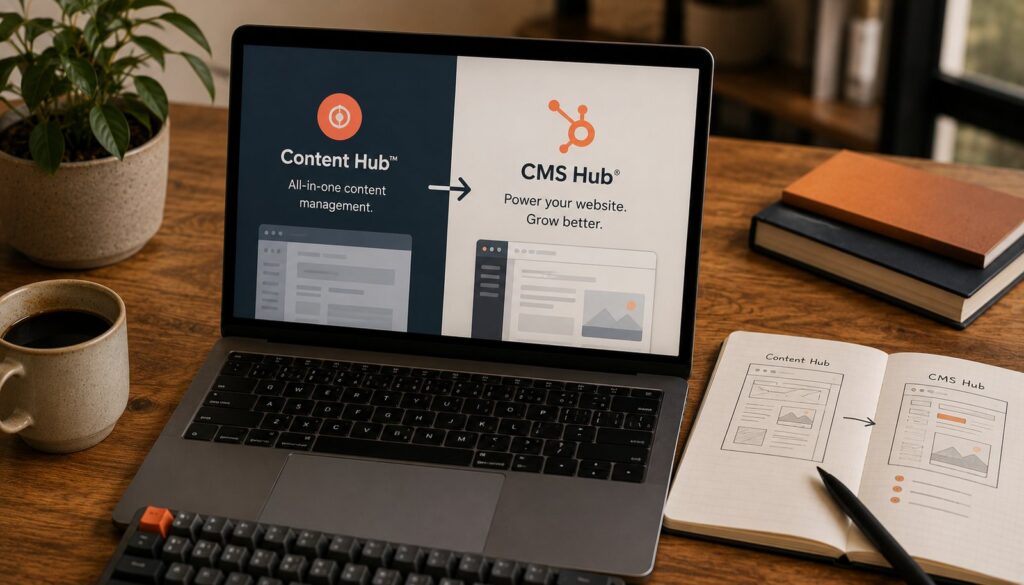
If you are searching for HubSpot CMS Hub, the first thing to know is that the product no longer goes by that name. In early 2024 HubSpot renamed it Content Hub, and the new pricing took effect April 3, 2024 (HubSpot’s pricing guide). The platform underneath is the same content management system you may remember, with a wider remit: it now bundles AI content tools and cross-channel publishing on top of the website builder. The old "CMS Hub" label still gets typed into search bars daily, so this post uses it where it helps, but everything below describes the product as it ships in 2026 under the Content Hub name.
What it actually is: a proprietary, fully hosted CMS that is built directly on top of the HubSpot CRM. That single design decision drives almost everything that follows. Unlike a standalone CMS, every page view, form fill, and content interaction writes back to the same contact record your sales and service teams already use. If you are new to the category, our explainer on what a content management system is sets the baseline.
What HubSpot CMS Hub became: Content Hub
The rename was not cosmetic. CMS Hub was positioned as a website tool: pages, blogs, themes, and hosting. Content Hub keeps all of that and reframes the product around content production across formats, with an AI layer running through it. HubSpot describes Content Hub as an "all-in-one, AI-powered content marketing software" rather than a website builder, and it was the company’s fastest-growing hub in its first year (HubSpot).
In practice the core CMS capabilities did not go anywhere. The drag-and-drop editor, developer themes, content staging, memberships, smart content, and serverless functions all carried over. What got added sits mostly in the AI and multi-format publishing space: a content writer, brand voice, content remix, AI translation, and tooling to spin written posts into podcasts and audio. So the honest framing is: Content Hub is CMS Hub plus a content-marketing and AI layer, sold under a new name.
The hosted, CRM-integrated model
The defining trait of HubSpot CMS Hub is that you do not assemble it. Hosting, SSL, the CDN, security patching, and maintenance are all included and managed by HubSpot. There are no plugins to keep updated and no server to administer. For a small marketing team without a dedicated developer, that removes an entire category of work.
The deeper differentiator is the CRM. Because the CMS and the customer database are one system, personalization and reporting do not require integration glue. A page can change its content based on a visitor’s lifecycle stage, and the resulting engagement is attributed against the same contact your sales team sees. This is the structural advantage HubSpot leans on, and it is also why the platform pairs naturally with marketing automation: the content, the forms, the workflows, and the contact data all live in one place.
The tradeoff is lock-in. Your content, templates, and data live inside HubSpot’s ecosystem, and the platform uses HubL (HubSpot’s templating language, an extension of the Jinja-based Jinjava engine) rather than an open language (HubSpot developer docs). That is a meaningfully different bet than running an open-source CMS you fully own.
The feature set, by what it actually does
Here is the working inventory of what HubSpot CMS Hub gives you, grouped by job.
Building and editing
- Drag-and-drop editor: marketers arrange page layouts visually inside drag-and-drop areas, while developers keep the underlying templates in code. The two audiences are not fighting over the same surface.
- Themes and modules: developers build coded HTML plus HubL themes (HubSpot ships a CMS theme boilerplate as a starting point), and content creators get layout control through the editor without touching code.
- Content staging: build and preview pages or redesigns before they go live, so nothing reaches the public until it is signed off.
- Serverless functions: an Enterprise-tier capability that lets developers run server-side code against HubSpot and third-party APIs, useful for keeping credentials secret and powering custom interactions ([HubSpot developer docs](https://developers.hubspot.com/docs/cms/start-building/introduction/overview)).
Personalization and access
- Smart content and personalization: individual modules on a page can carry their own personalization rules, serving different content to known contacts versus anonymous visitors based on CRM data.
- Memberships: gate blog content or pages behind login, restricting access to specific people or groups, which is the basis for member-only resources or customer portals.
- Multi-language: create and manage language variants of pages and posts, with AI translation to speed up producing content for multiple markets.
The AI layer
This is the part that justified the rename.
- AI content writer: generates drafts for blogs, landing pages, and social posts from a brief.
- Brand voice: you define a brand voice once, and the AI applies that tone when editing or generating content so output does not read generically.
- Content remix: take one source asset and repurpose it into other formats and channels. The volume is tiered, with Professional remixing up to 20 pieces per day and Enterprise up to 50 ([HubSpot](https://blog.hubspot.com/website/hubspot-content-hub-pricing)).
- Audio and podcasts: turn written content into podcast scripts and audio, applying your brand voice, then publish to pages and RSS feeds.
HubSpot’s broader AI is branded Breeze, which extends across the platform and gained a set of AI agents and a Breeze Studio through 2025 (HubSpot Spring 2025 announcement). For a CMS buyer, the relevant point is that the content AI is native, not a bolted-on plugin.
2026 pricing tiers
HubSpot CMS Hub pricing runs from free to four figures a month. These are the published list prices as of mid-2026; HubSpot adjusts them periodically, so confirm before you commit.
| Tier | Price | Seats included | Built for |
|---|---|---|---|
| Free | $0/mo | 2 | A basic site or single blog on a standard theme |
| Starter | From $15/mo per seat (annual) | 1 | Custom domain, no HubSpot branding, basic AI, smart-content rules |
| Professional | $450/mo (annual) | 3 | Active content teams: full AI suite, remix, advanced SEO, A/B testing, multi-language |
| Enterprise | From $1,500/mo | 5 | Multi-brand orgs: up to 10 root domains, serverless functions, SSO, content partitioning |
Source: HubSpot Content Hub pricing. The jump from Starter to Professional is where the platform stops being a website tool and starts being a content engine: the AI content writer, content remix, brand voice, and the advanced SEO and topic-cluster tooling all live at Professional and up.
HubSpot CMS Hub versus WordPress
This is the comparison most buyers actually want, so it is worth being direct rather than diplomatic.
Choose HubSpot CMS Hub when the website is an extension of a marketing-and-sales operation and you want one system. The CRM integration, hosting, security, and AI come included, and a marketing team can run the site with little or no developer support. That bundling is the entire value proposition. WordPress, by contrast, is open-source: you own everything, you can extend it without limit through plugins and themes, and it runs on PHP, but you (or a host) are responsible for hosting, security, updates, and stitching together a CRM. Our piece on what WordPress is covers that model in depth.
A few specifics that decide the call in practice:
- Total cost: WordPress software is free, but hosting, premium plugins, and development add up. HubSpot’s price is higher and predictable, with the infrastructure included. Compare the all-in numbers, not the sticker.
- Developer ceiling: WordPress and PHP are effectively unbounded. HubL is more constrained than PHP, so deeply custom application logic is harder on HubSpot, though serverless functions narrow the gap at Enterprise.
- Data ownership and portability: WordPress content is yours to export and self-host anywhere. HubSpot content lives in HubSpot, which is the cost of the integration.
If you want maximum control over delivery and are willing to wire your own front end, neither of these is the only model; a headless CMS decouples content from presentation entirely. HubSpot is firmly in the integrated, all-in-one camp, which is the opposite philosophy.
Who HubSpot CMS Hub fits
The platform earns its price for organizations that already run, or plan to run, on HubSpot’s CRM and want the website inside that system rather than bridged to it. Marketing teams light on developer resources, businesses that value predictable managed hosting over tinkering, and companies whose content strategy spans blogs, landing pages, email, and now audio all fit the profile. The fit is weakest for teams that need bespoke application logic, want full data portability, or are optimizing hard for the lowest possible platform cost. For those, an open CMS remains the stronger choice, and that is a feature of the decision, not a flaw in the product.
FAQ
Is HubSpot CMS Hub the same as Content Hub?
Yes. HubSpot renamed CMS Hub to Content Hub in early 2024, with the new pricing taking effect April 3, 2024. It is the same underlying content management system, expanded with AI content tools and multi-format publishing. Many people still search for the old “CMS Hub” name, which is why it persists in articles and conversations.
How much does HubSpot CMS Hub (Content Hub) cost in 2026?
There is a free tier, a Starter tier from roughly $15 per seat per month on annual billing, a Professional tier at $450 per month (annual) including three seats, and an Enterprise tier starting at $1,500 per month including five seats. HubSpot updates these prices periodically, so verify current figures on HubSpot’s pricing page before purchasing.
Does HubSpot CMS Hub include hosting?
Yes. Hosting, SSL, a CDN, security, and maintenance are all included and managed by HubSpot across every paid tier. You do not provision a server or manage updates, which is a core reason teams choose it over a self-hosted CMS.
What AI features does Content Hub include?
The main content AI tools are an AI content writer, brand voice (which applies your defined tone to generated content), content remix (repurposing one asset into other formats), AI translation for multi-language content, and tools to turn written content into podcasts and audio. These sit within HubSpot’s broader Breeze AI brand. The full suite is available from the Professional tier upward.
Can developers customize HubSpot CMS Hub?
Yes, within HubSpot’s framework. Developers build themes and modules in coded HTML plus HubL (HubSpot’s templating language) and can use serverless functions at the Enterprise tier to run server-side code against APIs. HubL is more limited than PHP, so HubSpot offers less raw flexibility than an open-source CMS like WordPress, but it is far from a closed black box.
HubSpot CMS Hub or WordPress: which should I pick?
Pick HubSpot if you want an integrated website, CRM, hosting, and AI in one managed system and you value convenience over control. Pick WordPress if you want full ownership, maximum extensibility through plugins and themes, lower platform cost, and you have (or can hire) developer support. Compare total cost of ownership rather than the sticker price, since WordPress shifts cost into hosting and development.