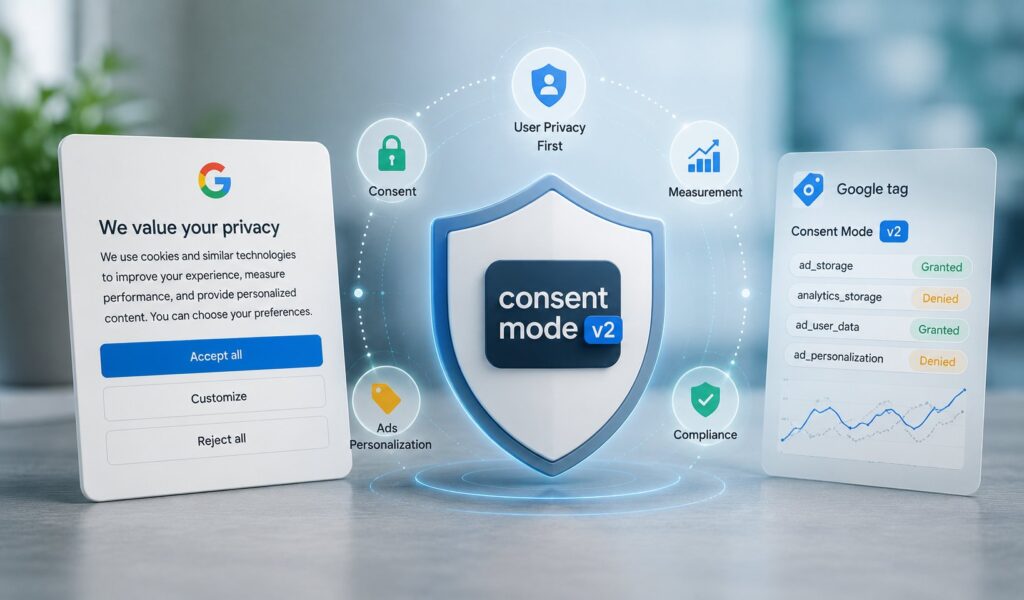
Google Consent Mode v2 is the signal layer Google uses to communicate a user’s consent choices from your consent banner to Google’s advertising and measurement tags. It has been mandatory since March 6, 2024 for any advertiser using Google Ads, Google Analytics 4, or the broader Google Marketing Platform to serve users in the European Economic Area (EEA) or the United Kingdom. The hard truth in 2026 is that the question is no longer whether you have Consent Mode v2 implemented; it’s whether the implementation you have actually works. Industry analysis from practitioner audits suggests a substantial share of sites with green tag-status reports are silently sending broken consent signals, with the banner showing, the tags firing, the dashboard looking healthy, and the consent state never actually reaching Google. After Google tightened enforcement on EEA and UK traffic in mid-2025 (with account suspension for non-compliance starting July 21, 2025), sites with broken wiring saw analytics and conversion data collapse without warning. Today, on June 15, 2026, a second change to Consent Mode v2 takes effect, expanding consent signal coverage from cookie storage to data usage. The relevance is immediate, the stakes are real, and the implementation is more subtle than it looks.
This post covers what Consent Mode v2 actually is, why it exists (the EU Digital Markets Act, not GDPR directly), the four mandatory signals and what each one controls, the Basic-versus-Advanced mode decision that quietly determines whether you recover lost conversions, the data thresholds that determine whether Google’s modeling actually activates for your property, the two-phase implementation pattern that has to fire in the right order, the seven silent failure patterns that cause data loss, and what teams running ads in EEA/UK markets should do this week. The post is written for marketing teams, growth operators, and developers who own ad measurement and need to know whether their consent stack is actually compliant or just decorative. For broader privacy context, our GDPR primer covers the legal foundation that operates alongside the DMA-driven Consent Mode mandate.
What Consent Mode v2 actually is
Consent Mode v2 is not a cookie banner. The most common misconception in 2026 is that a cookie banner is Consent Mode. It isn’t. A banner captures a user’s choice in the browser; Consent Mode is the separate signal layer that communicates that choice to Google’s tags via four parameters. If your banner records a preference but never fires the gtag('consent', 'update', ...) command, the tags never learn what the user decided, and they behave as if nothing changed.
The architecture in plain language:
The user lands on your page. A consent banner appears (rendered by your Consent Management Platform, or CMP). The user clicks accept, decline, or customize. The CMP captures the choice. At this point, the CMP needs to communicate the choice to Google’s tags via the Consent Mode signal layer. This communication happens through a JavaScript command (gtag('consent', 'update', {...})) that updates the consent state for the four Google parameters. The Google tags read the updated consent state and adjust their behavior accordingly: full data collection if granted, cookieless anonymized pings if denied, no transmission at all in Basic mode if denied.
The four parameters Consent Mode v2 governs:
ad_storage (v1 signal). Governs storage used for advertising, primarily ad-related cookies. When denied, ad cookies are not written and conversion pings become cookieless.
analytics_storage (v1 signal). Governs analytics storage. When denied, tags send anonymized measurement-without-cookies pings. This is the mechanism that makes behavioral and conversion modeling possible in Advanced mode.
ad_user_data (v2 signal, added in late 2023). Consent to send advertising-related user data to Google. When denied, ad measurement including Enhanced Conversions is disabled, conversion pings go cookieless, and data exports are limited.
ad_personalization (v2 signal, added in late 2023). Consent for personalized advertising. When denied, remarketing lists and personalized targeting are disabled across Google platforms.
The dependency teams miss most often: ad_user_data and ad_personalization must both be granted for any personalized advertising to function. Grant one and deny the other and you get the worst of both, the appearance of consent without the capability it was meant to unlock.
Why Consent Mode v2 exists
The direct legal driver for Consent Mode v2 is the EU Digital Markets Act (DMA), not GDPR directly. The EU designated Alphabet (Google) as a gatekeeper in late 2023, triggering a March 6, 2024 DMA compliance deadline. Google’s response was to require all four consent signals to keep using Google Marketing Platform advertising features for EEA users. GDPR already requires consent independently. Consent Mode v2 is Google’s mechanism for hearing that consent, not a GDPR product in itself.
The distinction matters operationally. GDPR compliance is your obligation regardless of Google. The CMP you choose, the consent prompts you show, the data you collect, the legal bases you rely on, all of these are your direct GDPR responsibilities. Consent Mode v2 is Google’s mechanism for receiving the consent signal so that Google’s tags behave appropriately. You can have a GDPR-compliant consent flow that fails Consent Mode v2 (the consent is captured but never communicated to Google), and you can have Consent Mode v2 wired up that fails GDPR (the signals flow but the banner isn’t compliant).
Separately, since January 16, 2024, publishers using Google AdSense, Google Ad Manager, or AdMob to serve ads to EEA and UK users must use a Google-certified consent management platform. The certified-CMP list is maintained by Google and updated regularly. Certification requires passing testing for data handling and consent management. That obligation is distinct from the advertiser-side Consent Mode v2 mandate but often lands on the same teams at the same time.
For US-only sites that don’t serve EEA or UK traffic, Consent Mode v2 isn’t a legal requirement. It’s still worth understanding because the implementation patterns translate to CCPA, the patchwork of state privacy laws, and the broader consent-first architecture that’s becoming the industry default.
Basic mode vs Advanced mode
Every Consent Mode v2 implementation has to choose between two modes, and the choice is more consequential than the documentation makes it sound.
Basic mode blocks all Google tags until the user grants consent. Nothing reaches Google before the user clicks the banner. When consent is denied, tags don’t fire, no pings go to Google, no data flows.
Advanced mode loads tags immediately with all four signals defaulted to denied. Cookieless anonymized pings are sent while consent is withheld, and only enriched with cookies once consent is granted. That cookieless ping stream is what lets Google model the conversions and behavior it can no longer observe directly.
The difference is consequential because Google’s published figures indicate Advanced mode’s conversion modeling recovers, on average, more than 70 percent of the ad-click-to-conversion journeys lost to consent declines. Basic mode recovers nothing because there’s no signal stream for the model to learn from.
The honest summary: Basic mode "feels safer" because no data leaves the page until the user agrees, but for an EEA advertiser spending on Google Ads, Basic mode means voluntarily forfeiting every modeled conversion Advanced mode could have recovered. That’s a revenue decision dressed up as a privacy one. Advanced mode is still privacy-respecting since pings while denied are cookieless and anonymized. For paid-media advertisers, the honest recommendation is Advanced, implemented correctly.
The modeling reality check
The 70-percent recovery figure is real but conditional. Google’s modeling does not run on every property. It requires enough data to train a reliable model, and those thresholds quietly exclude most small and mid-sized advertisers.
Per practitioner analysis of Google’s requirements, Google Ads conversion modeling needs on the order of 700 ad clicks over a seven-day window per country and domain grouping. GA4 behavioral modeling needs sustained minimum volumes of both denied events and consented users (commonly cited around 1,000 denied events per day across several days plus a comparable base of consented daily users) before it engages.
The audience most likely to read a setup guide is precisely the audience least likely to clear those thresholds. Small and mid-sized advertisers spending a few thousand per month on Google Ads in a single country may never qualify for modeling at all, in which case the 70-percent recovery figure doesn’t apply to them.
The practical layered approach: turn on Advanced mode regardless, because it costs nothing extra and unlocks modeling the moment you qualify. Below the modeling thresholds, stack additional measurement tools (Enhanced Conversions, server-side Google Tag Manager) for partial recovery. The combination is commonly cited as recovering 30 to 50 percent of lost conversions, which is meaningful even if it’s not the headline 70 percent. Treat the 70-percent number as a ceiling for high-volume properties, not a guarantee.
The two-phase implementation pattern
The correct Consent Mode v2 implementation is a two-phase pattern, and the order is non-negotiable.
Phase 1: default, before any Google tag loads. A default command sets all four signals to denied before any Google tag fires. This has to be the very first consent instruction on the page. For sites with regulated and non-regulated markets, the default command accepts region-specific overrides using ISO 3166-2 country codes, so you can default to denied only for EEA countries while leaving non-regulated regions granted.
In Google Tag Manager, this is implemented via a Consent Initialization tag triggered on "Consent Initialization – All Pages." The custom HTML:
<script>
gtag('consent', 'default', {
  ad_storage: 'denied',
  analytics_storage: 'denied',
  ad_user_data: 'denied',
  ad_personalization: 'denied',
  wait_for_update: 500
});
</script>
Phase 2: update, after the user chooses. Once the consent platform resolves the user’s choice, an update command rewrites the relevant signals to granted. Most certified CMPs handle this automatically. For custom implementations:
<script>
gtag('consent', 'update', {
  ad_storage: 'granted',
  analytics_storage: 'granted',
  ad_user_data: 'granted',
  ad_personalization: 'granted'
});
</script>
The wait_for_update parameter (commonly set to 500 milliseconds as a practitioner convention) tells the tag to delay transmission so the update can win the race against the first network request. Without it, asynchronous CMPs race the first tag fire and lose.
Two additional parameters worth knowing:
url_passthrough (true/false). Passes ad-click identifiers (GCLID, DCLID) through URL parameters for same-domain navigation when ad_storage is denied, partially preserving attribution without cookies.
ads_data_redaction (true/false). Redacts ad-click identifiers from network request pings when ad_storage is denied, for maximum privacy. Where it conflicts with consent state, the strictest setting wins in favor of data protection.
The seven silent failure patterns
No single Google documentation page enumerates how Consent Mode v2 quietly fails in production. Drawing on practitioner documentation, here are the seven patterns that cause silent data loss. Each one leaves the banner showing and the tags firing while the underlying signal is wrong.
1. No default command before tags load. Unconsented cookies set before the default command fires. The most common cause of broken implementations.
2. CMP never fires the update command. Banner records the choice but consent state never reaches the tags. Tags fire indefinitely on whatever the default state was.
3. Tags fire regardless of consent. Tags ignore the consent state entirely and always send full data. Usually a tag-level configuration miss in GTM.
4. Only v1 signals handled. ad_user_data and ad_personalization missing from the default and update commands. The implementation fails v2 compliance even if it looked correct under v1.
5. Missing redaction parameters. url_passthrough and ads_data_redaction omitted, leaking attribution or losing it unnecessarily.
6. Over-restricting non-EU regions. Denied defaults applied globally, discarding data where consent law does not apply. Counterproductive privacy theater.
7. High-traffic pages bypass consent entirely. Key landing pages skip the consent layer (often because of how they’re built or deployed), creating compliance and measurement gaps that don’t show up in templated audits.
The validation trap that ties all seven together: a green Google Tag Assistant status does not confirm Consent Mode is working. Tag Assistant verifies that a tag is present and fires. It does not validate that consent signals are flowing correctly from the CMP to the tag. A site can show a perfectly healthy report while silently sending unconsented pings.
The reliable validation: inspect the gcs and gcd parameters on real network requests. The gcs parameter encodes ad_storage and analytics_storage in a binary G1xy format. The gcd parameter encodes all four v2 decisions in a single base64 string. Reading these in your network requests is the fastest way to confirm what consent state Google actually received, a far more reliable check than trusting a green tag status.
The validation discipline
Once the implementation is in place, a recurring validation pass is the only thing that separates a working setup from a decorative one. Run this pass at launch and then on a recurring schedule (monthly is reasonable for stable sites, weekly for sites in active development):
- Confirm the default fires first. In the browser network tab, verify the consent default is set before any Google tag request. If a tag fires with a granted-looking state before the banner is touched, the order is wrong.
- Decline, then read the parameters. Decline consent and inspect gcs and gcd on the resulting requests. They should reflect denial, not grant. This is the ground-truth check Tag Assistant cannot give you.
- Grant, then confirm the update lands. Accept consent and confirm an update command fires and the parameters flip to granted. If they never change, the CMP is not communicating with the tags.
- Test all four signals, not just two. Verify ad_user_data and ad_personalization are present and toggled. A v1-only setup looks fine on the surface and fails v2 compliance.
- Check region behavior. Confirm non-regulated regions are not being over-restricted and that EEA defaults are denied. Both directions are failure modes.
- Spot-check inherited implementations. If you didn’t build the setup yourself, assume it is broken until proven otherwise. The seven failure patterns above are your checklist.
Choosing a Consent Management Platform
The CMP you choose handles the user-facing banner, the consent storage, and the integration with Consent Mode v2. Google maintains a list of certified CMPs that are validated to work correctly with Consent Mode and the broader Google advertising ecosystem.
Major certified platforms include Cookiebot, OneTrust, Osano, Usercentrics, Didomi, Quantcast, and Axeptio. All have native Consent Mode v2 integrations and handle the update command automatically when the user makes a choice.
The selection criteria worth thinking through:
Geographic coverage. Does the CMP handle the specific privacy regulations relevant to your audience? GDPR is universal among certified CMPs; CCPA, the various US state laws, LGPD (Brazil), and others vary in support depth.
Banner design flexibility. Can you customize the banner to match your brand without compromising compliance? Some CMPs are more rigid than others.
Pricing. Free tiers exist for small sites (Cookiebot’s free tier covers a single small domain, for example). Paid plans scale with traffic, language count, and feature requirements. Enterprise CMPs (OneTrust at the high end) carry meaningful per-seat or per-property pricing.
Integration depth. How well does the CMP integrate with Google Tag Manager, server-side GTM, your CMS, your DXP? Native integrations save substantial implementation time.
Developer ergonomics. If your team has technical depth, the JavaScript API, webhook support, and customization hooks matter. If your team is non-technical, the automated integration handling matters more.
For custom or non-CMP builds, Simo Ahava’s open-source GTM consent template is the de facto community standard. It handles both the default and update commands and applies the strictest-setting-wins rule for redaction conflicts. Suitable for sites with strong in-house GTM expertise; less suitable for non-technical marketing teams.
What about server-side GTM?
A persistent misconception in 2026 is that moving to server-side Google Tag Manager replaces the need for Consent Mode wiring. It does not. Server-side tagging changes where tags execute, not whether consent applies.
The correct architecture passes consent signals from client-side GTM into the server container, and server-side tags must read and respect that consent state before forwarding anything to Google. Skip that step and you have simply moved the unconsented data collection one hop downstream, with the same compliance exposure.
Server-side GTM has real benefits (better attribution, longer cookie lifetimes via first-party context, reduced client-side JavaScript footprint), but consent isn’t one of them. The consent layer applies whether you’re client-side, server-side, or hybrid.
What teams should do this week
Six concrete actions:
- Audit your current Consent Mode v2 implementation against the seven failure patterns. If you didn’t build it yourself, assume something is wrong until you’ve verified each pattern. The audit takes a few hours; the avoided data loss is worth substantially more.
- Validate by reading gcs and gcd parameters on real requests. Use Chrome DevTools (or the equivalent in your browser of choice) to inspect a few real page loads as both a consented and a declined user. If the parameters don’t change as expected, the wiring is broken.
- If you’re on Basic mode and you spend on Google Ads in EEA or UK, plan the migration to Advanced mode. The conversion-modeling lift is real for high-volume properties and meaningful even for smaller ones.
- Verify your CMP is Google-certified. The certified-CMP list is maintained by Google and updated regularly. Non-certified CMPs may still capture consent technically but won’t unlock modeling.
- Document the validation discipline. Add a monthly Consent Mode validation check to your team’s recurring operations. The seven-pattern audit and the gcs/gcd inspection are the right checklist; document the process so it survives team turnover.
- For US-only properties, plan ahead. Consent Mode v2 isn’t a US legal requirement today, but the trajectory of US state privacy laws (CCPA, CPA, VCDPA, CTDPA, TDPSA, and counting) is toward similar consent-first architecture. Implementing Consent Mode v2 now positions you for the regulatory direction US privacy law is moving.
The deeper takeaway is that Consent Mode v2 is now a wiring discipline, not a checkbox. The advertisers who win the next several years of privacy-constrained measurement will be the ones who validate the consent path the way engineers validate any other production system: by reading what actually crosses the wire, on a schedule, rather than trusting the dashboard. That’s the difference between a setup that looks compliant and one that is.
Frequently Asked Questions
What is Google Consent Mode v2?
Google Consent Mode v2 is Google’s signal layer that communicates a user’s consent choices from your consent banner to Google’s advertising and measurement tags (Google Ads, Google Analytics 4, the broader Google Marketing Platform). It uses four parameters (ad_storage, analytics_storage, ad_user_data, ad_personalization) to tell Google’s tags how to behave based on whether the user has granted or denied consent. Version 2 added the two ad_user_data and ad_personalization signals in late 2023, on top of the original v1 ad_storage and analytics_storage signals.
Is Consent Mode v2 mandatory?
For advertisers using Google Ads, Google Analytics 4, or the Google Marketing Platform to serve users in the European Economic Area (EEA) or the United Kingdom, yes. The mandate took effect March 6, 2024, driven by the EU Digital Markets Act’s gatekeeper designation of Google rather than GDPR directly. For US-only sites without EEA or UK traffic, Consent Mode v2 isn’t currently a legal requirement, though the trajectory of US state privacy laws suggests similar requirements may emerge in coming years.
What’s the difference between Basic mode and Advanced mode?
Basic mode blocks all Google tags from firing until the user grants consent. When denied, nothing reaches Google at all. Advanced mode loads tags immediately with all four signals defaulted to denied, sends cookieless anonymized pings while consent is withheld, and only enriches with cookies once consent is granted. The cookieless ping stream lets Google’s conversion modeling reportedly recover more than 70 percent of ad-click-to-conversion journeys lost to consent declines, for properties that meet the modeling data thresholds. Basic mode recovers nothing because there’s no signal stream to model from. For EEA/UK advertisers, Advanced mode is generally the right choice.
What are the four required signals?
ad_storage (governs ad-related cookie storage, v1 signal), analytics_storage (governs analytics storage, v1 signal), ad_user_data (consent to send advertising-related user data to Google, v2 signal), and ad_personalization (consent for personalized advertising and remarketing, v2 signal). All four are required for v2 compliance. The dependency teams miss most often is that ad_user_data and ad_personalization must both be granted for any personalized advertising to function; granting one and denying the other produces the appearance of consent without the capability it was meant to unlock.
How much conversion recovery does Advanced mode actually deliver?
The headline figure from Google is more than 70 percent of ad-click-to-conversion journeys recovered through modeling. That figure applies to high-volume properties that meet Google’s modeling data thresholds. Per practitioner analysis, Google Ads conversion modeling needs roughly 700 ad clicks over a seven-day window per country and domain grouping; GA4 behavioral modeling needs sustained minimum volumes of denied events and consented users. Below those thresholds, modeling doesn’t fully activate. For small and mid-sized properties below the thresholds, the realistic recovery is closer to 30 to 50 percent with Advanced mode plus Enhanced Conversions plus server-side tagging. Treat 70 percent as the ceiling for high-volume properties, not a guarantee for all sites.
Does a Google-certified CMP guarantee a working Consent Mode v2 implementation?
No. A certified CMP makes correct implementation much easier (the platform handles the default and update commands automatically), but the implementation can still be broken by configuration errors. The most common failure modes with certified CMPs: the CMP is installed but not configured to fire the consent commands, the CMP fires after other tags load, region-specific defaults are misconfigured, or specific high-traffic pages bypass the CMP entirely. The validation discipline (reading gcs and gcd parameters on real requests, confirming defaults fire first, testing consent transitions) is necessary even with a certified CMP.
How do I validate my Consent Mode v2 implementation?
Read the gcs and gcd URL parameters on real Google tag requests. The gcs parameter encodes ad_storage and analytics_storage in a G1xy format; the gcd parameter encodes all four v2 decisions in base64. Inspect them in your browser’s network tab on a real page load as both a consented and a declined user. If the values don’t change as consent state changes, the wiring is broken regardless of what your CMP dashboard or Google Tag Assistant report shows. This is the ground-truth validation; everything else is dashboard signaling that can be wrong.
What if I’m a US-only business with no EEA traffic?
Consent Mode v2 isn’t a legal requirement for US-only sites without EEA or UK traffic. It’s still worth implementing because the architectural patterns (consent-first measurement, consent signals separate from cookie storage, explicit user-data consent) are becoming the industry default and align with the trajectory of US state privacy laws. CCPA already requires opt-out flows; the newer state laws (Colorado, Virginia, Connecticut, Texas, and counting) are moving toward consent-first models in various ways. Implementing Consent Mode v2 now positions your measurement stack for the direction US privacy law is heading, even if no specific US regulation requires it today.