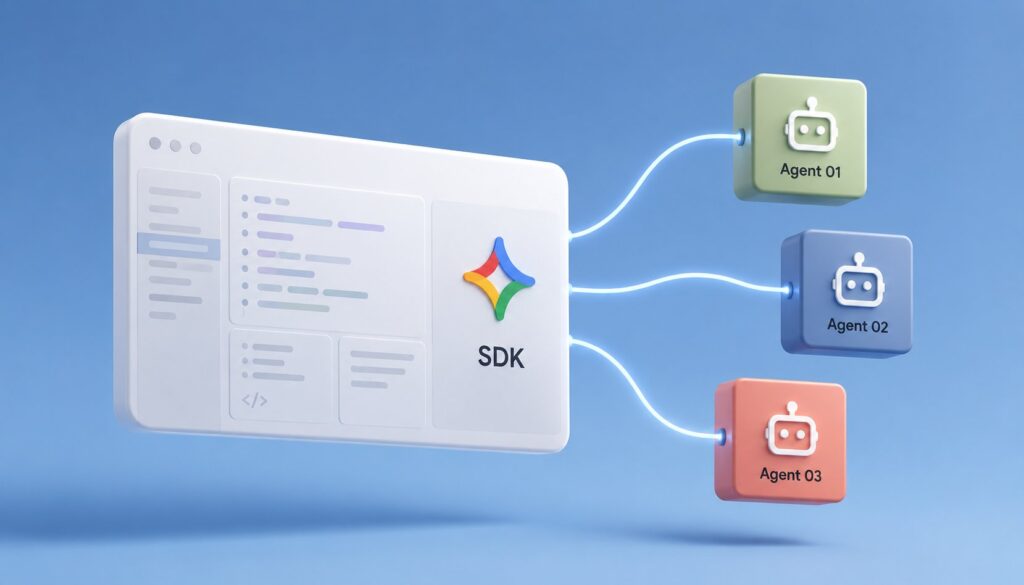
The Antigravity 2.0 release at Google I/O 2026 introduced two surfaces that move Antigravity from "an agentic IDE for individual developers" to "an agentic platform that production applications can build on." The Python SDK at google.antigravity exposes the same agentic execution pipeline that the IDE and CLI run on to programmatic code, letting developers invoke agents from their own application code instead of only from inside Antigravity’s surfaces. Managed Agents takes the next step: SDK-built agents can run on Google’s infrastructure rather than on the developer’s local machine, with the scheduling, monitoring, and operational guarantees that production deployment needs. Together, these two surfaces represent Antigravity’s bid to be the platform that production agentic workloads run on, not just the IDE where they get developed.
This piece walks through what the SDK actually exposes, how Managed Agents extend the picture, the practical workflows the combination enables, the security and operational considerations that matter for production deployment, the pricing and access situation, and the comparison with the alternative paths for building production agentic systems. The piece assumes context on Antigravity itself; our Antigravity 101 pillar covers the IDE and the broader product surface.
The short version is that the SDK + Managed Agents combination is a meaningful production-deployment story for teams that want agentic workloads inside their own applications. The SDK is competitive with frameworks like LangChain and the Vercel AI SDK for building agentic logic in code. Managed Agents is the differentiating surface; running production agents on Google’s infrastructure removes the operational complexity that has limited agentic-workload adoption for teams without the engineering depth to build their own agent-execution platforms. The combination is the right choice for Google Cloud customers and for teams that want a managed agent surface; it is less compelling for teams that prefer to build their own infrastructure or that are already invested in alternative agent frameworks.
What the SDK exposes
The Antigravity Python SDK ships as the google.antigravity package, installable through pip. The minimum viable application is a few lines: import the SDK, instantiate an agent with a goal and a model selection, and run it. The SDK handles the underlying loop: the agent decides what to do, invokes tools, processes results, and either completes the goal or reports back the current state for human follow-up.
The core abstractions the SDK exposes:
Agent is the top-level construct. An agent has a goal (specified in natural language), a model (one of the supported models including Gemini 3 Pro, Claude Opus, and GPT-5.5), a set of tools it can invoke, and configuration for execution behavior. The agent is the unit of work; you instantiate an agent, run it, and the agent attempts to accomplish its goal.
Tools are the operations the agent can invoke. The SDK includes built-in tools for common operations (web search, file operations, code execution in a sandbox). It also supports MCP servers as tools, which means any MCP server configured for the Antigravity ecosystem is available to SDK-built agents. Custom tools can be defined in Python with type annotations that the SDK translates into the tool schemas the agent uses.
Subagents let an agent delegate work to additional agent instances. The SDK supports spawning subagents in parallel, collecting their results, and continuing the parent agent’s work with the collected output. This is the programmatic equivalent of the Manager view in the Antigravity IDE.
Skills carry over from the IDE/CLI surface to the SDK. A Skill is a reusable agentic capability that combines a prompt, a set of tools, and configuration for a specific workflow pattern. SDK-built agents can invoke Skills as building blocks of larger workflows.
Memory lets agents persist state across executions. The persistent memory pattern is what makes long-running multi-day workflows possible; an agent that pauses can resume with full context of what it was doing.
How agents execute in the SDK
The execution pattern follows the agentic loop that has become standard across the major agent frameworks. The agent receives the goal, decides on the next action, invokes a tool if needed, processes the tool result, and either terminates with a final answer or continues the loop.
Three execution modes are supported:
Synchronous execution is the simplest pattern: the SDK call blocks until the agent terminates and returns the final result. This is appropriate for agents that complete in a reasonable time (seconds to a few minutes) and for development workflows where the developer is interactively iterating on agent behavior.
Streaming execution returns intermediate progress as the agent works. The pattern is similar to how chat-stream responses work for non-agentic LLM calls, with the addition that each yielded chunk includes information about what tool was invoked, what the result was, and what the agent decided to do next. Streaming is appropriate for user-facing applications where progress visibility matters.
Background execution starts an agent and returns immediately with a handle. The agent runs in the background (on the local machine for SDK-only deployments, or on Google’s infrastructure for Managed Agents). The handle can be queried for status, intermediate results, or final completion. Background execution is the right pattern for long-running workloads (hours or days) and for production deployments where the application cannot block on agent completion.
Managed Agents: SDK agents on Google’s infrastructure
Managed Agents takes an SDK-built agent and runs it on Google’s infrastructure rather than on the developer’s machine. The architectural shift is meaningful for production deployment because it removes several operational concerns that the SDK alone leaves to the developer.
Scheduling. Managed Agents handles scheduling agents to run on appropriate compute. The developer specifies the agent and the desired execution time (immediate, scheduled, or event-triggered), and Managed Agents handles the rest.
Reliability. Agents that fail mid-execution are retried automatically according to configurable retry policies. The retry handling includes idempotency keys to prevent duplicate work when an agent retries an operation it had partially completed.
Monitoring. Managed Agents integrates with Google Cloud’s standard monitoring stack (Cloud Logging, Cloud Monitoring, Cloud Trace). Agent execution produces structured logs and metrics that customers can query through the standard Google Cloud surfaces.
Cost accounting. Token usage, compute time, and storage are tracked per agent execution and aggregated for billing and capacity planning.
Security. Managed Agents run with explicit identity (service accounts), with IAM-based access controls on what tools they can invoke and what data they can access. The security model is the same model that other Google Cloud services use, which means existing IAM expertise translates to managing Managed Agents.
Production-grade resource limits. Memory limits, execution time limits, and tool-call rate limits prevent a runaway agent from consuming unbounded resources.
The combination of these capabilities is what justifies the "managed" framing. SDK agents running on a developer’s local machine require the developer to handle scheduling, reliability, monitoring, cost tracking, security, and resource limits themselves. Managed Agents handles all of these inside Google’s infrastructure.
Workflows the combination enables
The patterns that have settled into common adoption in the few months Managed Agents has been generally available:
Long-running research agents. An agent receives a research goal (analyze a market, investigate a security incident, synthesize a multi-source report) and runs autonomously for hours or days, collecting sources, analyzing them, and producing a final synthesis. The pattern requires async execution and persistent memory, both of which the SDK + Managed Agents combination supports natively.
Scheduled monitoring and alerting. An agent runs on a schedule (every hour, every day, every week) to check on specific conditions and surface findings. Examples: monitoring data warehouse query performance for regressions, watching error logs for new patterns, tracking competitor product launches by checking specific websites. The scheduling and reliability features of Managed Agents make this pattern reliable enough for production.
Event-driven response. An agent is triggered by an event (a webhook from another system, a queue message, a notification from another Google Cloud service) and responds to the event by taking some agentic action. Examples: customer support ticket arrives, agent triages it and assigns to the right team; security alert fires, agent investigates and either resolves or escalates; new pull request opens, agent reviews and posts findings.
Multi-step data pipelines with reasoning. Traditional data pipelines run deterministic steps. Agentic data pipelines insert reasoning steps that adapt to the data they encounter. Examples: an ETL pipeline that reasons about whether the source data has changed schema and adapts its extraction accordingly; an analytics pipeline that reasons about what’s interesting in this period’s data and adjusts its analysis focus.
Cross-system workflow orchestration. Workflows that span multiple systems (CRM update triggers Slack message triggers calendar invite triggers email sequence) can be implemented as agentic workflows that reason about each step rather than as deterministic if-then chains. The agentic reasoning handles edge cases and ambiguous states better than the deterministic pattern.
Continuous learning loops. An agent that monitors its own outputs and adjusts its behavior based on feedback. The persistent memory pattern enables learning across executions in ways that pure stateless function calls cannot.
Comparison with alternative production paths
The SDK + Managed Agents combination is one of several paths a team can take for production agentic workloads. The major alternatives:
LangChain + LangSmith + self-managed infrastructure. The most popular open-source agent framework with hosted observability through LangSmith. Customers handle their own deployment infrastructure (Kubernetes, AWS, or self-hosted). The strongest position is for teams that want maximum control and an open-source foundation.
Vercel AI SDK + Vercel’s serverless platform. Vercel has been building out agent capabilities on top of its serverless platform. The strongest position is for teams already on Vercel for frontend hosting who want a unified platform story.
OpenAI Assistants API + self-managed. OpenAI’s Assistants API provides an agent abstraction over the GPT models. Less mature than the Antigravity SDK for production work; the operational tooling around it is thinner.
Anthropic’s Computer Use SDK + Claude Code patterns. Anthropic has been building agentic patterns directly into the Claude API. Strongest position for Claude-centric workflows.
Self-built on raw LLM APIs. Teams with strong engineering capacity sometimes build their own agent framework on raw model APIs. The trade-off is maximum control versus the substantial engineering cost of building the framework.
Custom hosting of Antigravity SDK agents. The SDK can run on the developer’s own infrastructure rather than through Managed Agents. This is the right pattern for teams that need on-premise deployment or that don’t want to commit to Google Cloud for the agent execution layer.
The decision framework is similar to the framework for choosing among any production-platform options. Antigravity SDK + Managed Agents is the right answer for teams already invested in Google Cloud, for teams that value the managed infrastructure, and for teams whose agentic workloads benefit from access to the first-party Google MCP servers (BigQuery, Workspace, etc.). It is the wrong answer for teams committed to multi-cloud, for teams with on-premise requirements, or for teams already invested in alternative frameworks.
Authentication and security
The security model for SDK agents and Managed Agents:
Authentication. SDK agents authenticate to Google’s services using Application Default Credentials (the standard Google Cloud pattern) when running on the developer’s machine, or using the service account identity when running as Managed Agents. The authentication pattern matches the rest of Google Cloud, which means existing IAM patterns transfer.
Authorization. Tools the agent can invoke are gated by IAM permissions on the underlying resources. An agent attempting to query BigQuery requires bigquery.jobs.create and the appropriate dataset-level permissions on its service account. An agent attempting to read Drive files requires Drive scopes on the OAuth grant. The permission model is the same model that direct API access would use.
Tool restriction. Even with broad IAM permissions, individual agent configurations can restrict which tools the agent is allowed to invoke. The pattern is allow-listing the specific tools the agent needs rather than granting access to every tool the IAM permits.
Data handling. Customer data processed through SDK agents follows the standard Google Cloud data-handling commitments. Data processed through Managed Agents is similarly covered. Specific data-residency commitments are configurable for customers with regulatory requirements.
Audit logging. All agent executions in Managed Agents produce audit logs that are accessible through Cloud Logging. The logs include the agent invocation, the tools called, the prompts sent, and the responses received. For compliance-sensitive deployments this is the auditable record that regulators require.
Model Armor integration. For deployments that need prompt-and-response inspection, Model Armor can be configured to inspect SDK and Managed Agent invocations. The integration is the same as for the IDE and CLI uses of Antigravity.
Pricing and access
The pricing structure separates SDK use from Managed Agents use:
SDK use is free for the SDK itself. Costs come from the underlying resource consumption: model tokens (billed per the model provider), tool invocations (billed per the tool provider, which is often Google Cloud for the first-party tools), and any storage or compute the agent uses on the developer’s machine or in Google Cloud.
Managed Agents adds a layer of charges for the managed infrastructure. The pricing is based on agent execution time, with tiered pricing based on the compute class. Standard execution at consumer-grade compute is meaningfully cheaper than high-performance execution at premium-compute classes. Storage of agent memory and intermediate state is billed separately.
The combined cost depends heavily on the workload. A short-running agent that completes in seconds costs near nothing beyond the underlying model and tool costs. A long-running agent that runs for hours and invokes many tool calls can accumulate meaningful charges. Cost monitoring through Cloud Monitoring is the right pattern for production deployments to catch unexpected cost spikes.
When to use SDK + Managed Agents
The decision framework for whether this is the right path:
Use SDK + Managed Agents if: Your team is already on Google Cloud and the managed-infrastructure story is operationally valuable. Your workloads benefit from the first-party Google tool integrations (Workspace, BigQuery, the broader Data Cloud). You need production-grade reliability, monitoring, and security without building your own infrastructure. You want managed agent execution that doesn’t require the developer to operate their own runtime.
Use SDK only (self-hosted) if: You need on-premise deployment, the data sovereignty requirements rule out Google Cloud, or you prefer to operate your own infrastructure for cost or control reasons.
Use an alternative framework if: You’re committed to multi-cloud and want a framework that doesn’t tie you to one provider, your team is already deeply invested in LangChain or another framework, or you have specific capability requirements that the Antigravity SDK doesn’t yet support.
Frequently asked questions
Is the Antigravity SDK open source?
No. The SDK is closed-source like the broader Antigravity product. The Python package is distributed through pip but the source is not published.
Can I run SDK agents without using Managed Agents?
Yes. The SDK runs anywhere Python runs, including on local machines, in Docker containers, on AWS Lambda, on Kubernetes, or any other Python-compatible environment. Managed Agents is an optional execution surface, not a requirement.
Do SDK agents support multi-provider models?
Yes. The same multi-provider support that the Antigravity IDE has applies to SDK agents. You can specify Gemini, Claude, or GPT models per agent.
Is there a Node.js SDK?
Not as of mid-2026. The SDK is Python-only. A Node.js port has been requested by the community but no public timeline has been announced.
How does the SDK compare to LangChain?
Both serve the same general purpose (building agentic applications in code). The Antigravity SDK is more opinionated about specific patterns (the Agent/Tool/Subagent abstractions) where LangChain is more flexible. The Antigravity SDK has tighter integration with Google’s tools and with Managed Agents. LangChain has a larger community and ecosystem of third-party integrations.
Can I use the SDK to call the Antigravity IDE’s tools?
Yes. The MCP servers configured for the Antigravity ecosystem are available to SDK-built agents through the same configuration mechanism.
Does the SDK support tool calls in parallel?
Yes. The Subagent pattern supports parallel execution of multiple subagents, each potentially invoking different tools. The architecture matches the parallel-subagent patterns in Claude Code and other recent agentic frameworks.
What happens if a Managed Agent gets stuck or runs forever?
Execution time limits configured on the agent will terminate it. Default limits are reasonable for most workloads; high-volume or long-running workloads can configure higher limits as needed.
Can I migrate my LangChain agents to the Antigravity SDK?
Conceptually, yes. The patterns are similar enough that migration is feasible. The mechanical work of porting code is not automated; each LangChain agent needs to be rewritten using the Antigravity SDK abstractions.
Is Managed Agents available in regions other than the US?
Yes. Managed Agents follows the standard Google Cloud regional availability with deployments in the US, Europe, Asia-Pacific, and select other regions. Specific region support varies; check the Antigravity documentation for the current state.