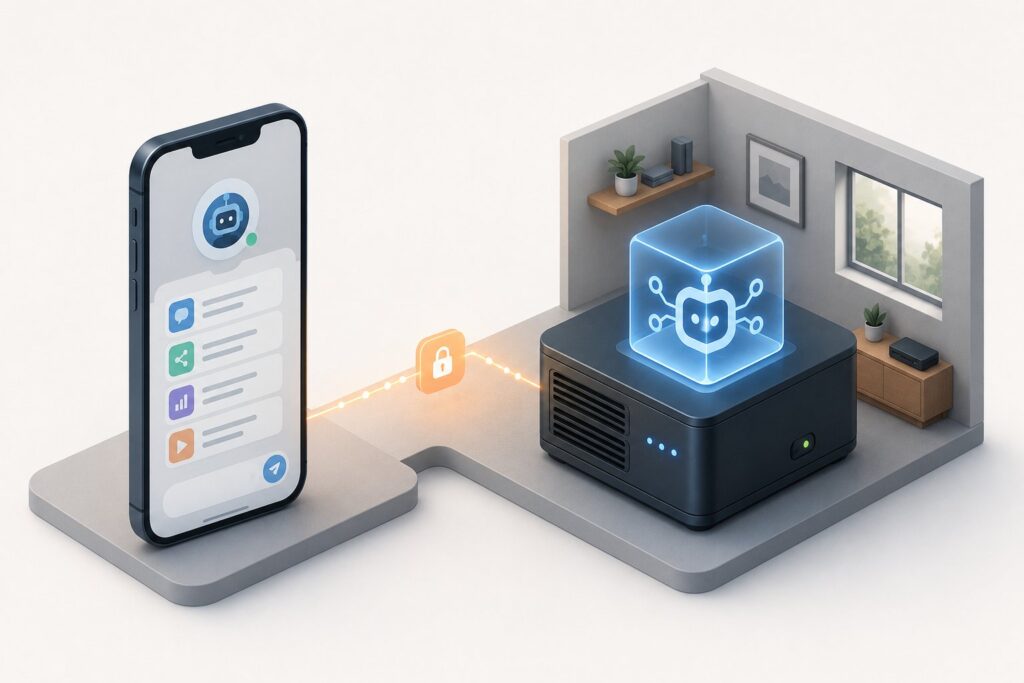
OpenClaw’s mobile apps are finally here. On June 30, 2026, OpenClaw released native iOS and Android apps, and the launch thread pulled in more than 1.5 million views within hours. The headline the community wanted, agents in your pocket, is real. But the more important detail is the one that is easy to miss: these are companion apps, not a standalone assistant. They put a remote control for your self-hosted OpenClaw agent on your phone, and they only work if you are already running an OpenClaw Gateway on your own hardware.
The short version: if you already run OpenClaw, these apps are a genuinely useful way to reach your agent from your phone, with voice and text chat, task automation, secure approvals, and optional access to your phone’s camera, location, and personal data. If you were hoping to download an "OpenClaw AI app" and start chatting the way you would with a cloud assistant, that is not what this is, and the early reviews reflect some of that confusion. This piece covers what OpenClaw actually launched, why the companion-not-standalone distinction matters, what the apps do, the platform-specific features, the rough early reception, and who this is really for. For background on the framework itself, see our explainer on OpenClaw.
What OpenClaw actually launched
The iOS and Android apps are companions to an existing OpenClaw installation. Rather than talking to OpenClaw’s cloud, each app connects to a self-hosted OpenClaw Gateway running on your own hardware. The phone becomes what OpenClaw calls a node: a client that pairs with your gateway and gives you access to your agent from wherever you are.
Setup reflects that architecture. The app connects to your gateway over a WebSocket connection, and you pair it by scanning a QR code or entering a setup code generated by your gateway. Once paired, the app is a window into the agent you are already running, with your channels, tasks, and replies available on the go. OpenClaw summarized the release in three phrases: native mobile apps at last, agents in your pocket, and channels, tasks, and replies on the go.
Why "companion, not standalone" matters
This is the single most important thing to understand about the release, because it determines whether the apps are for you. A standalone AI assistant app, the kind most people picture, runs against a provider’s cloud and works the moment you install it. OpenClaw’s apps do not. They require you to already have an OpenClaw Gateway running on hardware you control, and the app is only a remote for that.
That is a feature, not a bug, for OpenClaw’s audience. The whole point of a self-hosted agent is that your data and your agent run on your infrastructure rather than someone else’s cloud, and the mobile apps preserve that by connecting back to your gateway rather than routing through OpenClaw. But it also means the apps are useless to someone who has not set up a gateway, and it raises the bar compared with a tap-to-chat cloud app. If you want to understand the hardware side of running an agent locally, our guide to hardware for AI agents covers what a self-hosted setup actually needs, and our AI agents primer covers the broader category.
What the apps do
Once paired with your gateway, the apps offer a real set of capabilities:
- Voice and text chat with your agent, including real-time voice conversation.
- Task automation and the ability to see channels, tasks, and replies from your phone.
- Secure approvals. When the agent wants to take a sensitive action, it can pause for your explicit approval from the phone, which matters for an agent that can act on your behalf.
- Optional access to phone capabilities. With your permission, the agent can use the phone’s camera, screen, location, photos, contacts, calendar, and reminders. This is opt-in, and it is what makes a pocket agent genuinely useful, because it can act on the context your phone holds.
- Content sharing into the assistant, so you can hand it something you are looking at.
The permissions model is the interesting part. An agent that can reach your camera, location, and personal data is powerful and also a real trust decision, which is why the opt-in permissions and the approval step matter as much as the features themselves.
Platform-specific features
The two apps are not identical, and each leans on its platform’s integration points.
On iOS, the app exposes access to photos, contacts, calendar, and reminders when you opt in, and it supports sharing directly into the assistant through the share sheet, so you can send it a photo, a link, or text from another app.
On Android, the app can be launched through the Google Assistant trigger. Holding the home button or saying "Hey Google, ask OpenClaw" routes you straight into the app, which makes reaching your agent faster and more hands-free than opening the app manually.
The early reception
It is worth being honest about the launch, because the coverage was not uniformly positive. Alongside the enthusiasm and the huge view count, the initial reviews made for tough reading in places, with some users hitting friction. A good deal of that traces back to the companion-not-standalone model: people who expected a plug-and-play assistant met a setup that requires a self-hosted gateway, and the gap between expectation and reality colored the early reception.
For OpenClaw’s actual audience, the self-hosters who already run a gateway, the rough reviews matter less than the capability. For everyone else, they are a useful signal that this is a power-user release, not a mainstream consumer app, at least in this first version.
Who this is for
The mobile apps are a clear win for people already invested in OpenClaw. If you run a self-hosted gateway, being able to reach your agent by voice from your phone, approve its actions, and let it use your phone’s context when you choose is a meaningful upgrade over being tied to a desktop. It extends the self-hosted, data-stays-with-you model to mobile without giving that model up.
If you are not already running OpenClaw, the apps are not an on-ramp. You would need to stand up a gateway first, which is its own project. The honest framing is that this release deepens OpenClaw for its existing community rather than opening it to a new one, and that the mixed early reviews mostly reflect people arriving with the wrong expectation.
Frequently Asked Questions
What are the OpenClaw mobile apps?
They are native iOS and Android companion apps, announced June 30, 2026, that let you control your self-hosted OpenClaw agent from your phone. They are not standalone assistants: each app pairs with an OpenClaw Gateway running on your own hardware and acts as a remote for the agent you are already running.
Can I just download the app and start using it?
Not really. The apps are companions to a self-hosted OpenClaw Gateway, so you need to already be running a gateway on your own hardware. You pair the app to your gateway with a QR code or a setup code over a WebSocket connection. Without a gateway, the app has nothing to connect to.
What can the apps do?
Voice and text chat with your agent (including real-time voice), task automation, viewing channels, tasks, and replies, and secure approvals when the agent wants to take a sensitive action. With your permission, the agent can also use the phone’s camera, screen, location, photos, contacts, calendar, and reminders, and you can share content directly into it.
How is the iOS app different from the Android app?
On iOS, the app offers opt-in access to photos, contacts, calendar, and reminders and integrates with the system share sheet. On Android, the app can be launched through the Google Assistant trigger, so holding the home button or saying “Hey Google, ask OpenClaw” opens it directly. The core functionality is the same; the difference is in the platform integration points.
Does my data go to OpenClaw’s cloud?
No. The apps connect to your own self-hosted gateway rather than routing through OpenClaw’s cloud, which preserves the self-hosted model where your agent and data run on infrastructure you control. That is the main reason the apps are built as companions to a gateway rather than as cloud clients.
Why were the early reviews mixed?
Much of the friction traces to expectations. Many people expected a standalone, tap-to-chat AI app and instead found a companion app that requires setting up a self-hosted gateway first. For OpenClaw’s existing self-hosting audience the release is a real upgrade; for newcomers expecting a consumer assistant, the setup requirement was a surprise.
Who should use the OpenClaw mobile apps?
People already running a self-hosted OpenClaw gateway. For them, the apps extend the agent to mobile with voice, approvals, and optional phone-context access while keeping data on their own hardware. If you are not already running OpenClaw, this is not an on-ramp, since you would need to stand up a gateway first.