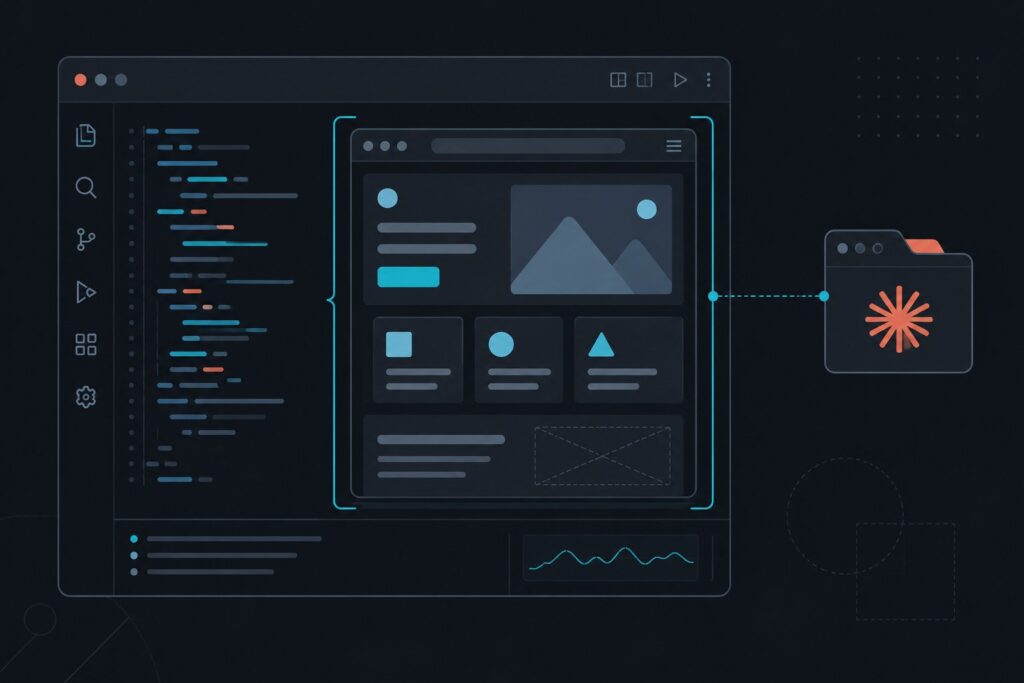
Anthropic has given Claude a browser. On July 10, 2026, it added a built-in web browser directly inside the Claude Code desktop app, so Claude can open a website, read it, click through it, and interact with it without leaving your coding session. The Claude Code browser is not a standalone product you install and switch to; it is a browser that lives inside the tool, and that design choice is the most interesting thing about it, especially in the same week that OpenAI retired its standalone Atlas browser and reached the same conclusion from the other direction.
The short version: Claude Code on the desktop can now pull up documentation, designs, or any other site and work with the rendered page the way it already works with a local development server, all in a sandboxed, configurable session. Alongside it, the Claude in Chrome extension has come out of preview. This piece explains what the Claude Code browser is, why an in-app browser matters, how it differs from the Chrome extension, and the broader pattern it points to.
What the Claude Code browser is
The Claude Code browser is a full web browser embedded in the Claude Code desktop application. Rather than describing a page to Claude or pasting text into the chat, you let Claude open the page itself. It renders full web pages, including JavaScript, CSS, and interactive elements, and it can extract information directly from the rendered page rather than from raw HTML. In practice that means Claude sees what a browser sees, not a stripped-down version of it.
The behavior mirrors how Claude Code already works with local development servers. It can pull up docs, a design file, or any site, then read, click through, and interact the same way it does with an app running on your own machine. The session is sandboxed and configurable, and you can choose whether it persists between uses, which matters when a task involves logging into something or holding state across steps.
Why an in-app browser matters
The point of putting the browser inside the tool is to remove context switching. Normally, research means leaving your editor, opening a browser, finding the relevant documentation or example, and copying it back. The built-in browser eliminates that round trip: Claude Code can autonomously research, extract, and synthesize information from the open web while you stay focused on the code.
That is a meaningful shift for how an agent works. A coding agent that can read the live web can check current documentation, look at an API’s actual behavior, or pull a real example, rather than relying only on what it was trained on. It closes a gap that has limited coding assistants, which is the difference between what the model remembers and what is true on the web right now.
The Chrome extension leaves preview
The in-app browser is not the only browser news. The Claude in Chrome integration has come out of preview and is available to everyone on a direct Anthropic plan. It is a different tool for a different job: instead of a browser inside the app, it lets Claude Code drive your actual Chrome browser. It opens tabs, clicks through pages, fills out forms, reads console logs, and shares your login state, so it can test the app it just built without you switching contexts.
The two capabilities complement each other. The in-app browser is Claude reading and researching the web inside its own sandbox; the Chrome extension is Claude operating your real browser, with your sessions, to exercise and test software. We covered the extension in depth in our look at Claude for Chrome, and the news here is that it is no longer a limited preview.
The bigger pattern: a feature, not a destination
Here is where the timing gets interesting. In the same window, OpenAI retired Atlas, its standalone AI browser, and folded that capability into the ChatGPT desktop app, a Chrome extension, and a cloud browser. Anthropic, coming from a developer tool rather than a consumer browser, arrived at a strikingly similar shape: a browser inside the app, plus an extension that drives Chrome.
Both moves point to the same conclusion, which is that the AI browser is becoming a feature embedded where people already work rather than a separate destination they have to adopt. Asking users to switch to a whole new browser is a steep request; meeting them inside the app or the browser they already run is not. Our agentic browser landscape traces how this category has been evolving, and the events of this week are a clear data point: the two leading labs are converging on integration over replacement.
How it differs from Claude for Chrome
It is worth being precise, because the names are close. The Claude Code browser is a browser built into the desktop app, where Claude does its own browsing in a sandbox to read and research. Claude for Chrome is an extension that lets Claude take control of your existing Chrome browser, acting with your real tabs and login state. One is Claude browsing on its own; the other is Claude operating your browser. Many developers will use both, for research and for testing respectively, but they are distinct tools with distinct trust profiles.
Honest limits
A few caveats belong here. This is developer-focused. The Claude Code browser lives inside a coding tool, so it is aimed at people building software, not at general consumers looking for a new everyday browser. If you were expecting a Claude-branded browser to replace Chrome, that is not what this is.
There are also the usual agentic considerations, and they are sharper with browsing. A tool that can click, fill forms, and, through the Chrome extension, share your login state is powerful precisely because it acts on your behalf, and that means it can act in ways you did not intend if instructions are ambiguous or a page is hostile. The in-app browser being sandboxed and configurable helps, and choosing whether sessions persist is a real control worth using deliberately. The sensible posture is the same as with any capable agent: grant access on purpose, start with low-stakes tasks, and watch what it does, especially early on.
Frequently Asked Questions
What is the Claude Code browser?
It is a built-in web browser Anthropic added to the Claude Code desktop app on July 10, 2026. It lets Claude open documentation, designs, or any website and read, click through, and interact with the rendered page the same way it works with a local development server, in a sandboxed, configurable session.
How is it different from Claude for Chrome?
The Claude Code browser is a browser inside the desktop app where Claude does its own sandboxed browsing to read and research. Claude for Chrome is an extension that lets Claude control your existing Chrome browser using your real tabs and login state, mainly to test software. One is Claude browsing on its own; the other is Claude operating your browser.
What can the built-in browser actually do?
It renders full web pages including JavaScript, CSS, and interactive elements, and extracts information from the rendered page. Claude Code can autonomously research, read, and click through sites to gather and synthesize current information from the open web without you leaving your coding session.
Is this a standalone Claude browser to replace Chrome?
No. It is a browser embedded inside the Claude Code desktop app, aimed at developers, not a general-purpose consumer browser. If you were expecting a Claude-branded replacement for Chrome, this is not that.
Did the Claude in Chrome extension change too?
Yes. The Claude in Chrome integration came out of preview and is available to everyone on a direct Anthropic plan. It lets Claude Code drive your real Chrome browser by opening tabs, clicking, filling forms, reading console logs, and sharing your login state so it can test the app it builds.
How does this relate to OpenAI retiring Atlas?
The timing highlights a shared conclusion. OpenAI retired its standalone Atlas browser and moved the capability into its app, an extension, and a cloud browser, while Anthropic added a browser inside Claude Code plus a Chrome extension. Both treat AI browsing as a feature embedded where people already work rather than a separate browser to adopt.
Are there risks to letting Claude use a browser?
There are the usual agentic considerations, sharper with browsing. A tool that can click, fill forms, and share your login state acts on your behalf, so it can act in unintended ways if instructions are ambiguous or a page is hostile. The in-app browser is sandboxed and configurable, and controlling session persistence helps. Grant access deliberately, start with low-stakes tasks, and watch what it does.