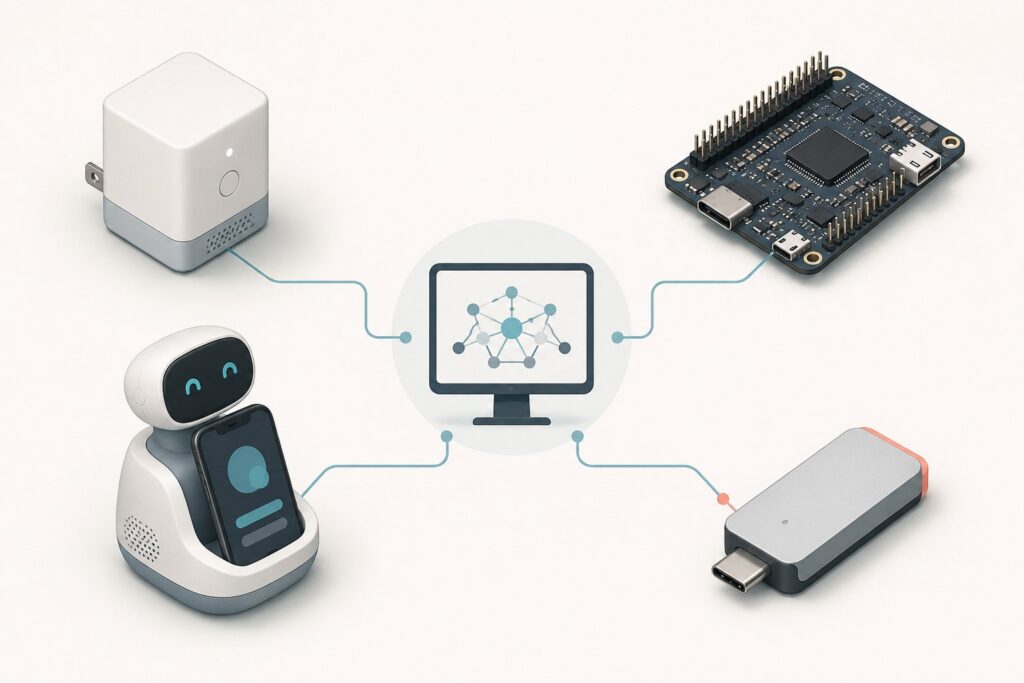
A new category of hardware is trying to turn AI from something you chat with into something that quietly runs your computer. Physical AI agent devices are dedicated pieces of hardware that read your screen and operate your apps on your behalf, rather than software you install or a chatbot you type into. Plug one in, hand it a task, and the promise is that it drives the machine from app to app to get the work done. This piece surveys the 2026 landscape: what these devices are, why they are appearing now, who is building them, how they differ, and the honest state of a category that is still very early.
The short version: this is a nascent, mostly crowdfunding-stage field, not a shelf of proven products. The devices share a core idea, reading the screen and acting through the keyboard and mouse so they work with any app, but they differ sharply on where the intelligence lives and how much you should trust them. They are best understood as the hardware counterpart to the software computer-use agents that the big AI labs have been shipping, and the interesting question is whether putting that capability in a dedicated box is worth it.
What physical AI agent devices are
At the center of the category is a simple concept. A physical AI agent device is hardware that observes your computer’s screen and controls the computer to carry out tasks, acting like an autonomous operator that sits between you and your apps. Most of them connect over HDMI to see the screen and over USB to control the machine, presenting themselves as an ordinary keyboard and mouse so no drivers or special software are required on the host.
That screen-and-input approach is the defining technical choice. Because the device works from what is on screen and acts through standard input, it does not need an app to expose an API. If a human could do the task by looking at the screen and using a keyboard and mouse, the theory goes, so can the device. This is the same underlying idea as the software AI agents that operate a computer, moved out of the cloud and into a box on your desk.
Why they are appearing now
These devices exist because the software version of the idea has become genuinely capable, and also genuinely constrained. Over the past year, the major labs turned computer use into real products. OpenAI shipped Operator, folded it into ChatGPT Agent, and then launched ChatGPT Work; Anthropic built computer use into Claude; Google has pursued the same with its own agent efforts. These systems can browse, click, and complete multi-step tasks.
But they are tied to a provider’s cloud and, in several cases, focused on the browser rather than the full desktop. A dedicated device promises to fill the gaps: always-on operation that does not depend on a chat session, local processing that keeps more data on your machine, control of any app rather than just the web, and in some designs a hardware gate so nothing runs without your physical approval. Whether hardware delivers enough of that to justify a separate purchase is exactly what the current crop is testing. The self-hosted agent framework OpenClaw is a recurring reference point here, since several of these devices lean on that kind of open, bring-your-own-model approach rather than a single vendor’s cloud.
The current field
The players fall into a few loose shapes, and it is worth knowing them even though none is a mainstream, widely shipping product yet.
- Plug-in dongles and cubes. The purest form of the idea is a small box that sits between computer and monitor. Violoop, from BVIO Technology, is a compact cube with an on-device model, a hardware approval button wired to a separate security chip, and a bring-your-own-key model for heavier reasoning. It reads the screen locally and controls the machine as a keyboard and mouse. It is pre-launch, taking reservations ahead of a crowdfunding campaign.
- Open-source, do-it-yourself boards. Aiden takes the same plug-in approach in open-source form, built on an inexpensive maker board. It connects as a standard USB input device, captures the screen over HDMI, runs an on-device agent runtime, and controls any connected device without installation or admin rights on the host. It is self-hostable and released under a copyleft license, aimed at tinkerers rather than mainstream buyers.
- Desk robots that borrow your phone. Loona Deskmate, from KEYi Technology, takes a different path. It is a screen-aware desktop robot that docks and uses an iPhone as its brain and camera, doubles as a fast charging station, and reads your desktop through a companion sync layer. It integrates with dozens of services like Gmail, Slack, and Zoom and supports open agent frameworks. Its funded Kickstarter shows real demand, though it also drew criticism for marketing that described the device as emotionally aware, which is the kind of overclaim worth watching in this space.
- Early entrants elsewhere. The category is not only a Western phenomenon. Startups in China, including a palm-sized AI operator that has raised funding, are chasing the same idea, which suggests the concept has momentum across markets even if the products are early.
How they differ
Underneath the surface similarity, these devices make different bets, and three axes separate them.
The first is where the intelligence lives. Some run a model on the device itself for privacy and speed, some borrow the compute of a docked phone, and most fall back to a cloud model, often through your own API key, for the hard reasoning. That choice drives privacy, cost, and how much works without a connection.
The second is how they control the computer. The screen-and-input approach, reading pixels and acting as a keyboard and mouse, works with any app but is inherently less reliable than a real integration. Others lean on service integrations and APIs, which are more dependable where they exist but do not cover apps that lack them. Several combine both.
The third is trust and approval. A few designs put a hardware button or an open-source, self-hostable model at the center, arguing that a physical or auditable gate is a stronger guarantee than a software setting. That matters more the more autonomy you grant a device that can act across your applications.
The honest state of the category
It is important to be clear-eyed, because the marketing runs ahead of the reality. This is an early, mostly crowdfunding and maker-stage category. The most visible products are taking reservations or running Kickstarters or are open-source projects for hobbyists. Very little is shipping to ordinary buyers, and almost none of the performance and reliability claims have been tested independently.
A few specific cautions follow. Screen-based control is brittle by nature; operating an app by recognizing pixels and clicking is less reliable than a real integration, which is why serious designs build in fallbacks. Some marketing in the space overstates what the devices do, including anthropomorphic claims about emotion or thought that are not accurate. And the privacy story usually has an asterisk, since local processing tends to cover screen capture and light tasks while the harder reasoning still goes to a cloud model. None of this means the category is not worth watching. It means the sensible posture in 2026 is curiosity rather than commitment.
The bottom line: physical AI agent devices are a real and interesting attempt to give computer-using AI a dedicated home, with genuine ideas like on-device models and hardware approval keys. They are also early, unproven, and mostly not yet shipping, so the right way to read the 2026 landscape is as a preview of where this could go, not a buying guide. We will cover the individual devices in depth, and review them properly, as they actually reach people’s desks.
Frequently Asked Questions
What is a physical AI agent device?
It is dedicated hardware that reads your computer’s screen and operates your apps on your behalf, acting as an autonomous operator rather than a chatbot. Most connect over HDMI to see the screen and over USB to control the machine as a keyboard and mouse, so they work with any app without needing an API.
How is this different from a software AI agent?
The capability overlaps with software computer-use agents like ChatGPT Agent and Claude computer use, but a physical device puts it in dedicated hardware. That can mean always-on operation, on-device processing, control of any app rather than just the browser, and in some designs a hardware approval gate. The trade-off is that it is a separate device you buy.
Which physical AI agent devices exist in 2026?
Early examples include plug-in boxes like Violoop, open-source do-it-yourself boards like Aiden, and desktop robots such as Loona Deskmate that use a docked phone as their brain, along with early entrants from China. Most are at the crowdfunding, reservation, or maker stage rather than shipping widely.
Do these devices run AI locally or in the cloud?
It varies. Some run a model on the device for privacy and speed, some borrow a docked phone’s compute, and most send the harder reasoning to a cloud model, often through your own API key. In practice, local processing usually covers screen capture and light tasks while the difficult work goes to the cloud.
Are physical AI agent devices reliable?
Largely unproven so far. Screen-based control, reading pixels and clicking, is inherently less reliable than a real integration, and most devices are early-stage with claims that have not been independently tested. Serious designs include fallbacks for when screen control fails, which is itself an acknowledgment of the limitation.
Why put an AI agent in hardware instead of software?
Proponents argue hardware can offer always-on operation independent of a chat session, more local processing, control of the full desktop rather than just the browser, and a physical approval gate so nothing runs without your key press. Whether those benefits justify a separate device is the open question the category is testing.
Are they safe to let operate my computer?
That is the central concern with any agent that acts on your behalf, and it is sharper for hardware that can control your whole machine. Some designs address it with a hardware approval button or open-source, self-hostable code. As with any capable agent, the prudent approach is to grant access deliberately, start with low-stakes tasks, and watch what it does.
Should I buy one now?
For most people, not yet. The category is early, the standout products are crowdfunding or maker projects, and the claims are largely untested. Unless you specifically want to experiment at the frontier, the reasonable move is to watch the space and wait for devices that actually ship and get independently reviewed.