Project management software is the category of tools that help teams plan, organize, track, and deliver work. At its simplest it answers three questions for a team: what needs to be done, who is doing it, and where each piece stands right now. Beyond that basic job, the category has spread into a wide range of shapes, from lightweight task boards to full work operating systems, and the differences between them are the whole reason choosing one is harder than it looks. This guide explains what project management software actually is, the main categories and the tools that represent them, the core features to weigh, and how to choose without getting lost in feature lists.
The short version: every one of these tools is built around the same core idea of tracking work, but they differ enormously in structure, flexibility, and who they are for. Some are rigid and opinionated, some are blank canvases you shape yourself, some are built for software teams, and some are built for whole organizations. There is no single best one, only the best fit for how your team actually works. The market reflects that variety: project management software is worth well over ten billion dollars in 2026 and still growing, with a fast-expanding slice of that spending going toward AI features layered on top.
What project management software is
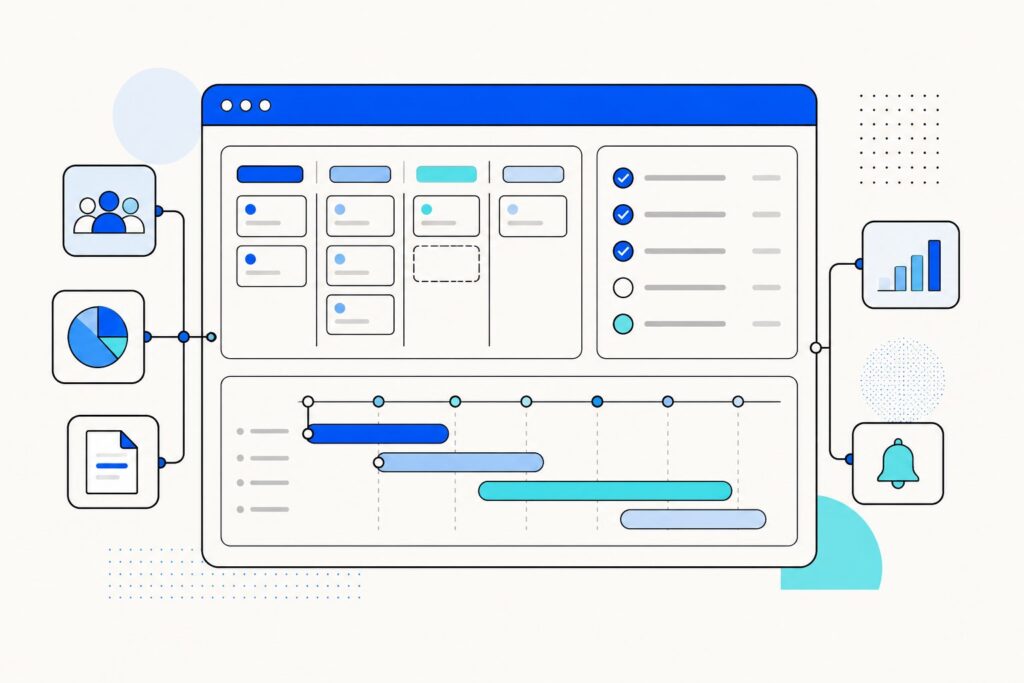
At its core, project management software gives a team a shared, structured place to manage work instead of scattering it across email, chat, and spreadsheets. The essential building block is the task: a unit of work with an owner, a due date, and a status. From there, the software lets you group tasks into projects, arrange them on timelines or boards, attach files and discussion, and see progress roll up into an overview a manager can read at a glance.
The value is not any single feature but the consolidation. When the plan, the tasks, the deadlines, the files, and the conversation all live in one system, the team spends less time asking where things stand and more time doing the work. That is the promise the entire category is selling, and the tools differ mainly in how they deliver it.
The main categories, and the tools that define them
The clearest way to understand the market is by category, because most tools are really a bet on one style of working. Each of these is worth a closer look on its own, and we cover the major tools in dedicated guides.
Structured task and project trackers. These are built around clear tasks, assignees, and workflows, with a strong opinion about how work should flow from start to done. Asana is the archetype: clean, goal-oriented, and good for teams that want structure without heavy configuration.
Visual work operating systems. These treat the tool as a flexible platform you shape to any workflow, leaning on colorful boards, dashboards, and cross-team views. Monday.com is the defining example, aimed at coordinating many kinds of work across departments rather than one narrow use case.
Kanban boards. The simplest visual style, built around cards moving across columns from "to do" to "done." Trello popularized this approach, and it remains the easiest on-ramp for a small team that just wants a shared board without a learning curve.
All-in-one work management. These try to pack every capability, tasks, docs, goals, time tracking, into a single deeply customizable platform, often at an aggressive price. ClickUp is the clearest example, appealing to teams that want maximum flexibility and are willing to invest in setup.
Docs-first workspaces. These start from notes, wikis, and databases rather than tasks, and add project tracking on top. Notion is the leading example, excellent for organizing knowledge and light project work, though it offers less rigid structure than a dedicated tracker for complex delivery.
Classic scheduling and Gantt tools. These are built for formal project planning with dependencies, critical paths, and detailed schedules. Microsoft Project is the long-standing name here, though Microsoft is consolidating its offerings, retiring Project Online and folding lighter planning into Microsoft Planner, so what "Microsoft Project" means is actively shifting in 2026.
Agile and developer issue tracking. These are tuned for software teams working in sprints, with backlogs, issues, and agile boards. Jira is the dominant tool in this space and is built around how engineering teams plan and ship code.
Spreadsheet-style work management. These keep the familiar grid of a spreadsheet but add project features like automation, timelines, and reporting on top. Smartsheet is the representative tool, comfortable for teams that already think in rows and columns.
Opinionated, deliberately simple tools. Finally, some tools push back on complexity on purpose. Basecamp is the clearest example, offering a small, fixed set of features and a strong point of view that less is more for team communication and project tracking.
The core features to weigh
Across all these categories, a handful of features come up again and again. Knowing them helps you compare tools that otherwise look very different:
- Task management. The foundation: creating tasks, assigning owners, setting due dates, and tracking status. Every tool does this; they differ in how much structure they impose.
- Multiple views. The same work shown as a list, a Kanban board, a calendar, or a timeline. Flexible views let different people see the work the way they think about it.
- Timelines and dependencies. Gantt-style scheduling that shows how tasks connect and what blocks what. Essential for formal projects, overkill for a simple to-do list.
- Collaboration. Comments, mentions, file attachments, and shared context so the conversation lives next to the work instead of in a separate inbox.
- Automation. Rules that move tasks, assign owners, or send updates automatically, cutting the manual busywork of keeping a system current.
- Reporting and dashboards. Roll-ups that let a manager see progress, workload, and bottlenecks without pinging everyone for status.
- Integrations. Connections to the other tools a team uses, from chat and calendars to code and storage, so the project tool fits into an existing stack.
- AI features. Increasingly, tools add AI to draft tasks, summarize projects, and surface risks. This is the fastest-growing area of the category, though how useful it is still varies a lot by tool.
How to choose
The right tool follows from how your team works, not from which has the longest feature list. A few questions cut through most of the noise.
Start with the kind of work. A software team running sprints is well served by an agile tracker like Jira; a marketing team coordinating campaigns leans toward a visual work OS like Monday.com; a team that lives in documents may be happiest extending Notion. Match the tool’s native style to your dominant workflow rather than fighting it.
Then weigh structure against flexibility. Opinionated tools like Asana or Basecamp give you a proven way of working out of the box, which is a feature if you want to move fast and a constraint if your process is unusual. Blank-canvas tools like ClickUp or Notion adapt to anything, which is powerful but shifts the burden of design onto you, and an unconfigured flexible tool can be worse than a rigid one that just works.
Finally, be honest about team size, budget, and adoption cost. A small team rarely needs an enterprise platform, and the most capable tool is worthless if people will not actually use it. The best choice is usually the simplest tool that covers your real needs, because every feature you adopt is a feature the team has to learn and maintain.
The honest limits
Project management software is genuinely useful, but it is not magic, and a few caveats are worth stating plainly. These tools can become a form of work in themselves, where keeping the board updated competes with doing the work it describes. Highly flexible platforms invite over-configuration, and a tool bent into an elaborate custom system can be harder to live with than a simple one. And no software fixes an unclear plan or a team that will not communicate; it can only reflect and organize the clarity you already have. The tool is a lever, not a substitute for good management.
The bottom line: project management software is a broad category united by one job, tracking work, and divided by a dozen opinions about how to do it. Understand the categories, match a tool to how your team actually works, and favor the simplest option that fits, and the software will earn its place rather than becoming one more thing to manage.
Frequently Asked Questions
What is project management software?
Project management software is a category of tools that give a team a shared, structured place to plan, organize, track, and deliver work. The basic building block is the task, with an owner, a due date, and a status, and the software groups tasks into projects and shows progress on boards, lists, and timelines. Its main value is consolidation: keeping the plan, tasks, files, and conversation in one system instead of scattered across email and chat.
What are the main types of project management tools?
The main categories are structured task trackers (Asana), visual work operating systems (Monday.com), Kanban boards (Trello), all-in-one platforms (ClickUp), docs-first workspaces (Notion), classic scheduling and Gantt tools (Microsoft Project), agile issue trackers (Jira), spreadsheet-style tools (Smartsheet), and deliberately simple tools (Basecamp). Most tools are really a bet on one of these styles of working.
How do I choose the right project management software?
Start with the kind of work your team does, since a software team, a marketing team, and a docs-heavy team are each best served by different tools. Then weigh structure against flexibility: opinionated tools give you a proven workflow out of the box, while blank-canvas tools adapt to anything but require you to design the system. Finally, factor in team size, budget, and how easily people will actually adopt it, and favor the simplest tool that covers your real needs.
What is the difference between Notion and a tool like Asana or Monday.com?
Notion starts from documents, wikis, and databases and adds project tracking on top, which makes it excellent for organizing knowledge and lighter project work. Asana and Monday.com start from tasks and workflows, so they impose more structure and are better suited to tracking complex delivery, resourcing, and cross-team coordination. In short, Notion is a workspace built for organizing information, while the others are built for executing work.
Is Microsoft Project still available in 2026?
It is in transition. Microsoft is consolidating its planning tools under Microsoft Planner, retiring Project Online in September 2026 and having already retired Project for the Web, while the Project desktop application remains available for classic scheduling. So in 2026, “Microsoft Project” increasingly points toward Microsoft Planner for everyday planning, with the classic desktop tool still around for detailed project schedules.
Which project management tool is best for software teams?
Software teams working in sprints are usually best served by an agile issue tracker, and Jira is the dominant tool built for that workflow, with backlogs, issues, and agile boards. That said, smaller or cross-functional teams sometimes prefer a lighter tool like Asana or ClickUp, so the right answer depends on how heavily your process leans on formal agile practices.
Do these tools include AI features?
Increasingly, yes. Most major tools now add AI to draft tasks, summarize projects, surface risks, and answer questions about your work, and AI is the fastest-growing part of the category. How useful it is still varies a lot by tool and by task, so it is worth treating AI features as a bonus to evaluate rather than the main reason to pick a platform.
Can project management software replace good management?
No. The software can reflect and organize a clear plan, but it cannot create one, and it will not fix a team that does not communicate. Poorly used, these tools can even become work in themselves, where maintaining the board competes with doing the work. The tool is a lever for good management, not a substitute for it.