WordPress and ACF have a long history of operational pain around environment consistency. Field groups created on a developer’s local site need to make it to staging, then to production, in a state that matches what was developed. The traditional path has been: export field groups through the WordPress admin to a JSON file, import that file on each target environment, repeat for every change. The pattern works but is manual, error-prone, and runs against every principle of how modern application stacks deploy configuration changes.
The ACF team has been addressing this through the wp acf json WP-CLI commands that let CI/CD pipelines handle the field-group synchronization automatically. The commands have been around in various forms since ACF 6.x; the patterns for using them in production deployment pipelines have matured through 2025 and 2026 to the point where there is now a clear best-practice pattern for WordPress sites running ACF in production.
This piece walks through what wp acf json does, the directory and file conventions that make it work, the standard CI/CD pipeline pattern, how it integrates with the WordPress + Pantheon (or WP Engine, or Kinsta) deployment workflows that most professional WordPress shops use, and the edge cases that still need manual handling. The piece is intended for DevOps engineers and WordPress developers who want to bring WordPress configuration management up to the standard the rest of their stack already operates at.
The short version is that wp acf json solves the field-group sync problem cleanly. Once the pattern is set up, field groups are version-controlled like code, deployed through standard CI/CD pipelines, and synchronized across environments without manual intervention. The setup is straightforward but requires committing to the file-based approach and abandoning the "click around in the admin to change field groups" workflow. For sites that are willing to make that commitment, the operational improvement is substantial.
What wp acf json does
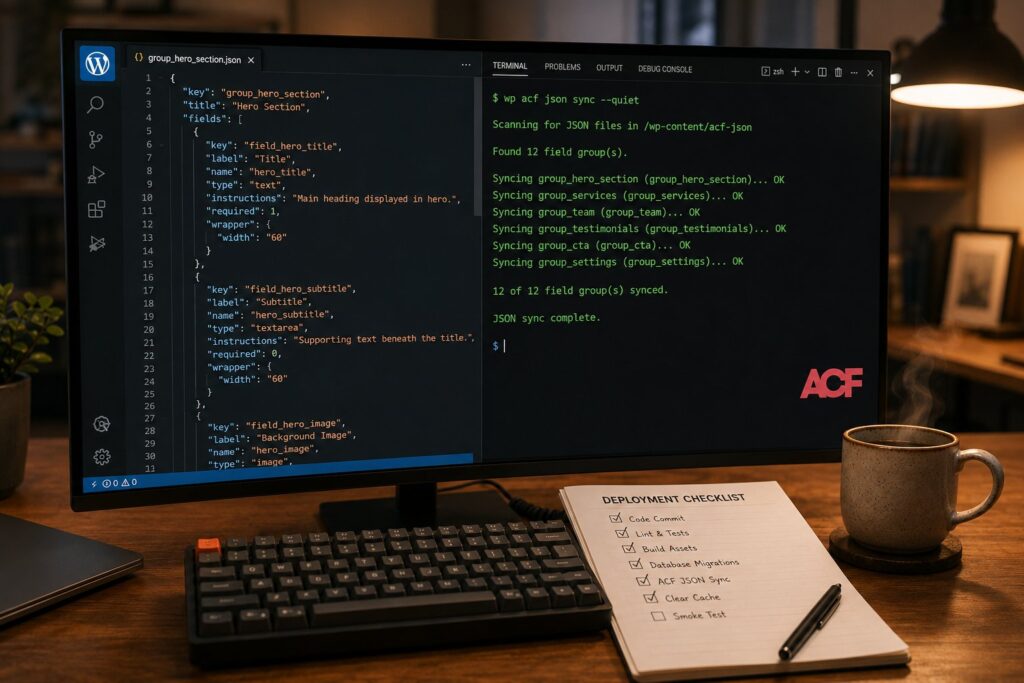
The wp acf json command family has several subcommands that together cover the field-group lifecycle:
wp acf json export exports the current field groups from the database to JSON files in the configured directory. The default directory is acf-json/ in the active theme’s root. Each field group becomes its own JSON file named with the field group’s key.
wp acf json import reads JSON files from the configured directory and creates or updates the corresponding field groups in the database. If a field group already exists, the import updates it to match the JSON. If the JSON is gone but the field group exists in the database, the field group is preserved (the import is additive by default; it does not delete).
wp acf json sync does the bidirectional check: for each JSON file, ensure the database has a matching field group; for each database field group, ensure a JSON file exists. The sync is what brings the database state into alignment with the file system state.
wp acf json status shows which field groups differ between the database and the file system without making any changes. This is useful for CI/CD verification.
The file format is a stable JSON serialization of the field group’s complete definition: fields, sub-fields, conditional logic, validation rules, location rules, settings. Everything that defines the field group is in the file.
The directory convention
The standard pattern places the JSON files in acf-json/ in the active theme’s root directory. ACF watches this directory and treats the JSON files as the canonical source of truth for the field groups they define. If you change a field group through the WordPress admin while acf-json/ exists in your theme, ACF writes the updated JSON file automatically.
This behavior is the central operational mechanic that makes the CI/CD pattern work. Developers can continue to use the WordPress admin to design field groups; the JSON files are produced automatically as a side effect. The developer’s job is to commit the resulting JSON files to the repository alongside the theme code that uses them.
For multi-plugin or multi-theme setups, ACF supports additional acf-json/ directories in other locations through the acf/settings/load_json filter. The filter lets you register additional directories that ACF should scan for JSON files. This is useful for plugins that ship their own field groups (the plugin’s acf-json/ directory contains the plugin’s field groups, separately from the theme’s).
The CI/CD pipeline pattern
The standard pipeline pattern for WordPress + ACF + CI/CD:
On the developer machine. The developer edits field groups through the WordPress admin (or directly editing the JSON files, for developers comfortable doing so). ACF writes the corresponding JSON to acf-json/. The developer commits the JSON files alongside any related theme or template changes.
In the repository. The acf-json/ directory is part of the theme directory and is committed to git the same way any other theme files are. The repository is the canonical source of truth for what field groups should exist.
In the build step. The CI system checks out the repository, runs any build steps (Sass compilation, JavaScript bundling, dependency installation), and produces the deployable artifact. The acf-json/ directory is included in the artifact unchanged.
In the deploy step. The deployment process transfers the artifact to the target environment (development, staging, or production). After the files are in place, the deployment runs wp acf json sync (or wp acf json import for a more conservative approach) against the target environment’s WordPress instance.
Post-deploy verification. The deployment optionally runs wp acf json status and asserts that the database matches the file-system state. Any mismatches indicate a deployment issue that should fail the pipeline.
The specific tooling for running WP-CLI commands against the target environment varies by host. Pantheon’s Terminus, WP Engine’s CLI, Kinsta’s MyKinsta CLI, and the standard SSH-based access patterns for self-hosted WordPress all support invoking wp acf json commands. The mechanics differ; the conceptual pattern is the same.
Pantheon-specific integration
For Pantheon-hosted sites (which is the common pattern for professional WordPress shops), the pipeline pattern integrates with Pantheon’s standard deployment workflow:
The developer pushes changes to the dev Pantheon environment via Git. Pantheon’s deployment automatically picks up the changes; the acf-json/ directory updates with the rest of the theme.
A post-deploy hook (configured in pantheon.yml) runs terminus wp <site>.dev -- acf json sync to bring the dev environment’s field groups into sync with the deployed files. The hook runs on every dev environment deploy.
When promoting to test or live, Pantheon’s standard promote workflow handles the file copy. The post-promote hook runs the same acf json sync command against the destination environment to bring its field groups into sync.
The combination of automated file deployment and automated acf json sync removes the manual step that has traditionally caused field-group drift between environments.
What to commit, what to ignore
A common source of confusion is what should actually go in git. The pattern that works:
Commit: Every JSON file in acf-json/ directories that you own (your theme’s, your plugin’s, anything that’s part of your deployable code). These are configuration as code.
Don’t commit: ACF Pro’s acf-json/ directory if it lives at the WordPress root or in the plugins directory (ACF itself manages these). Customer data including field values stored in posts; only field group definitions are in acf-json/, not the data filled into those fields.
Definitely don’t commit: ACF Pro license keys, API credentials, or other secrets. These belong in environment variables or in the platform secrets backend (Pantheon Secrets, WP Engine’s secrets manager, or the equivalent).
Use .gitignore strategically. If you have ACF Pro field groups that are managed by ACF Pro’s own sync mechanism rather than your CI/CD pipeline, the .gitignore should keep those out of your repository to prevent conflicts.
Handling field group deletions
The wp acf json commands are conservative by default: importing or syncing does not delete field groups from the database even if the corresponding JSON file is gone. This is the right default for safety, but it means that intentional field-group deletions need to be handled explicitly.
The pattern: delete the JSON file from the repository, and also run wp acf delete <field-group-key> against each target environment as part of the deployment. The delete operation removes the field group from the database. The combination of "delete the JSON file" and "delete the field group" is the explicit deletion workflow.
Some CI/CD pipelines automate this with a more aggressive sync command (wp acf json sync --delete-missing if your ACF version supports it, or a custom WP-CLI command that wraps the deletion logic). The aggressive sync deletes database field groups whose JSON files have been removed. This is more dangerous than the conservative default but is appropriate for production sites where the repository is the absolute source of truth.
Schema migrations
When a field group changes in ways that affect existing data (renaming a field, changing a field type, adding a required field with no default), the data in the database needs to migrate to match. The wp acf json commands handle the schema definition but do not handle the data migration.
For schema migrations, the standard pattern is to add a WP-CLI command to the deployment that handles the migration. The command runs after wp acf json sync and does whatever data transformation the schema change requires:
For a field rename, the migration command can copy data from the old field meta key to the new field meta key. For a field type change, the migration converts the existing data to the new type’s expected format. For a required field added with a default, the migration backfills the default value into existing posts.
The migration commands are typically project-specific and are written as part of the feature work that’s introducing the schema change. They run once per environment as the feature is deployed and don’t need to run again.
The local development workflow
The local development workflow for a developer working on a WordPress + ACF + CI/CD site:
The developer pulls the latest from git and runs the standard local-setup commands (typically composer install, npm install, theme builds). The acf-json/ directory is current with whatever has been committed.
The developer runs wp acf json sync locally to bring the local database’s field groups into sync with the JSON files. This is the equivalent of pulling the latest configuration into the local environment.
The developer makes changes to field groups through the WordPress admin. ACF writes the updated JSON files to acf-json/ automatically as part of the admin save operation.
The developer commits the changed JSON files alongside any related code changes and pushes to the feature branch.
The CI pipeline runs on the push, validates the changes (linting, tests, schema validation), and prepares the deployment artifact. The developer reviews and merges into the deploy branch.
The deploy pipeline runs against the target environment and the field groups update automatically.
The workflow is the same as the standard "edit, commit, push, CI runs, deploy" pattern that the rest of the development workflow already follows. ACF field groups are no longer special; they’re part of the code that flows through the standard pipeline.
Common edge cases
A few specific edge cases worth being aware of:
Multisite. WordPress multisite installations have per-site field groups by default. The wp acf json sync --network flag (where supported) handles the network-wide sync. For multisite-with-per-site-customization patterns, the JSON files can include site-specific suffixes to keep them separate.
Custom field group locations. Field groups with complex location rules (show on specific post types, specific user roles, specific page templates) serialize correctly to JSON. The complex rules are preserved through the sync.
Conditional logic. Conditional field display (show field X only if field Y has value Z) serializes correctly. The conditional logic flows through the sync without manual intervention.
Plugin-provided field types. Custom field types provided by other plugins (Repeater, Flexible Content, the various Pro field types) serialize correctly as long as the plugin providing them is installed in the target environment. A sync that introduces a field type whose plugin isn’t installed will produce an import error rather than silently failing.
ACF version skew. Different environments running different ACF versions can produce sync issues. The standard practice is to keep ACF versions aligned across environments through the standard plugin-update CI/CD pattern.
When this pattern is the right choice
The wp acf json + CI/CD pattern is the right choice for any WordPress site that has multiple environments (development, staging, production), uses ACF as a meaningful part of its content model, has more than one developer touching field groups, or deploys regularly enough that manual field-group sync is operationally painful.
It is less critical for single-developer hobby sites where the developer is the only person touching field groups and deploys are infrequent. For these cases, the manual export-and-import workflow remains acceptable, though even single-developer sites benefit from the configuration-as-code discipline if they intend to maintain the site long-term.
It is not the right choice for sites that are not using ACF (the commands don’t apply) or for sites where field groups are managed entirely through ACF Pro’s own sync mechanism (in which case the integration is with ACF’s sync, not with the standalone JSON files).
Frequently asked questions
Does `wp acf json` require ACF Pro?
No. The commands work with ACF free as well as ACF Pro. The Pro-specific field types serialize correctly when the Pro plugin is installed; without Pro, you can sync the free field types.
Can I use this with multisite?
Yes, with the `–network` flag where supported and per-site sync for site-specific customizations.
What if my CI/CD pipeline doesn’t have WP-CLI access?
WP-CLI access is the standard requirement. Most professional WordPress hosts provide it (Pantheon Terminus, WP Engine CLI, Kinsta CLI, raw SSH for self-hosted). If your pipeline doesn’t have it, you need to add it; there’s no good alternative path.
Does this conflict with Custom Post Type UI or other UI-based configuration plugins?
ACF JSON sync only affects ACF field groups. Other plugins manage their own configuration separately. Most of them have their own CI/CD-friendly export/import patterns now.
Can I roll back a deployment cleanly?
Yes. Rolling back the code (reverting the commit, redeploying the prior version) restores the prior JSON files. Running `wp acf json sync` after the rollback brings the field groups back to the prior state. The pattern handles rollback the same way it handles forward deployment.
Are field group changes safe to apply to production with traffic?
Mostly yes, but with caveats. Adding new field groups is safe. Modifying existing field groups (renaming, changing types) can affect existing posts that use those fields. Deploy these changes during a maintenance window or with care about the specific impact on existing data.
How does this interact with the WordPress 7.0 features like Patterns?
Patterns and ACF field groups are independent. Patterns are at the block-editor layer; ACF field groups are at the meta-field layer. The two can coexist in the same content model without conflict.
What about the new ACF 6.8 Schema.org mapping feature?
The schema mapping is part of the field group definition and serializes correctly to the JSON files. So the schema configuration deploys through the same CI/CD pipeline as the rest of the field group.
Is there a GUI tool for managing this without WP-CLI?
Some hosting platforms have GUI deployment tools that abstract the WP-CLI invocations. The underlying pattern is the same; the tools are convenience wrappers.
Can I use this pattern with composer-based plugin management?
Yes, and many production WordPress sites do. The composer-based workflow handles the plugin and theme code; the `wp acf json` workflow handles the ACF field groups. The two patterns coexist cleanly.