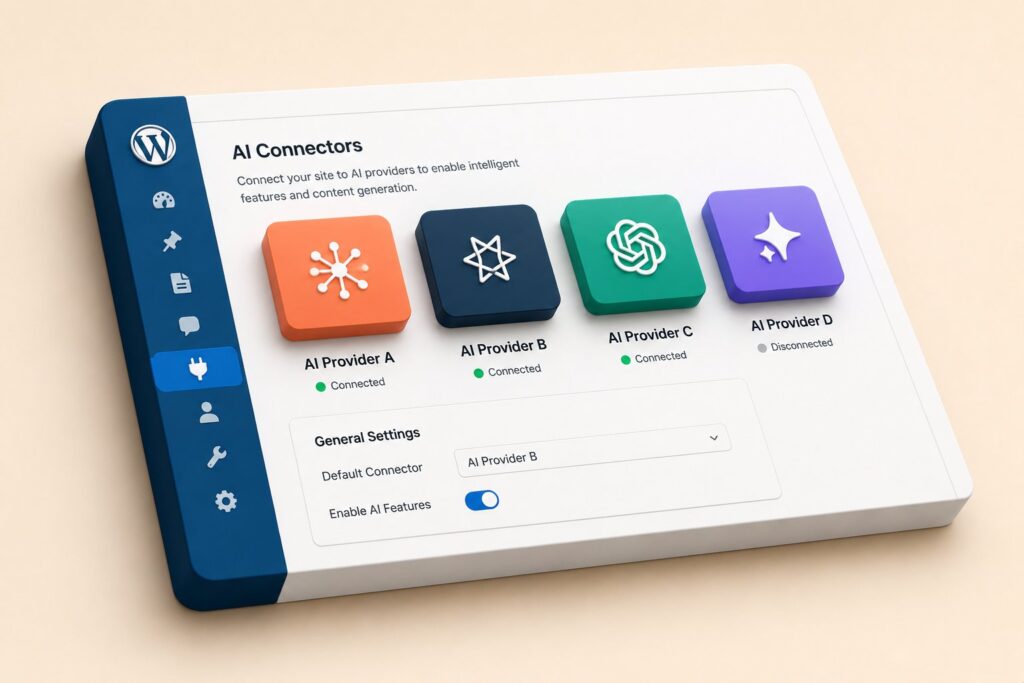
The WordPress 7.0 release made the platform’s first official AI integration layer a core feature rather than a plugin concern. Most of the public conversation has been about what the layer means for site owners and for security teams. The Pantheon Secrets companion piece in this series covers the credential-storage half of that story. This post is the builder’s half. If you maintain a plugin, theme, or custom site that currently calls an AI provider through your own SDK code, the WordPress 7.0 Connectors API is the new path. The question is whether it actually does what you need, and what changes when you move from your existing approach to the platform-supplied one.
The short answer is that the Connectors API is a usable production surface for most cases that fit the request-and-response pattern, with growing but not yet complete coverage for streaming, tool calling, and multi-step agentic workflows. It is the right path for plugin authors who want to support multiple providers without writing a provider for each, and it is the right path for site owners who want their credentials managed at the platform layer rather than inside plugin settings. It is not yet a replacement for the more elaborate orchestration patterns that frameworks like LangGraph or the Microsoft Agent Framework exist to serve. This post walks through what the Connectors API surface looks like in practice, what you can build with it today, and where the rough edges still are.
What the AI Foundations layer actually is
The phrase "AI Foundations" appears in the WordPress 7.0 release notes as the umbrella name for three coordinated pieces of new core functionality. The first piece is the Connectors API itself, which exposes a single PHP interface that any plugin or theme can use to send a prompt to an AI provider and receive a response. The second piece is the credential resolution layer, which decides where the API keys for those providers come from at request time. The third piece is the registry and configuration UI, which lets site administrators see which connectors are configured, which providers each one targets, and which plugins or themes have requested access to each.
These three pieces were designed together. The Connectors API is the developer surface. The credential resolution layer is the operations surface. The registry and configuration UI is the administrator surface. The intent is that a plugin author calls the Connectors API and never sees raw credentials, a site administrator configures credentials once and never touches the calling code, and an operations team can audit which plugin called which provider at what time without instrumenting every plugin separately.
The design borrows from the way other platforms handle similar problems. Drupal’s Key module and AI module pairing is a near analog. The major headless CMS platforms each have a content-platform AI gateway that fronts multiple provider keys behind a single API. The Vercel AI SDK is the closest parallel in the JavaScript ecosystem. WordPress is late to this design, but the lateness has the benefit that the team designing the API had a substantial body of prior work to learn from. The Connectors API draws on visible decisions from each of those analogs.
The Connectors API surface
The Connectors API is exposed through a small set of PHP functions in the WP_AI namespace. The most common entry point is WP_AI\Connector::for( $provider ), which returns a connector instance bound to the specified provider. From that instance, a plugin or theme calls a method like complete(), chat(), embed(), or transcribe() depending on the operation. Each method returns a structured response object with a consistent shape across providers: a content field, a usage field with token counts, a meta field with provider-specific extras, and an errors field if something went wrong.
A minimal chat call looks like this in a plugin or theme:
$connector = WP_AI\Connector::for( 'openai' );

$response = $connector->chat( [
    'model'    => 'gpt-5.5',
    'messages' => [
        [ 'role' => 'system', 'content' => 'You are a helpful assistant.' ],
        [ 'role' => 'user',   'content' => 'Summarize the user manual section above in three bullet points.' ],
    ],
    'max_tokens' => 500,
] );

if ( $response->ok() ) {
    return $response->content;
}
The exact shape of the request payload follows the underlying provider’s convention rather than a normalized cross-provider shape. This is a deliberate decision. The platform team considered a fully normalized request shape but rejected it on the grounds that providers diverge on features in ways that an aggressive normalization layer would hide. The compromise the API settled on is that the response shape is normalized so calling code is portable, while the request shape stays close to the provider so the plugin author can pass through provider-specific options without the abstraction getting in the way.
The connectors that ship with WordPress 7.0 core cover OpenAI, Anthropic, Google (Gemini), Azure OpenAI, AWS Bedrock, and the Ollama HTTP API for local inference. Third-party plugins can register additional connectors by implementing the WP_AI\ConnectorInterface and adding their connector to the registry with add_filter( 'wp_ai_connectors', ... ). The platform team has signaled that Mistral, Cohere, Perplexity, and Groq connectors are in active development for inclusion in WordPress 7.1.
The credential resolution waterfall
When a plugin calls WP_AI\Connector::for( 'openai' ), the platform has to figure out where the OpenAI API key comes from. The resolution waterfall in WordPress 7.0 reads, in order: environment variables, PHP constants defined in wp-config.php, the platform secrets backend (Pantheon Secrets, the WP Engine secrets manager, Kinsta Secrets, or any other registered provider), and finally the encrypted credential store in the WordPress database.
The order matters because it determines which credentials win when more than one is present. An OpenAI key set in an environment variable will override the same key set in wp-config.php, which will override the same key set in Pantheon Secrets, which will override the same key set in the database. This precedence is the right default for development workflow, where a developer wants to be able to point a local install at a personal API key by exporting an environment variable without changing any code or any database state, and it is also the right default for the security posture of production, where the platform secrets backend is the canonical store and the database is the fallback.
The waterfall is configurable. A plugin or theme can register its own credential source by hooking into wp_ai_credential_resolver and adding a callback that returns a credential value for a given provider and credential name. This pattern is how the platform expects vault integrations like HashiCorp Vault, AWS Secrets Manager, or Azure Key Vault to plug in. The Vault plugin maintained by the WP-CLI team is the reference implementation.
For builders, the practical effect is that you do not pass API keys into the Connectors API at all in normal calling code. You name the provider and the platform resolves the credential. This is the largest change from the pre-Connectors-API world, where every plugin had to provide its own settings UI for storing keys and its own logic for retrieving them. With the new API, the credential UI is the platform’s responsibility and the plugin’s responsibility is just to declare which providers it needs access to.
Streaming response support
Many AI provider APIs support streaming responses, where the model emits tokens incrementally rather than waiting to compute the full response before returning. Streaming is essential for chat-style user experiences where the user wants to see the response appear word-by-word rather than waiting several seconds for the full block. The Connectors API supports streaming through a parallel set of methods: chat_stream(), complete_stream(), and similar.
A streaming call returns an iterator rather than a single response object. Each iteration yields a partial response with the incremental tokens. The calling code is responsible for accumulating the tokens and rendering them to the user incrementally. In a REST API context, the typical pattern is to use a Server-Sent Events response with the streamed tokens flushed to the client as they arrive:
$connector = WP_AI\Connector::for( 'anthropic' );

header( 'Content-Type: text/event-stream' );
header( 'Cache-Control: no-cache' );

foreach ( $connector->chat_stream( $request ) as $chunk ) {
    echo 'data: ' . wp_json_encode( $chunk->content ) . "\n\n";
    flush();
}
The streaming support is not yet uniform across all providers. The OpenAI, Anthropic, and Google connectors all support streaming. The AWS Bedrock connector supports streaming for the Anthropic and Mistral models hosted on Bedrock but not yet for all models. The Ollama connector supports streaming. If you build on streaming, the practical advice is to check the connector’s capability flags with $connector->supports( 'streaming' ) before committing to a streaming UI pattern and to fall back gracefully when streaming is not available.
Function calling and tool use
Function calling, also called tool use, is the pattern where a model is given a description of available functions and decides whether to invoke one as part of generating a response. The Connectors API exposes function calling through the tools parameter on chat methods. A tool is declared as an associative array with a name, a description, and a JSON Schema definition of its parameters:
$response = $connector->chat( [
    'model'    => 'claude-opus-4-8',
    'messages' => [ /* ... */ ],
    'tools'    => [
        [
            'name'        => 'get_post_by_id',
            'description' => 'Fetch a WordPress post by its post ID.',
            'parameters'  => [
                'type'       => 'object',
                'properties' => [
                    'post_id' => [ 'type' => 'integer', 'description' => 'The post ID' ],
                ],
                'required'   => [ 'post_id' ],
            ],
        ],
    ],
] );
When the model decides to invoke a tool, the response will include a tool_calls field listing which tools were invoked with what arguments. The calling code is responsible for executing the tool and returning its result to the model in a follow-up message. This is the same pattern the underlying providers all converge on, so the Connectors API does not try to abstract it further.
The function-calling support is uniform across the OpenAI, Anthropic, and Google connectors and partially supported on AWS Bedrock and Ollama depending on the model. Models that do not support function calling will either ignore the tools parameter or return an error depending on the provider. Capability flags via $connector->supports( 'tools' ) are the safe way to check before committing to a tool-using flow.
The relationship between the Connectors API tool-use pattern and the Model Context Protocol is worth noting. MCP is a different layer of the stack. It defines a wire protocol for AI clients to talk to external tool servers. The Connectors API tool-use parameter is the in-WordPress equivalent of registering an MCP tool with the model directly, without the wire protocol involvement. Both can coexist in the same application. A plugin can use the Connectors API for the model-side conversation and use MCP for talking to external tool servers from inside the WordPress request, and the two layers do not conflict.
Caching and rate limiting
The Connectors API includes built-in caching and rate-limiting hooks. Caching is opt-in per call and uses the standard WordPress object cache as its backing store. The pattern is to pass a cache array in the request with a TTL and an optional cache key:
$response = $connector->chat( [
    'model'    => 'gpt-5.5',
    'messages' => $messages,
    'cache'    => [ 'ttl' => HOUR_IN_SECONDS ],
] );
By default the cache key is computed from a hash of the request payload, which means identical requests within the TTL window will return the cached response without hitting the provider. This is appropriate for prompts that are deterministic given their input. For prompts where the model’s stochasticity is desired, the cache should not be used.
Rate limiting is enforced at the connector level. Each connector has a default rate-limit policy that can be tuned through the wp_ai_rate_limit filter or through the site-level configuration UI. The default policy uses a token-bucket algorithm with separate buckets for requests-per-minute and tokens-per-minute, both of which are common rate-limit dimensions across providers. When the rate limit is hit, the connector returns a response with the errors field populated rather than throwing, which lets calling code handle the limit explicitly.
The caching layer and the rate-limit layer interact in a useful way. A cached hit does not count against the rate limit, because no provider call was made. This means that aggressive caching is also a rate-limit conservation strategy for deterministic prompt patterns.
Error handling
The error model is the same across all connectors. The response object has an ok() method that returns true if the call succeeded and false otherwise. If ok() returns false, the errors field is populated with a list of WP_AI\Error objects each of which has a code, a message, and an optional context array. Common error codes include credential_missing when no API key was resolved, rate_limited when the rate limit was hit, invalid_request when the request payload was malformed, provider_error when the provider returned an error, and network_error when the HTTP call itself failed.
The practical pattern for plugin code is to check ok() and route to an error branch if false, the same way as WordPress’s existing WP_Error pattern. The Connectors API does not throw exceptions for these cases, which is consistent with the rest of WordPress’s API conventions. For unexpected errors like PHP fatal errors inside a connector implementation, the connector is expected to catch and return a WP_AI\Error rather than propagate the throwable. The platform team enforces this expectation in the test harness for core connectors.
When to use the Connectors API vs direct SDK calls
The Connectors API is the right choice for most cases that fit the request-and-response or streaming pattern. It is the right choice if the plugin or theme will run on sites that may use different providers, since the calling code does not need to know which one is configured. It is the right choice if the site is on a managed host with a platform secrets backend, since the credential resolution layer is the platform’s expected integration point. It is the right choice if the plugin author does not want to maintain their own SDK code for each provider, which has been a long-standing maintenance burden for AI-integrating plugins.
The Connectors API is not the right choice for advanced provider-specific features that the API does not yet wrap. The OpenAI Realtime API for streaming audio is one example. The Anthropic Computer Use API is another. The Google Vertex AI Agent Builder surface is a third. For these, the plugin should continue to use the provider’s own SDK and accept the additional maintenance cost as the tradeoff for the additional capability. The platform team has said that the surface will continue to expand and that these specific examples are on the roadmap.
The Connectors API is also not the right choice for plugins that want to abstract the multi-step orchestration patterns that agent frameworks like LangChain, the Microsoft Agent Framework, or the Vercel AI SDK provide. The Connectors API is a connection layer, not an orchestration layer. A plugin that wants the orchestration features should bring in the framework of its choice and have that framework call the Connectors API for the individual model invocations. This composition pattern is the recommended path for agentic workloads.
Migration from existing patterns
If you maintain a plugin that currently has its own settings UI for storing an OpenAI API key, calls the OpenAI HTTP API through wp_remote_post(), and parses the response manually, the migration to the Connectors API has three steps. The first step is to remove the API key storage code from the plugin and remove the settings UI. Site administrators will configure the key through the AI Foundations registry UI in the WordPress admin. The second step is to replace the wp_remote_post() call with a WP_AI\Connector::for( 'openai' )->chat() call. The third step is to declare the plugin’s connector dependency in the plugin header so the registry knows the plugin uses the OpenAI connector. The header line is AI Connectors: openai in the standard plugin header.
The third step is the new piece. The registry uses the header declaration to populate the admin UI showing which plugins have requested access to which connectors. Site administrators can disable a plugin’s access to a connector through the UI, which is the platform’s mechanism for per-plugin access control. A plugin whose access is disabled will receive a credential_denied error when it tries to call the connector. This is a feature, not a bug. It gives administrators a way to disable a plugin’s AI functionality without disabling the plugin entirely, which is useful when the AI functionality is a small part of a larger plugin.
A second migration consideration is multi-provider support. A plugin that previously only supported OpenAI may want to add support for additional providers once it is on the Connectors API, since the cost of adding a provider is now low. The pattern is to add a setting or filter that determines which connector to instantiate, and to keep the request shape close enough to the underlying provider’s shape that the model parameter and provider-specific options are configurable. Many plugins are choosing to expose this as a site-level setting under the AI Foundations registry rather than as a per-plugin setting.
What is still in flux
The Connectors API surface is stable for the core request-and-response pattern and for streaming. Several adjacent features are explicitly marked as "experimental" in the WordPress 7.0 documentation and may change between WP 7.0 and WP 7.1. These include the embedding API surface, the audio transcription surface, the image generation surface, and the asynchronous batch processing API. If you build on these, the practical advice is to keep the calling code isolated behind a thin abstraction in your plugin so a future API change is contained to a small surface.
The platform team’s stated approach for the next minor release is to harden the experimental surfaces based on field feedback, add additional connectors for the providers listed earlier, expand function-calling support to additional models on AWS Bedrock and Ollama, and add a first-class observability surface that captures connector calls in a structured form for the admin UI. The observability surface is the piece that operations teams have asked for most consistently, since the current state requires custom logging filters to capture connector calls in a useful way.
The Connectors API as it stands in WordPress 7.0 is more useful than its absence, less complete than the most mature equivalents in other ecosystems, and on a trajectory that points at full parity within the WP 7.x release series. For plugin authors, the practical implication is that the upgrade path is worth taking on now for the request-and-response and streaming patterns, with the understanding that the rougher surfaces will continue to improve.
Frequently asked questions
Does my plugin still need its own settings UI for API keys after moving to the Connectors API?
No. The credential storage and configuration is the platform’s responsibility once the plugin moves to the Connectors API. The plugin declares its connector dependency in its plugin header, and the site administrator configures credentials through the AI Foundations registry UI.
Can I still use a provider-specific SDK alongside the Connectors API?
Yes. The Connectors API is opt-in. A plugin can use the Connectors API for some calls and the provider’s SDK for others, or skip the Connectors API entirely. The expected pattern is to use the Connectors API for the calls it covers and to use the provider’s SDK for features the API does not yet wrap.
Does the Connectors API support local inference through Ollama?
Yes. The Ollama connector ships in WordPress 7.0 core. It speaks the Ollama HTTP API and works with any model loaded into the local Ollama instance. The credential resolution waterfall still applies, though Ollama by default does not require an API key and the connector treats the base URL as the connection credential.
What happens to my Connectors API call if the configured provider is unreachable?
The connector returns a response with the `errors` field populated and a `network_error` or `provider_error` code depending on what happened. The calling code is responsible for handling the error, which may include falling back to a different provider, returning a cached response, or surfacing an error message to the user.
Is the Connectors API compatible with multisite?
Yes. Each site in a multisite network has its own credential configuration. The Connectors API resolves credentials based on the active site at call time, so a plugin running in a multisite network will see different credentials on different sites if they are configured differently.
Can I extend the Connectors API with a custom connector for a provider that is not in core?
Yes. The `WP_AI\ConnectorInterface` is the extension point. A third-party plugin can implement it and register the connector with `add_filter( ‘wp_ai_connectors’, … )`. The interface is small enough that a minimal connector for a simple HTTP-based provider can be implemented in under 200 lines of PHP.
How does the Connectors API interact with the Model Context Protocol (MCP)?
The two are complementary. The Connectors API is the in-WordPress interface for talking to AI providers. MCP is a separate protocol for AI clients to talk to external tool servers. A plugin can use both at once: the Connectors API for the model invocation and MCP for the tools the model calls.
Does the Connectors API charge any fees on top of what the providers charge?
No. The Connectors API is a layer inside WordPress core. There are no fees, gateway costs, or markup on the underlying provider’s billing. The platform team has been explicit that the API will remain free as part of WordPress core.