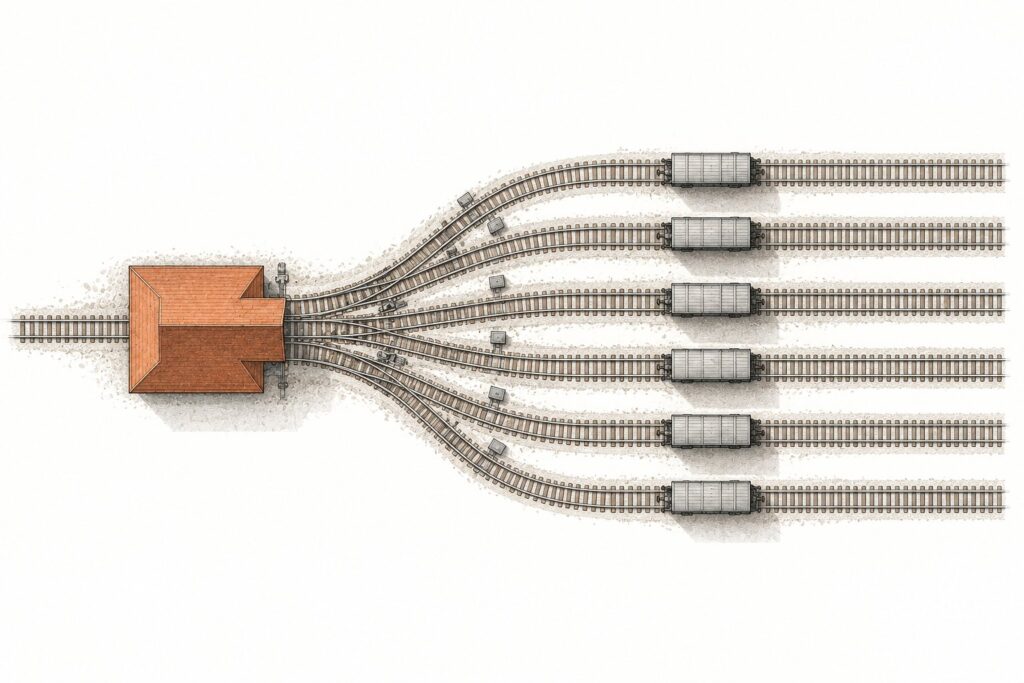
Claude Projects now names two different products. The original is a workspace in Claude chat that holds conversations, reference files and standing instructions for one topic. It is on every plan, including Free. The redesigned version, in beta since September 17, 2026, is one ongoing conversation in Claude Code. In it, Claude starts parallel worker sessions, called threads, that write code on GitHub branches and open pull requests.
Anthropic kept the name and changed what sits under it. For an agency or a nonprofit IT lead, that matters. One version is a shared reference space a whole team can use today. The other belongs to a single person and runs only on Pro and Max. It needs GitHub for code work, and it keeps spending plan usage while you are away. This piece walks through both, the limits Anthropic documents, how to tell which one you have, and who each one fits.
The short version: if your team shares knowledge in Claude on a Team plan, keep using the original Claude Projects. Nothing about them changes yet. If you are one developer with a steady stream of work on github.com repositories, the redesign is built for you. It reaches accounts in stages, so check your sidebar before you plan around it.
This explainer is based on Anthropic’s documentation and announcement as of late September 2026. We have not yet run the redesigned version hands-on, so quality claims below are Anthropic’s, not ours.
Two products share the name Claude Projects
Anthropic’s own documentation draws the line. The Claude Code docs describe the older experience as one that groups conversations and reference files "without threads or a coordinator." The redesign adds both of those.
Put simply, the original is a folder you talk inside. The redesign is a manager that hands work to other sessions and tracks them.
| Original Claude Projects | Redesigned Claude Projects | |
|---|---|---|
| Where it lives | Claude chat and Cowork | claude.ai/code, desktop Code tab, mobile apps |
| Plans | All, including Free | Pro and Max, in beta |
| What it does | Keeps chats, files and instructions together | Starts and tracks parallel threads |
| Sharing | Team and Enterprise | None; one user only |
| Code | You paste or upload it | Threads clone github.com repositories |
The original Claude Projects: a workspace for one topic
Anthropic’s help article What are projects? describes the original as a self-contained workspace. It has its own chat history, knowledge base and instructions. Every chat inside a project draws on the same files and follows the same instructions.
"Projects are available to all users, including those with free Claude accounts," the article says. Free users can create a maximum of five.
The knowledge base is where most organizations get value. You upload a style guide, a grant template or a policy manual once, and every conversation can refer to it.
File limits come from Anthropic’s upload help page, last updated July 23, 2026. Project files can be up to 30MB each. The number of files is unlimited. Their total content, though, must fit within Claude’s context window.
Paid plans get more room. Anthropic’s RAG for projects article says retrieval turns on automatically as a project nears the context limit. That applies on Pro, Max, Team and Enterprise. The help center puts the gain at up to 10 times more content. That figure applies to the original Claude Projects only.
Cowork has its own projects too, with files, instructions, memory and scheduled tasks. Our look at Claude Cowork covers how that started.
Sharing original projects on Team and Enterprise
Sharing is what makes the original Claude Projects useful for an organization. It is limited to Team and Enterprise plans, according to Anthropic’s article on creating and managing projects.
A shared project has one of two visibility settings.
- Private: only you and the members you invite can see or use it.
- Organization: everyone in your organization can view and use it, where administrators have enabled that.
Members get one of two permission levels.
- Can view: members see the contents, knowledge and instructions, and can chat in the project, but cannot change it.
- Can edit: members can change instructions and knowledge and manage who has access.
For a nonprofit communications team, this is the working pattern. One person with "Can edit" maintains the style guide and instructions. Everyone else gets "Can view" and chats against a knowledge base that stays consistent.
None of this exists in the redesign.
The September 16 merge of Cowork and chat, rolling out to Pro and Max first, left existing projects where they were. Our post on Cowork becoming one Claude covers where things moved and why Team plans have not changed yet.
The redesigned Claude Projects: a conversation that starts threads
Anthropic announced the redesign on September 17, 2026, in Projects redesigned: from folder to conversation. "Projects have threads that do the work and a coordinator that directs them," the post says.
The Claude Code documentation for Projects is more specific. It calls a project "one ongoing conversation where Claude coordinates a stream of related work for you." You say what needs doing, and Claude starts a thread for each task.
In practice you talk to one coordinator. You paste a bug report, a task list or a stack trace. Claude answers in place, starts a new thread, or passes the work to a thread already busy in that area. Several unrelated tasks in one message become separate threads.
The coordinator sees what threads report back, not every step they take.
Each thread is usually a cloud session: Claude Code running on Anthropic’s servers, not your machine. If that is new, see our explainer on what Claude Code is. Our comparison of local, cloud and Remote Control sessions covers the rest.
Code is not required. A project can work from uploaded files, folders and Google Drive folders instead of a repository. Anthropic’s example is a support-ticket export you keep asking new questions about.
What a thread does on its own branch
A thread is a worker with its own context window. It does one piece of work and reports back to the coordinator.
When a cloud thread changes code, the documentation lists its default behavior.
- Branch: it works on a new branch started from the repository’s default branch.
- Pull request: it opens one when you ask, or on its own for a bug fix or other concrete change.
- After the pull request opens: it watches it with auto-fix on. It pushes fixes when CI fails and addresses review comments.
You can change any of that in the task or in project instructions.
"Cloud threads keep going after you close your laptop," the docs say. Threads run in parallel, and you can check on them from the Claude mobile app.
A thread can also run on your own computer when a task needs a local database or a VPN. The launch post called this "coming very soon." It is now documented. It works through Remote Control and needs Claude Code v2.1.280 or later on that machine. A local thread runs only while that computer is awake. It starts with the project’s instructions but not its memory files.
Threads run in auto mode when the model supports it, so most tool calls go ahead without asking you. Permission rules in a repository’s settings file apply only in a project with one repository. Our post on Claude Code permission modes explains how those rules work.
The Overview pane shows what needs you
The redesign adds an Overview pane beside the conversation. Its Threads tab groups every thread by state.
- Ready for review: the pull request is open and waiting for you.
- Waiting on you: the thread needs a reply or approval, or it failed.
- Working: still running.
- Landing: the pull request is approved or queued to merge.
- Idle: finished and not waiting on anything.
- Resolved: marked done by you, by Claude, or automatically after a week without activity.
Three other tabs sit beside it. Library holds files you added and files threads produced. Pull requests lists the ones threads opened. Routines shows scheduled work Claude set up from the project.
Standing context: instructions, memory and CLAUDE.md
The redesign carries context across threads in three places.
Project instructions are the brief every new thread starts from. The docs cap them at 16,000 characters. They go to each new thread and to Claude in the project conversation. Anthropic suggests covering what the project is for, which branch to start from, how a thread checks its work, and what needs your go-ahead.
Project memory holds notes Claude keeps as it works: decisions, requirements and pitfalls. Every cloud thread reads the index file MEMORY.md when it starts, according to the docs, and opens other memory files as needed. When you correct a thread, tell Claude to remember the correction. Later threads then start with it.
Repository CLAUDE.md files stay where they are. Each cloud thread reads the CLAUDE.md in every project repository when it starts.
Rules about one repository, such as build commands, go in that repository’s CLAUDE.md. Decisions about the whole project go in project memory. For an agency with one repository per client site, that split matches how the work is already organized.
Default models, and why Pro users should change them
"A new project runs Opus everywhere, with high effort for threads and low effort for the conversation," the docs say. You can change the thread model, thread effort, coordinator model and coordinator effort in Project settings.
Anthropic’s own setup checklist tells you to check these before your first batch. Opus at high effort on every thread, it says, "draws on your plan fastest."
Anthropic’s suggested first steps are practical. Write instructions first. Send one small real task and read how the thread reports back. Then ask Claude to propose threads before starting them, and to run only a few at a time.
Those limits are preferences Claude follows, not hard caps. The one enforced number is 200 new threads per day across all your projects. There is no fixed limit on how many run at once.
Who can use the redesigned Claude Projects today
As of late September 2026, the documentation says Projects "are in public beta on Pro and Max plans and rolling out gradually." They are not available on Team or Enterprise plans yet.
The launch post was narrower on day one. It offered the beta to select Pro and Max subscribers who use cloud sessions in Claude Code. Those accounts also had to have no existing projects on the web or desktop. Team and Enterprise come "after that," with no date given.
| Requirement | What Anthropic documents |
|---|---|
| Plan | Pro or Max; not Team or Enterprise yet |
| Surfaces | claude.ai/code, desktop Code tab, iOS and Android apps; not the terminal CLI, Amazon Bedrock, Google Cloud’s Agent Platform or Microsoft Foundry |
| Code hosting | github.com only, with push access and the Claude GitHub App installed; not GitHub Enterprise Server, GitLab or Bitbucket |
| Sharing | None; one user per project, no organization-level controls during the beta |
| Volume | 200 new threads per day across all your projects |
Two details catch people out. Connecting GitHub through /web-setup is not enough; project threads need the Claude GitHub App. On an organization-owned repository, only an organization owner can approve that install.
Also, the terminal command claude project has nothing to do with this feature. The docs say it manages local Claude Code state for a directory.
How to tell which version you have
Look in two places.
At claude.ai/code or the desktop app’s Code tab. If Projects appears in the left sidebar, you have the redesign. If it does not, the rollout has not reached your account yet.
In Claude chat or Cowork. Projects there are the original version, even on an account that also has the redesign in Claude Code.
Anthropic has a waitlist page for people who want the redesign sooner. "We are rolling out Projects in stages," it says.
Accounts that already had projects in chat or Cowork were not in the first wave, according to both the launch post and the docs.
What happens to your existing projects
"Existing projects on Pro and Max plans keep working as they do today," the launch post says. Anthropic plans to upgrade them as the rollout expands to chat and Cowork.
Anthropic has not published a date for that, or for Team and Enterprise. Until it does, your knowledge files, instructions and sharing settings stay as they are. The Claude Code docs say the same: chat and Cowork projects keep working until the redesigned experience reaches them.
There is nothing to migrate now. If you run shared projects on a Team plan, write down which ones depend on sharing and "Can view" access. That list will matter when the upgrade reaches Team plans. The redesign as documented today has no sharing at all.
Which Claude Projects version fits your organization
A nonprofit or association on a Team plan. Stay with the original Claude Projects. Shared knowledge bases and view or edit permissions are the reason to use them. For shared, steerable agent work in Slack, Anthropic points to Claude Tag, which is on Team and Enterprise.
An agency with client sites on github.com. The redesign fits one developer’s queue: a backlog of fixes across client repositories, each on its own branch. It is still one person’s tool. Account managers and designers cannot see the threads. Keep the original Claude Projects for shared client briefs and brand guides.
A solo developer or contractor on Pro or Max. This is who the beta is built for. Start with instructions and a smaller thread model. Raise effort once threads come back the way you want. If you already run parallel agents inside one session, compare it with dynamic workflows in Claude Code.
Anyone on GitLab, Bitbucket or GitHub Enterprise Server. The redesign cannot work on that code yet. It can still handle document work with uploaded files.
Frequently Asked Questions
What are Claude Projects?
The name covers two products. The original Claude Projects is a workspace in chat that keeps conversations, knowledge files and instructions together. The redesigned version, in beta in Claude Code, is one conversation where Claude starts and tracks parallel worker sessions called threads.
Are Claude Projects free?
The original version is. Anthropic’s help center says projects are available to all users, including Free accounts. The redesigned version is in beta on Pro and Max plans only.
How many projects can a Free user create?
Five, according to Anthropic’s help center. Paid plans also get retrieval that lets a project hold up to 10 times more content.
What is the difference between the old and new Claude Projects?
The original groups chats and reference files for one topic and can be shared on Team and Enterprise. The redesign has a coordinator that starts threads. Each is a Claude Code session that can work on its own GitHub branch and open pull requests. It belongs to one user.
Can I share a redesigned project with my team?
No. Anthropic’s documentation says a project belongs to one user, and you cannot share a project or its threads. There are no organization-level controls during the beta.
Do redesigned projects work with GitLab or Bitbucket?
Not for code. Code must be on github.com, with push access and the Claude GitHub App installed. A project can still work on uploaded files and Google Drive folders without a repository.
Do threads keep running when my laptop is closed?
Cloud threads do. A thread you run on your own computer through Remote Control runs only while that computer is awake.
Is the redesign available on Team or Enterprise plans?
Not as of late September 2026. Anthropic says Team and Enterprise come after the Pro and Max rollout and has not given a date.
Will my existing projects be converted?
Eventually. Anthropic says existing projects on Pro and Max keep working as they do today and will be upgraded as the rollout expands to chat and Cowork. No date has been published.
How do I get access if I do not see Projects in Claude Code?
If Projects is missing from the sidebar at claude.ai/code or the desktop Code tab, the rollout has not reached your account. On Pro or Max you can join Anthropic’s waitlist.