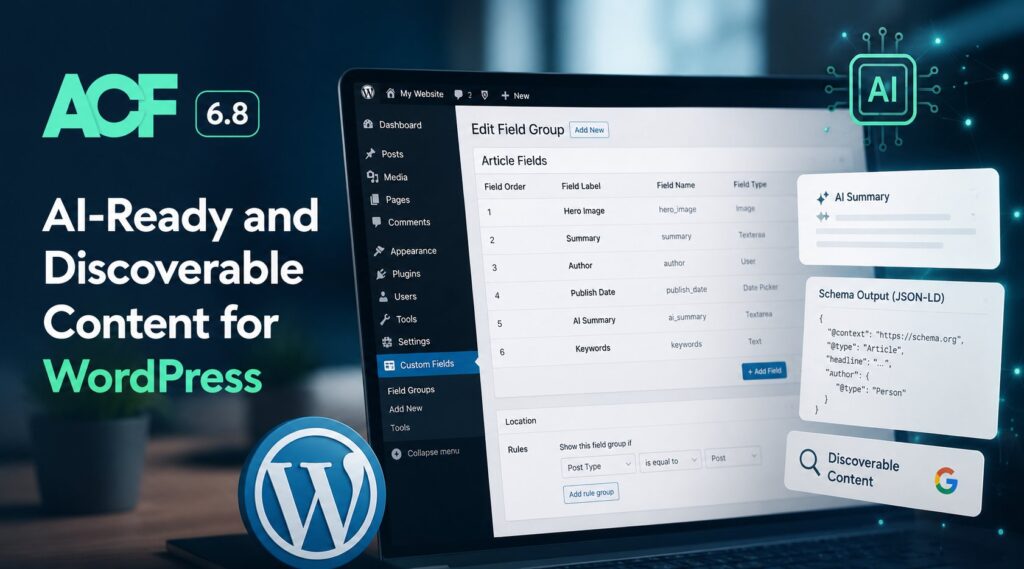
Advanced Custom Fields 6.8 shipped in 2026 as the most consequential ACF release in several years, with three features that together reposition the plugin from "best-in-class custom field builder" to "the WordPress content modeling layer for the AI-search era." The headline additions are an integration with WordPress 6.9’s new Abilities API (which lets AI tools and MCP-enabled applications interact with your ACF content model through a standardized, secure interface), automatic Schema.org structured data generation (which makes content discoverable by AI answer engines without writing JSON-LD by hand), and a set of WP-CLI commands for ACF JSON synchronization (which makes ACF a first-class participant in CI/CD-driven WordPress deployments). The official ACF 6.8 release announcement carries the explicit framing "AI-Ready and Discoverable Content," and the features delivered live up to that framing.
This post covers what ACF 6.8 actually shipped, how each of the three features works, what to do to enable them, and what the release means for WordPress sites that want to be visible to AI tools and AI search engines. It is not a tutorial; the ACF team’s own documentation covers the implementation in depth. It is a recap for WordPress builders who need to understand what changed and why it matters.
What ACF 6.8 actually shipped
The three headline features:
WordPress Abilities API integration. ACF 6.8 plugs into the new Abilities API introduced in WordPress 6.9, exposing a standardized set of capabilities that AI tools and automation platforms can call. Compatible AI tools (Anthropic’s Claude with MCP, OpenAI’s GPT-OSS-based applications, custom internal agents, automation services) can now use natural language to inspect your content model, register new custom post types and field groups, import structured data, and update content values. The user side of the security model is intentionally conservative: existing items require manual opt-in for AI access, and all operations respect the executing user’s WordPress capabilities (default: manage_options).
Automatic Schema.org structured data. ACF PRO 6.8 can now automatically generate Schema.org structured data from your custom fields, without writing any JSON-LD by hand. The feature supports Schema.org’s complete vocabulary (867 types and 1,509 properties as of mid-2026), with automatic type inference, intelligent formatting (ISO 8601 dates, ImageObjects for images, Person schemas for users), repeater-field support, and ACF Blocks integration via block.json. The ACF team has marked this feature explicitly as experimental in the UI, reflecting that the discipline of generative engine optimization (GEO) is still evolving and the right structured-data patterns will keep shifting as AI engines update their parsing.
WP-CLI commands for ACF JSON. ACF PRO 6.8 introduces a set of wp acf json commands (status, sync, import, export) for managing ACF JSON synchronization from the command line. The commands are designed for CI/CD pipelines and deployment workflows, with dry-run support, type filtering, and structured output. For teams that have been wedging ACF JSON sync into custom deployment scripts, this is the standardization the workflow has needed.
Each of these is worth a closer look.
The Abilities API integration: AI tools build your content model
The Abilities API arrived in WordPress 6.9 as a generic interface for plugins to expose capabilities to external tools. ACF 6.8 is one of the first major plugins to integrate, and the integration is substantive enough to make ACF a meaningful target for AI-driven WordPress workflows.
The categories of capability ACF exposes:
Field Groups. AI tools can list existing field groups and create new ones with full field definitions. The "create" capability is the headline: an AI tool can take a natural language description ("create a field group for a Recipe post type with fields for ingredients, cooking time, difficulty level, and instructions") and translate it into a real ACF field group registered against your site, ready to use immediately.
Custom Post Types. AI tools can register new post types and manage posts (including ACF field values) inside them. The rapid-prototyping use case ACF highlights in the launch post: "Set up a real estate site with property listings, agents, and neighborhood taxonomies" becomes a single AI prompt that produces the entire content model.
Custom Taxonomies. AI tools can register taxonomies and manage terms (including ACF field values on those terms). This rounds out the trio: AI tools can now build out the full WordPress content architecture (post types, taxonomies, field groups) through the Abilities API rather than through manual configuration.
The security model is built around two principles. First, capability gating: the executing user (the WordPress user account the AI tool is acting on behalf of) must have the ACF capability, which defaults to manage_options. Tools cannot do more than their authorizing user could do manually. Second, per-item opt-in: existing field groups, post types, and taxonomies are opted out of AI access by default; site owners explicitly opt them in. New items created in 6.8 default to opted-in, on the reasonable principle that if you created the item knowing 6.8 was active, you intended it to be AI-accessible. All operations respect WordPress audit trails.
To enable the Abilities API, add this filter to your theme’s functions.php:
add_filter( 'acf/settings/enable_acf_ai', '__return_true' );Then configure AI access for your existing field groups, post types, and taxonomies in their respective settings screens.
The "AI tools" framing in ACF’s documentation isn’t abstract. Anthropic’s Claude (via MCP) and Google’s various AI products (via the standardized interface) are explicit targets, but any tool that speaks the Abilities API can integrate. For teams running internal agents or automation pipelines on top of WordPress, the Abilities API is the right primitive to build on rather than reinventing per-plugin REST endpoints.
For background on the underlying agent infrastructure, our coverage of Google Antigravity covers Google’s agent-first development platform that pairs naturally with the Abilities API on WordPress, and our Model Context Protocol (MCP) overview covers the open standard that lets Claude (and other MCP-aware AI tools) connect to WordPress through the Abilities API surface.
Automatic Schema.org: GEO-ready content with zero code
The Schema.org feature is the half of ACF 6.8 most directly aimed at the AI search era. The premise: AI answer engines (ChatGPT, Google AI Overviews, Perplexity, Claude, Copilot, Gemini) cite content more reliably when that content is marked up with Schema.org structured data. WordPress sites with custom fields have historically had two paths to structured data: write JSON-LD by hand (works, but high maintenance), or use an SEO plugin’s structured-data feature (works for common types, weak for custom content models). ACF 6.8 adds a third path: derive the structured data automatically from the field mappings that already exist.
The mechanic is straightforward. You enable the feature site-wide via a filter. You configure each Post Type with a Schema.org type (Recipe, Product, Event, Article, Organization, and so on; ACF supports the complete 867-type vocabulary). You map each ACF field to a Schema.org property in the field settings. ACF generates valid JSON-LD on the frontend automatically.
The smart-features list is worth reading carefully:
Automatic type inference. ACF can detect appropriate Schema types from your field mappings, reducing the manual configuration in many cases.
Intelligent formatting. Date fields are converted to ISO 8601 format. Image fields become ImageObjects with the right Schema structure. User fields become Person schemas with the appropriate properties. The "translate the WordPress data model to the Schema.org data model" work that previously had to be hand-coded is automated.
Repeater support. Sub-fields inside ACF repeaters can have individual Schema property mappings, which makes complex structures (recipes with multiple ingredients, products with multiple variants, events with multiple sessions) work correctly.
ACF Blocks support. Schema configuration can live in block.json via schemaType and autoJsonLd properties, putting structured-data configuration alongside the block definition rather than in a separate settings panel.
Automatic metadata. Author, featured image, publication dates, and URLs are included automatically without requiring explicit mappings.
To enable the structured-data feature, add this filter:
add_filter( 'acf/settings/enable_schema', '__return_true' );Then configure Post Types with Schema types and map fields to Schema properties.
The example output ACF publishes is a Recipe post type with mapped fields generating a complete Recipe JSON-LD block, including the @type, name, prepTime (ISO 8601), cookTime (ISO 8601), recipeIngredient (array), and author (Person schema). For sites running custom content models in WordPress, this is the closest thing to a "make my content AI-discoverable" button that the ecosystem has shipped.
The feature is explicitly marked experimental in the UI. ACF’s own framing in the release post: "The field of generative engine optimization (GEO) is evolving rapidly, and we’re actively monitoring how AI systems interpret and surface structured data." That’s the right posture. Schema markup is a meaningful contributor to GEO performance but not the only one, and AI engines’ use of structured data will keep evolving. Implementing ACF 6.8’s Schema feature is the right move for most WordPress sites; expecting it to be a complete GEO strategy on its own would be a mistake.
WP-CLI commands: ACF JSON in your CI/CD pipeline
The third feature is the most operationally significant for teams running ACF on managed-WordPress hosts with proper deployment pipelines.
ACF JSON has long been the recommended pattern for version-controlling field group definitions: the plugin can export field groups, post types, and taxonomies to JSON files in your theme, those files get committed to your repository, and the plugin syncs them into the database on receiving sites. The pattern works well in principle. In practice, the WordPress admin UI was the only built-in way to trigger the sync, which made automating the workflow inside CI/CD pipelines a custom job for every site.
ACF 6.8 adds the standard wp acf json command surface:
wp acf json status shows sync status for field groups, post types, taxonomies, and options pages. Use it to see what’s drifted between JSON files and the database without making any changes.
wp acf json sync synchronizes JSON files to the database. The headline command for deployment pipelines: after a git pull brings new JSON files into the receiving environment, this command brings them into the database. Type filtering (--type=field-group) is supported for finer-grained control.
wp acf json import imports JSON files into the database. Supports --dry-run for previewing changes before applying them, which is the right default for any deployment pipeline that’s processing real production changes.
wp acf json export exports items to JSON files. Useful for one-off migrations or for syncing changes from a development environment back into version control.
The deployment-workflow framing ACF published in the release notes is exactly right:
# Check what needs syncing after a deploy
wp acf json status

# Sync all pending changes
wp acf json sync

# Or sync specific types
wp acf json sync --type=field-group

# Preview changes before importing
wp acf json import --dry-run
For teams on Pantheon, WP Engine, Kinsta, or any managed-WordPress host with proper Git-driven deploys, these commands turn ACF JSON sync into a normal deploy step rather than a manual post-deploy click. For organizations comparing managed WordPress hosts, the deployment-pipeline story matters; our coverage of how to choose a managed WordPress host covers the deployment-and-staging requirements that pair naturally with the new ACF CLI surface, and our WP Engine vs Pantheon comparison covers the two platforms most often evaluated at the upper end of that market.
What ACF 6.8 means for WordPress and AI workflows
Step back from the feature list and the strategic shape of ACF 6.8 becomes clearer. The plugin is positioning itself as the connective tissue between WordPress and the AI-tooling layer that’s now consuming and producing WordPress content.
On the consumption side, the Abilities API integration lets AI tools (Claude, MCP-enabled clients, automation platforms) read and write WordPress content through ACF’s data model. The Schema.org feature makes that content readable by the AI answer engines (ChatGPT, AI Overviews, Perplexity, Claude with search tools, Copilot, Gemini) that intermediate a growing share of search traffic. Together they cover both directions: AI tools that work with your content, and AI engines that surface your content to users.
On the production side, the WP-CLI commands let CI/CD systems treat ACF as a first-class deployment target. As AI-assisted development workflows generate more WordPress content models (via Claude, via Google’s AI Studio, via the Abilities API), the version-control and deployment story has to keep up. The CLI surface makes that possible.
The release also reflects ACF’s broader bet about where WordPress sits in the AI era. The plugin’s traditional positioning has been "the developer-friendly way to model complex content in WordPress." The 6.8 positioning extends that toward "the developer-friendly way to model complex content in WordPress so AI tools and AI search engines can work with it." That’s a real positioning shift, executed cleanly, and one that other major WordPress plugins are likely to follow.
For broader context on the WordPress side of this trajectory, our coverage of what’s new in WordPress 7.0 covers core’s own AI Foundations and Connectors hub. WordPress 7.0 introduced the platform-level AI plumbing; ACF 6.8 extends that into the content-modeling layer. For sites that already lean heavily on ACF, the combination is the realistic on-ramp to AI-era WordPress.
Upgrading: what to actually do
If you’re running ACF (free or PRO) on a production site, the upgrade is straightforward but worth doing in a defined sequence.
- Upgrade ACF on a staging environment first. The 6.8 release introduces no breaking changes per the changelog, but staging-first is the responsible default for any plugin upgrade.
- If you want the Abilities API features, add the
acf/settings/enable_acf_aifilter to your theme’sfunctions.phpand configure AI access per item in the ACF admin screens. - If you want the automatic Schema feature (and you should, for any content-marketing or commerce site), add the
acf/settings/enable_schemafilter and configure Schema types per Post Type, mapping fields to properties. Treat this as a first pass; the experimental flag means the implementation will evolve. - If you have a deployment pipeline that handles ACF JSON, switch from your custom sync logic to the new
wp acf json synccommand. Use--dry-runfirst to validate the behavior matches your previous workflow. - Audit your robots.txt and Schema implementation against the broader GEO playbook. ACF 6.8’s Schema feature is necessary but not sufficient for AI search visibility; the full picture includes AI crawler access, page structure, content freshness, and authority signals.
- Promote to production once staging validation is complete. The features that require explicit filters won’t activate until you add them, so the production upgrade itself is low-risk.
For sites that don’t use ACF, the 6.8 release is informative about the direction the WordPress ecosystem is heading rather than something to act on directly. The patterns ACF is shipping (AI-tool integration via the Abilities API, automated Schema.org generation, CLI-driven deployment) will likely appear in other major plugins (Yoast, WPML, WooCommerce, the SEO plugins generally) over the next several releases.
Frequently Asked Questions
What’s new in ACF 6.8?
ACF 6.8 ships three headline features: WordPress Abilities API integration (lets AI tools and MCP-enabled applications inspect your content model, register custom post types and field groups from natural-language descriptions, and import structured data through a standardized interface); automatic Schema.org structured data generation (creates JSON-LD from custom field mappings with support for the complete Schema.org vocabulary of 867 types and 1,509 properties); and a `wp acf json` CLI command set (status, sync, import, export) for managing ACF JSON synchronization in CI/CD pipelines.
Is ACF 6.8 free or PRO?
Both. ACF 6.8 (the free version) includes the WordPress Abilities API integration. ACF PRO 6.8 adds the automatic Schema.org structured data generation and the WP-CLI commands for ACF JSON. For sites that want the GEO-ready Schema feature or the deployment-pipeline CLI commands, ACF PRO is the right tier.
What is the Abilities API and how does ACF use it?
The Abilities API is a new WordPress 6.9 interface that lets plugins expose capabilities to external tools (AI assistants, automation services, MCP-enabled applications) through a standardized format. ACF 6.8 integrates with the Abilities API by exposing capabilities for field groups, custom post types, and custom taxonomies: AI tools can list existing items, create new ones from natural-language descriptions, and read or write content values. The executing user must have ACF capabilities (default: `manage_options`), and existing items require manual opt-in to AI access while new items are opted-in by default.
Does ACF 6.8’s Schema feature work with my SEO plugin?
ACF 6.8’s automatic Schema.org generation outputs JSON-LD structured data for the custom fields you map to Schema.org properties. Most major SEO plugins (Yoast, Rank Math, SEOPress, and others) also output their own JSON-LD for the standard content types they understand (Article, Product, Recipe, and so on). The two are usually complementary rather than conflicting: SEO plugins handle the standard content-type schemas; ACF 6.8 fills the gap for custom fields and custom post types they don’t understand. Test on staging to confirm your specific plugin combination doesn’t produce duplicate or conflicting JSON-LD.
What versions of WordPress does ACF 6.8 require?
The Abilities API integration in ACF 6.8 requires WordPress 6.9 or later (the Abilities API itself was introduced in 6.9). The Schema.org and WP-CLI features work on the WordPress versions ACF generally supports. For sites running WordPress 7.0 (released in May 2026), all ACF 6.8 features are supported.
Will the Schema.org feature actually help my content show up in AI search results?
It contributes to the broader generative engine optimization story, but it’s not a magic ingredient on its own. AI answer engines (ChatGPT, Google AI Overviews, Perplexity, Claude, Copilot, Gemini) cite content based on a combination of technical accessibility (can the AI crawler reach the page?), structural clarity (is the content well-structured and answer-first?), specificity and citability (are the claims concrete and quotable?), authority signals (named authors, primary sources), freshness, and structured data. ACF 6.8’s Schema feature handles the structured-data dimension cleanly; the other dimensions remain your job. For the full GEO playbook, see our generative engine optimization 101 post.
Can I use the WP-CLI commands on a managed WordPress host?
Yes, on any managed WordPress host that supports WP-CLI access. The major managed-WordPress platforms (Pantheon, WP Engine, Kinsta, Cloudways, and others) all support WP-CLI either through SSH or through a platform-managed CLI surface. Check your host’s documentation for the specific path to running `wp acf json sync` and related commands as part of a deployment hook or CI/CD pipeline. For Pantheon specifically, the standard pattern is to run the sync inside a quicksilver hook on the `deploy_complete` event.
Is this release related to WordPress 7.0’s AI Foundations and Connectors hub?
They’re separate but complementary. WordPress 7.0 introduced AI Foundations and the Connectors hub at the core platform level, providing a standardized place to wire up AI providers and other external services. ACF 6.8 extends the AI integration into the content-modeling layer through the Abilities API. A site running WordPress 7.0 plus ACF 6.8 has both the platform-level AI plumbing (from core) and the content-model AI integration (from ACF), which together represent the cleanest AI-ready WordPress configuration the ecosystem has shipped so far.