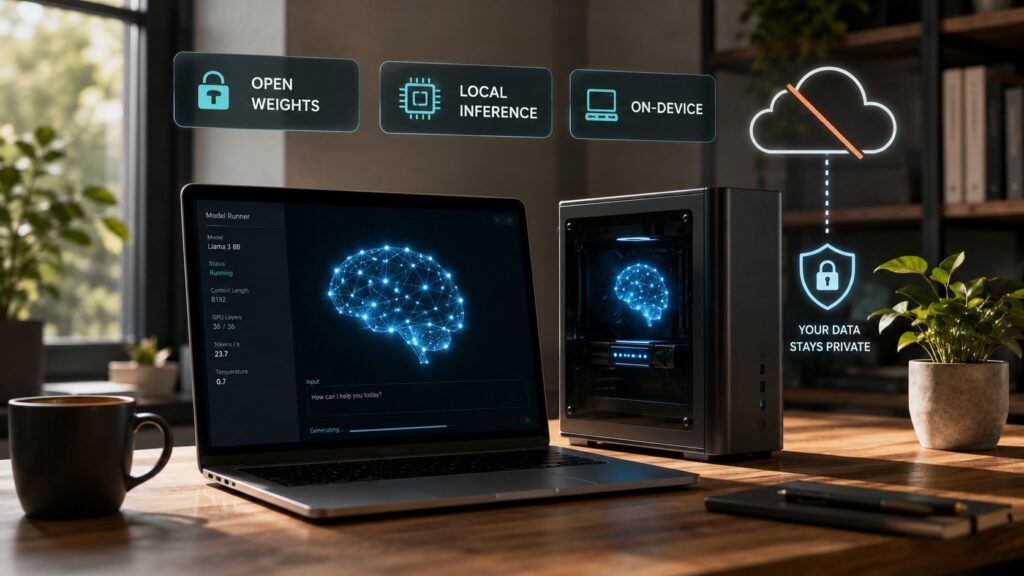
Local AI models are large language models that run on customer hardware (laptops, workstations, on-premise servers, or edge devices) rather than via cloud APIs. The pattern has matured substantially through 2024-2026 to the point where running a capable LLM locally is now a practical alternative to cloud APIs for many use cases. The reasons teams choose local inference: no per-request subscription costs at scale, data stays on customer infrastructure for privacy and regulatory reasons, air-gapped environments that can’t reach cloud APIs at all, customization through fine-tuning that cloud APIs don’t permit, and continuity from vendor availability decisions (the Fable 5 situation from earlier this week made this last point especially concrete). The open-weight model landscape supporting local inference is genuinely deep in 2026: Meta’s Llama family, Mistral’s various models, DeepSeek V4, Alibaba’s Qwen 3, Microsoft’s Phi-4, Google’s Gemma 3, and many specialized variants. The runtime tools that make local deployment practical (Ollama, llama.cpp, LM Studio, vLLM, Apple’s MLX, text-generation-webui) have matured to where the technical barrier to getting started is genuinely low.
This post covers what local AI actually is, the major open-weight model families teams choose from, the runtime tools that handle the inference, the hardware requirements that determine what’s actually possible to run, the use cases where local inference makes operational sense versus where cloud APIs still fit better, and the practical steps for teams that want to start running their own models. For broader context on the open-weight question, our Claude Fable 5 suspension implications post covers the recent event that brought the closed-weight versus open-weight conversation back to the center of the industry’s discussion.
What local AI actually is
Local AI inference runs the model on your hardware rather than calling a cloud API. The basic flow: you download a model file (typically several gigabytes to several hundred gigabytes depending on the model size), load it into a runtime that handles the inference computation, and use it through a local API or interface. There’s no network call to a vendor; the inference happens entirely on the machine running the model.
The pieces that make local AI practical in 2026:
Open-weight models released by labs that publish the trained parameters under licenses permitting local use. Meta’s Llama family, Mistral’s various releases, DeepSeek V4, Qwen 3, Microsoft’s Phi-4, Google’s Gemma 3, and many others have made high-quality local inference broadly accessible. The capability gap with the best closed-weight cloud APIs has narrowed substantially through 2024-2026.
Runtime tools that handle the model loading, inference computation, and serving. Ollama, llama.cpp, LM Studio, vLLM, MLX, and others abstract away the substantial complexity of running a multi-billion-parameter model on consumer or workstation hardware.
Quantization techniques that reduce model memory requirements by representing the model parameters with fewer bits per parameter. The standard pattern uses 4-bit or 8-bit quantization that reduces memory requirements by 2-4x with modest quality loss, which lets larger models fit on smaller hardware.
Hardware that’s actually capable of running serious local inference. Modern consumer GPUs (RTX 4090, RTX 5090, RTX 5080) have enough VRAM for 70-billion-parameter models with quantization. Apple Silicon Macs (M-series with 64GB+ unified memory) can run substantial models cleanly. AI workstations with H100 or comparable hardware can run nearly anything.
The combination makes local AI a serious alternative to cloud APIs for many use cases. The capability ceiling for local inference is below the absolute frontier (GPT-5.5, Claude Opus 4.8, Gemini 3 Pro), but the gap has narrowed enough that most workloads can run locally without compromising quality meaningfully.
For broader AI tooling context, our AI agents pillar covers the agent patterns where local inference frequently fits, and our Claude tier selection guide covers the closed-weight commercial alternatives.
The major open-weight model families
The 2026 open-weight model landscape has several major families that cover most local inference use cases:
Meta’s Llama family is the most-downloaded and most-used open-weight model family. Current generation is Llama 4, available in 8-billion, 70-billion, and 405-billion parameter sizes. Llama 3 (8B, 70B, 405B) is still widely deployed and often the right choice for hardware that can’t comfortably run the 4 generation. The licensing permits commercial use with some restrictions (notably a 700-million monthly active user threshold above which Meta requires a commercial agreement). For most teams, Llama is the default starting point for local AI work.
Mistral AI has released several open-weight models with different size and capability profiles. Ministral (3B and 8B) targets edge and small-hardware use. Mistral 7B is the original open-weight workhorse that’s still widely deployed. Mistral Nemo (12B) provides good general capability. Mixtral 8x7B and Mixtral 8x22B use mixture-of-experts architecture for efficient inference at higher capability. Mistral Large 2 (123B) is the company’s flagship open-weight model. Mistral’s licensing is generally Apache 2.0 (permissive) for the smaller models and more restrictive for the largest models.
DeepSeek V4 is the current generation of the DeepSeek family, distinguished by strong reasoning capability that’s competitive with frontier closed-weight models on many benchmarks. The open release of DeepSeek’s reasoning-capable models has been one of the most consequential events in open-weight AI through 2024-2026. Available in multiple sizes; the larger sizes need substantial hardware but produce capability that approaches Claude and GPT for many use cases.
Qwen 3 is Alibaba’s family of open-weight models with strong multilingual capability (especially Chinese) and competitive general capability. The Qwen family has matured substantially through 2024-2026 with sizes from 0.5B to 72B parameters covering most use cases. Apache 2.0 licensed for permissive commercial use.
Microsoft’s Phi-4 is the small-model specialist. Phi-4 (14B parameters) and the smaller Phi-4-mini target the use case where strong capability in a small parameter count matters more than absolute ceiling. The models punch above their weight on benchmarks and are widely used for use cases where local inference on modest hardware is the priority.
Google’s Gemma 3 is Google’s open-weight family derived from the Gemini lineage. Available in 2B, 9B, and 27B parameter sizes with strong general capability. Apache 2.0 licensed. Particularly strong for teams that want Google-lineage capabilities without using the Gemini API.
Other specialized models include LM Studio Community models, Hugging Face’s various releases, Stable LM family, and many fine-tuned specializations for specific use cases (code generation, function calling, structured output, multilingual). The Hugging Face Hub catalogs thousands of variants.
For most teams the right starting point is the Llama family (broad capability, well-supported, large community), with Mistral or Qwen as alternatives if specific characteristics fit better. Phi-4 is the right choice when small-hardware constraints dominate.
The runtime tools
Several runtime tools make local inference practical. The major options as of mid-2026:
Ollama is the most-adopted runtime for individual developers and small teams. Ollama provides a simple command-line interface (ollama run llama4 downloads and runs the model with one command) plus an HTTP API for application integration. Built on llama.cpp underneath. Particularly strong for getting started quickly and for personal-development use.
llama.cpp is the C++ inference engine that powers many higher-level tools including Ollama. Direct llama.cpp usage requires more setup than Ollama but provides finer control over inference parameters, quantization choices, and hardware utilization. The default choice for teams that need to customize the inference layer.
LM Studio provides a graphical interface for managing local models and running inference. Particularly suited for users who prefer a desktop application to command-line interaction. Strong model discovery and management; the built-in chat interface makes it easy to evaluate models against your use cases.
vLLM is the production-oriented serving framework for teams running local inference at scale. Optimized for throughput and efficient memory usage with paged attention and continuous batching. The right choice when you need to serve many concurrent users or process large batches of inference.
Apple’s MLX is the Apple Silicon-native inference framework that takes advantage of M-series unified memory and the Apple Neural Engine. For teams running local inference on Macs (M2 Pro, M2 Max, M3 Pro, M3 Max, M3 Ultra, M4 family), MLX produces meaningfully better performance than generic CPU or GPU paths.
text-generation-webui (often called "Oobabooga" after its creator) provides a browser-based interface for running local models with extensive customization options. Particularly suited for users who want a Chat-GPT-style interface running entirely locally.
llamafile packages a model and inference runtime into a single executable that runs cross-platform without dependencies. Useful for distributing local AI applications to users who don’t want to manage runtime installations.
For most teams: Ollama for getting started and personal use, vLLM for production serving at scale, MLX if you’re on Apple Silicon, LM Studio if you prefer a GUI. The tools are largely interoperable in that they all use the same model file formats (GGUF being the de facto standard).
Hardware requirements
The hardware needed to run local AI inference varies dramatically by model size and the quantization level used. Practical guidance for mid-2026:
Small models (under 10B parameters). Runs on most modern laptops with 16GB+ RAM. M-series Macs handle these well even on the base configurations. Standard consumer GPUs (RTX 4060, 4070) with 8-12GB VRAM run small models comfortably. Latency is good (interactive feel) and the operational story is simple.
Medium models (10B-70B parameters). Needs more substantial hardware. 70B models at 4-bit quantization need roughly 40GB of memory; consumer RTX 4090 (24GB VRAM) can’t fit the full model and needs to offload to system RAM, which produces meaningful latency. Apple Silicon M2/M3/M4 Max with 64GB unified memory or M-series Ultra configurations handle 70B models cleanly. Workstation GPUs (RTX 5090 with 32GB VRAM, professional A5000/A6000 cards) handle these models without offloading.
Large models (70B-405B parameters). Production-class hardware territory. 405B models even at heavy quantization need 200GB+ memory; this means workstation or server-class hardware with multiple high-VRAM GPUs (multiple H100, multiple A100), or Apple’s M3 Ultra Mac Studio with 192GB unified memory configurations. The use case here is genuinely serious local inference, not personal experimentation.
Frontier models (DeepSeek V4 full size, Llama 4 405B at higher precision). Server-class hardware exclusively. Multiple H100s, B100s, or workstation configurations with the same. The operational story shifts from "personal AI on a Mac" to "self-hosted inference infrastructure," which is the right pattern for some teams but very different from running Ollama on a laptop.
Quantization tradeoffs. Lower bit-counts reduce memory requirements (8-bit quantization roughly halves memory needs vs 16-bit; 4-bit roughly quarters them) with modest quality loss for most use cases. The standard production pattern uses 4-bit or 8-bit quantization; 16-bit is reserved for use cases where the marginal quality matters more than the memory savings.
Latency expectations. Local inference latency on appropriate hardware (model fits in VRAM, no offloading) is typically excellent, often faster than cloud APIs because there’s no network round trip. Local inference latency on inadequate hardware (model offloaded to system RAM, paged into VRAM as needed) can be substantially worse than cloud APIs. The hardware match to the model size matters substantially.
For deeper hardware coverage, future posts in our hardware series will go into more depth on specific hardware selection (NVIDIA accelerator landscape, Apple Silicon for AI, edge inference hardware).
Use cases where local makes sense
Several use case patterns where local inference is the right choice:
Privacy-sensitive workloads. Customer data, employee data, financial records, health records, legal documents. Local inference keeps the data on customer infrastructure throughout the inference; no vendor sees the content. For regulated industries (healthcare, finance, legal), this is often a hard requirement that cloud APIs can’t satisfy.
Air-gapped environments. Government, defense, certain industrial contexts where network access is restricted by policy. Local inference is the only way to use AI at all in these contexts.
Cost economics at scale. Per-request cloud API costs scale with usage. For teams running millions of inferences per day, the total cost of cloud APIs can be substantial; local inference on amortized hardware can be dramatically cheaper at scale.
Latency-sensitive applications. Local inference (when hardware fits the model) has lower latency than cloud APIs because there’s no network round trip. For applications where every millisecond matters, local can win.
Customization through fine-tuning. Cloud APIs (with some exceptions) don’t permit customer fine-tuning on the closed-weight commercial models. Open-weight models can be fine-tuned with customer data to produce specialized capabilities, which is operationally important for some use cases.
Continuity from vendor availability. The Fable 5 situation made this point concretely: cloud-API workloads can become unavailable on short notice through vendor or government action. Local inference doesn’t have this exposure.
Edge deployment. Inference on devices (laptops, mobile, embedded) without round-tripping to cloud. Use cases include offline-capable applications, IoT, robotics, and any scenario where connectivity is intermittent or restricted.
Personal AI assistants. Individual users who want AI capabilities on their own hardware without subscription costs or data going to vendors. The local-AI-on-personal-laptop use case has grown substantially through 2024-2026.
Use cases where cloud still makes sense
Cloud APIs remain the right choice for many use cases:
Frontier capability requirements. When the absolute peak capability matters more than other dimensions, cloud APIs (Claude Opus, GPT-5.5, Gemini 3 Pro) remain ahead of what’s available open-weight. The gap has narrowed but hasn’t closed.
Low-volume usage. Per-request cost on cloud APIs is small in absolute terms. For teams making thousands rather than millions of requests, the total cost is modest and the operational overhead of running local infrastructure isn’t justified.
Operational simplicity priority. Cloud APIs require no infrastructure management, no model selection complexity, no quantization decisions. For teams that want to focus on application development rather than inference operations, the simplicity argument for cloud APIs is real.
Multimodal capabilities. While open-weight multimodal models exist, the capability gap is wider for multimodal than for text-only. Vision-language workloads, audio, video, and complex multimodal use cases often work better on cloud APIs.
Variable workloads. Cloud APIs handle traffic spikes elastically; local infrastructure capacity has to be sized for peak demand. For workloads with highly variable traffic, the elasticity argument for cloud APIs is real.
The honest framing: most teams benefit from a mix. Local inference for routine workloads where cost, privacy, latency, or continuity matter. Cloud APIs for peak-capability workloads, low-volume cases, and multimodal scenarios. The exclusively-local or exclusively-cloud pattern is rarely the right answer.
How to start
Six practical steps for teams that want to begin running local AI:
- Install Ollama on a machine that can run small models. A modern laptop with 16GB+ RAM is sufficient for getting started. Download Ollama from ollama.com, run “ollama run llama4:8b” (or similar), and you have a working local LLM in minutes.
- Test the small models against your actual use cases. Llama 4 8B, Mistral 7B, Phi-4, Qwen 3 8B, Gemma 3 9B. Run real prompts and judge whether the capability is sufficient. Most teams are surprised by how capable the small models are for typical workloads.
- Evaluate the medium models on appropriate hardware. If your use case needs more capability than small models provide, evaluate the 70B models on hardware that can run them (Apple Silicon M-series Max/Ultra, RTX 5090, workstation cards). The capability lift over small models is meaningful.
- Decide on production runtime if you’re moving beyond personal use. Ollama is great for development; vLLM is better for production serving at scale. Plan the deployment architecture before committing to operational patterns.
- Plan the data and integration story. Local inference means your application needs to handle the model interaction directly rather than through a cloud SDK. Tools like the Vercel AI SDK and LangChain support local providers (Ollama and others) so the integration patterns can match what you’d use for cloud APIs.
- Document the use case fit honestly. Local inference is great for some workloads and worse for others. The right mix usually includes both local and cloud; document which workloads belong where and revisit the categorization periodically as model capabilities and hardware change.
The deeper takeaway is that local AI in 2026 is no longer a research curiosity or a hobbyist activity. The combination of capable open-weight models, mature runtime tools, and accessible hardware means teams can run serious AI workloads locally for genuine operational reasons. The cloud-API-versus-local-inference decision is now a real architectural choice with substantive tradeoffs in both directions; the right answer for any specific team depends on the workload mix, the operational priorities, and the existing infrastructure investments.
Frequently Asked Questions
What is local AI?
Local AI refers to running AI models on customer hardware (laptops, workstations, on-premise servers, or edge devices) rather than via cloud APIs. The pattern eliminates per-request subscription costs, keeps data fully on customer infrastructure, supports air-gapped environments, enables fine-tuning customization that cloud APIs don’t permit, and removes dependency on vendor availability decisions. Local AI uses open-weight models (Llama, Mistral, DeepSeek, Qwen, Phi, Gemma, others) running through runtime tools (Ollama, llama.cpp, LM Studio, vLLM, MLX) on appropriate hardware.
What’s the best open-weight model in 2026?
The right answer depends on workload and hardware. Llama 4 (8B, 70B, 405B) from Meta is the most-used and well-supported family. Mistral Large 2 (123B) is competitive at the high end. DeepSeek V4 is distinguished by strong reasoning capability that approaches closed-weight frontier models. Qwen 3 from Alibaba is strong for multilingual use cases. Microsoft’s Phi-4 punches above its weight for small-model use cases. Google’s Gemma 3 provides Google-lineage capability under Apache 2.0 license. For most teams, Llama is the right starting point; alternatives become attractive for specific characteristics.
What hardware do I need to run local AI?
The right hardware depends on the model size. Small models (under 10B parameters) run on most modern laptops with 16GB+ RAM; M-series Macs handle these well. Medium models (10B-70B) need workstation hardware: Apple Silicon M-series Max/Ultra with 64GB+ unified memory, or RTX 5090 with 32GB VRAM, or workstation cards. Large models (70B-405B) need server-class hardware: multiple H100s or B100s, or Apple’s M3 Ultra Mac Studio with 192GB unified memory. Quantization (4-bit or 8-bit) reduces memory requirements substantially for modest quality loss.
How does Ollama work?
Ollama is the most-adopted runtime for individual developers and small teams running local AI. It provides a simple command-line interface (“ollama run llama4” downloads and runs the model with one command) plus an HTTP API for application integration. Built on llama.cpp underneath, Ollama abstracts the substantial complexity of model loading, quantization, and serving into a few commands. Available for macOS, Linux, and Windows. Most teams use Ollama for getting started and for personal-development use; production deployments at scale often move to vLLM or similar production-oriented serving frameworks.
How does local AI compare to cloud APIs?
The honest comparison varies by dimension. Capability: cloud APIs still lead at the absolute frontier (Claude Opus, GPT-5.5, Gemini 3 Pro) but the gap has narrowed substantially for most workloads. Cost: local is dramatically cheaper at scale (millions of inferences per day) but cloud is cheaper for low-volume usage. Latency: local on appropriate hardware is typically faster than cloud (no network round trip); local on inadequate hardware is slower. Privacy: local keeps data on customer infrastructure; cloud requires trusting the vendor. Continuity: local doesn’t have the vendor availability dependency that the Fable 5 situation made concrete. Most teams benefit from a mix rather than committing exclusively to either approach.
Can I fine-tune local AI models?
Yes, and this is one of the main reasons teams choose local AI. Open-weight models can be fine-tuned with customer data to produce specialized capabilities. Tools like Hugging Face’s transformers, Unsloth, Axolotl, and others provide the fine-tuning infrastructure. Common patterns include LoRA (low-rank adaptation) for parameter-efficient fine-tuning, full fine-tuning when more substantial customization is needed, and continued pretraining when the model needs domain-specific knowledge. Fine-tuning generally requires more substantial hardware than inference and is a more involved engineering effort, but produces customization that closed-weight cloud APIs typically don’t permit.
What about privacy and data security?
Local AI’s strongest argument is the data privacy story. When inference runs on your hardware, the data being processed (prompts, documents, code, customer records) never leaves your infrastructure. No vendor sees the content; no third party processes it. For regulated industries (healthcare, finance, legal, government) where data residency and confidentiality are operational requirements, local inference is often the only path that satisfies the requirements. The tradeoff is that you become responsible for the security of the inference infrastructure; the privacy gain is real but you have to operate the system securely.
What’s the relationship between local AI and AI agents?
Substantial. AI agent frameworks (OpenClaw, AutoGen, CrewAI, LangGraph, others) can run with local models as the underlying LLM, which produces agents that operate entirely on customer infrastructure with no cloud dependency. Local agents are particularly attractive for the privacy-sensitive, air-gapped, and continuity-focused use cases where cloud-API agents face the most friction. The combination of local AI models plus local agent frameworks is one of the active areas of 2026 AI development, with strong adoption in regulated industries and security-conscious organizations.