Claude Code shipped a substantial feature in its spring 2026 release that has changed what a single Claude Code session can do. The feature, formally named "dynamic workflows" in the Anthropic documentation and informally called "parallel subagents" by most developers using it, lets a single Claude Code session spawn dozens or hundreds of subagents that run concurrently. Each subagent has its own conversation context, its own tool permissions, and its own working directory. The parent session orchestrates the fleet, collects results, and decides what to do next. The feature was the response to a long-standing complaint that Claude Code’s serial conversation model was a bottleneck for codebase-wide work like search, refactoring, and analysis, where the parallelism is inherent in the workload but the tool would only attempt one file or one location at a time.
The dynamic workflows feature has been in active use for two months as of this writing. The practical patterns that have settled out are different from what the documentation initially anticipated, and a few of the rough edges that were predictable on day one have turned out to matter more than expected. This piece walks through what the feature does, when to use it, how to think about its scaling characteristics, and the patterns that have proven to work in production use.
What dynamic workflows actually does
A Claude Code session, in its pre-dynamic-workflows form, was a single conversation between the developer and Claude. Tool calls (file reads, file edits, bash invocations, web fetches) happened serially within that conversation. If the work involved doing the same thing to fifty files, Claude Code worked on the files one at a time, and the time-to-completion scaled linearly with the file count.
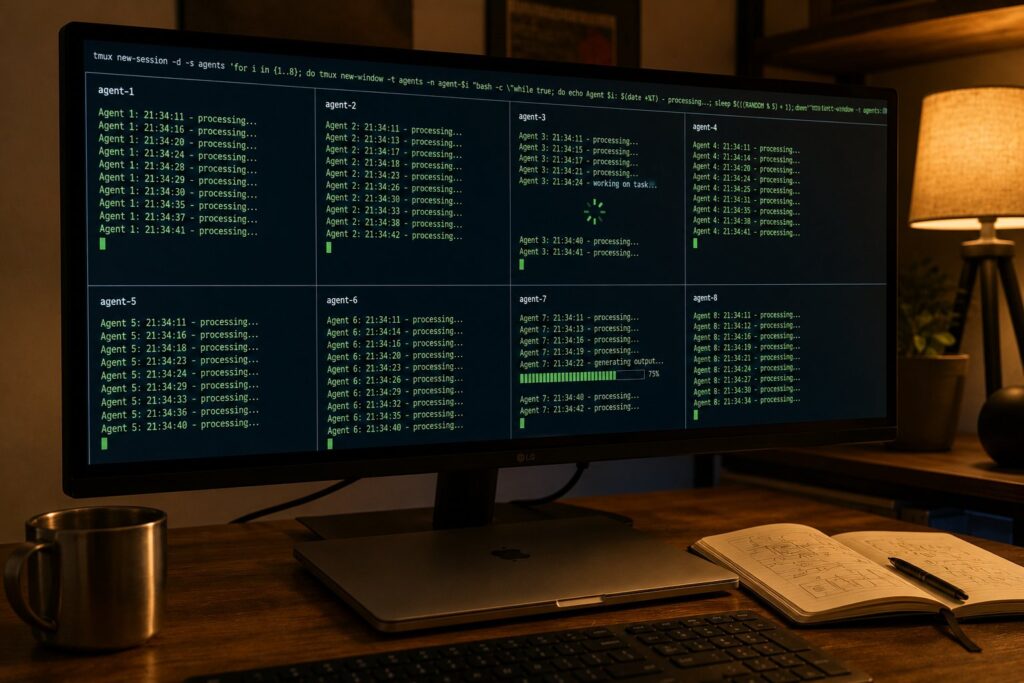
Dynamic workflows changes the model. Inside a Claude Code session, the parent Claude can now invoke a "spawn subagent" tool that creates a child Claude Code instance with its own conversation context. The parent can spawn many subagents in a single turn, with parameters specifying what each subagent should do. The subagents run concurrently, each with their own conversation, their own working memory, and their own tool permissions. As each subagent finishes its work, its results are returned to the parent, which decides what to do with them.
A simple concrete example. The user asks Claude Code to "find every file that uses the deprecated oldFunction() and report which ones can be migrated automatically." Pre-dynamic-workflows, Claude Code would have done a grep, then opened each matching file one at a time, looked at the context, and reported file by file. With dynamic workflows, Claude Code does the grep, then spawns one subagent per matching file. Each subagent independently opens its file, analyzes whether the migration is automatable, and reports back. The parent collects the reports and produces the summary. The wall-clock time is bounded by the slowest subagent rather than the sum of all of them.
The feature is implemented as a tool that the parent Claude can call. The tool name in the Claude Code public surface is spawn_subagents. Its parameters specify a list of subagent task descriptions, each of which can include a prompt, a working directory, a permission scope, and an optional context payload. The tool returns a list of result objects, one per spawned subagent, with the subagent’s final output and a status indicator.
The execution model
Each spawned subagent runs as a full Claude Code instance. It has access to the same set of tools as the parent (file reads, file edits, bash, web fetch) but its tool permissions are scoped by the parent’s spawn parameters. A parent can spawn a subagent with read-only file access, or with bash disabled, or with edits restricted to a specific directory, or any combination of these constraints. The constraints are enforced at the tool dispatcher rather than at the model layer, which means a subagent cannot escape them even if it tries.
Each subagent has its own conversation context that is separate from the parent’s context. A subagent does not see the parent’s prior conversation unless the parent explicitly passes it through the context payload. This is the right default. If every subagent inherited the parent’s full context, the per-subagent token cost would be the parent context size times the subagent count, which would defeat the purpose of parallelism. The explicit-passthrough design means the parent decides exactly what to share.
Subagent execution is concurrent at the model level. The Claude API handles the parallel inference, and the Claude Code orchestrator collects results as they arrive. The wall-clock latency for a fleet of subagents is approximately the longest individual subagent’s latency plus a small orchestration overhead, not the sum of all subagent latencies. In practice, with a fleet of 50 subagents each doing similar work on different files, the total wall-clock latency is two to three times a single subagent’s latency, not 50 times.
The subagent fleet size is bounded by two factors. The first is the Claude API’s concurrent request limit for the account in use. The default account-level concurrency is 50 simultaneous requests, which means up to 50 subagents can be active at once. Higher-tier accounts have higher limits. The Claude Code orchestrator handles fleets larger than the concurrency limit by queueing additional subagents and starting them as earlier ones finish. The second factor is the Claude Code session’s working memory budget, which holds all subagent results until the parent processes them. Fleets larger than a few hundred subagents start to push the working memory budget and can require the parent to process subagent results in batches.
When to use dynamic workflows
The right use case for dynamic workflows is a workload where the work is inherently parallel and each parallel unit is non-trivial enough that the orchestration overhead is small relative to the unit work. "Non-trivial" in this context means the subagent does more than read a file and produce a one-line answer. The subagent should do enough work that the per-subagent setup cost (the model loading the prompt, deciding what to do, calling tools) is amortized.
The patterns that have proven to work include parallel codebase search, where each subagent searches a different subdirectory or file pattern. Large-scale refactoring, where each subagent handles the migration of a different file or module. Cross-repository analysis, where each subagent analyzes a different repository. Multi-file generation, where each subagent generates one file in a multi-file output. Test-suite generation, where each subagent writes tests for a different module. Documentation generation, where each subagent documents a different code area. Dependency-impact analysis, where each subagent analyzes how a proposed change affects a different downstream consumer.
The patterns that have not worked well include workloads where the subagents need to coordinate with each other during execution (the feature does not support inter-subagent communication; subagents only communicate with the parent), workloads where the per-subagent unit is too small (a subagent that just reads one line of a file is dominated by orchestration overhead), and workloads where the work is actually sequential (a refactoring where step 2 must see the output of step 1 cannot benefit from parallelism).
A useful mental model is that dynamic workflows is the right tool when the same parallel pattern would work on a thread pool in a traditional program. If the work would be a map operation in functional terms or a worker pool in concurrency terms, dynamic workflows fits. If the work is more like a sequential pipeline or a coordinated multi-actor system, it does not.
The orchestration patterns
Three orchestration patterns have settled into wide use. The first and simplest is "fan-out, collect, report." The parent spawns a fleet of subagents, waits for all of them to finish, and produces a summary report. This is the pattern for parallel codebase search and similar read-only analysis workloads. The parent’s prompt explicitly describes the fan-out structure ("for each file matching X, spawn a subagent that…"), the spawn happens in a single tool call, and the parent’s next turn after the spawn handles the results.
The second pattern is "fan-out, fan-in, decide." The parent spawns subagents, collects results, and then decides whether to spawn additional subagents based on what the first fleet found. This is the pattern for impact analysis followed by remediation: the first fleet finds the affected files, and the second fleet remediates them. The parent acts as the orchestration logic that decides what the second fleet should do.
The third pattern is "fan-out with selective dependencies." Some subagents depend on the output of others. The parent expresses this as a small dependency graph at spawn time, and the orchestrator runs dependent subagents only after their prerequisites complete. This pattern is less common than the first two but is the right pattern when the work has internal structure that does not fit a flat fan-out.
The pattern that the documentation initially expected to be common, "subagents that spawn their own subagents recursively," has turned out to be rare in practice. The reason is that recursive spawning makes the cost model hard to predict (an N-level recursion with a branching factor of K spawns K^N subagents) and that most real workloads have a natural depth of two or three rather than arbitrary depth. The feature supports recursive spawning, but the practical guidance is to limit recursion depth explicitly in the parent’s prompt and to use flat fan-out wherever possible.
Cost characteristics
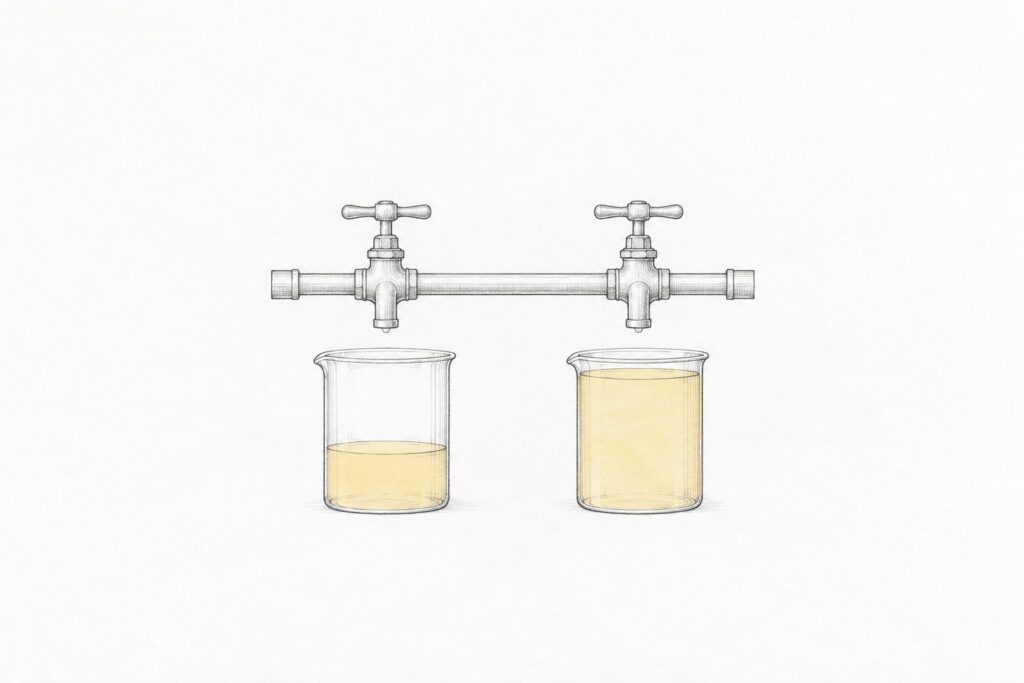
Dynamic workflows changes the cost characteristics of Claude Code work in two ways. The first is direct. A workload that previously consumed N model calls now consumes N model calls split across subagents plus a small overhead for the parent orchestration. The total token consumption is roughly the same, with a small premium for the orchestration logic. The wall-clock cost (latency) is dramatically lower because the work is parallel, but the dollar cost is approximately unchanged.
The second way is indirect. Because dynamic workflows makes large workloads feasible that previously took prohibitively long, developers attempt larger workloads. A pre-dynamic-workflows Claude Code session that would have refactored 5 files might now refactor 500. The total dollar cost is much higher because the workload is bigger, even though the per-unit cost is similar. This is a "Jevons paradox" pattern that is worth being aware of when budgeting for Claude Code usage.
The practical cost mitigation is to be explicit in prompts about the size of the workload before spawning. The parent can spawn a small "scout" fleet that surveys the workload size and reports back, and the developer can decide whether to proceed with the full fleet based on the scout’s findings. This pattern is the AI-coding analog of "estimating before committing" and is the right default for any spawn that could plausibly involve more than a dozen subagents.
A second cost consideration is that subagents are typically run on the same model as the parent. Running a parent on Opus and spawning a hundred subagents that each also use Opus produces an Opus token bill for the full fleet. Some teams have moved to a pattern where the parent runs on Opus (for the orchestration intelligence) and explicitly directs the subagents to use a cheaper model (Sonnet or Haiku) for their unit work. The Claude Code API supports specifying a per-subagent model at spawn time, which makes this pattern straightforward to express. The tradeoff is the usual capability-vs-cost tradeoff: cheaper subagents are appropriate when the per-subagent work is well-scoped and predictable, and expensive subagents are appropriate when the per-subagent work requires the capability ceiling.
Permission scoping
A critical design choice in dynamic workflows is that subagents inherit a subset of the parent’s permissions, not the full set. By default a spawned subagent has the same file-read access as the parent, but file-edit access defaults to a subdirectory and bash access defaults to disabled. The parent can broaden these explicitly when spawning, but the default direction is restrictive.
The motivation is operational safety. A fleet of 100 subagents running with full bash and full file-edit access is a fleet of 100 things that can independently break the codebase. By defaulting to restrictive permissions, the design forces the parent to consider what each subagent actually needs and to grant only that. In practice, the patterns that work are subagents with file-edit access only to the file they are modifying, subagents with file-read access only to a working set, and subagents with bash access only when explicitly necessary.
A second permission concern is that subagents do not share state with each other except through the parent. If subagent A writes to a file and subagent B then reads that file, the read happens after the write only if the parent explicitly serializes them. For most read-write workloads this is the right behavior (the parent’s orchestration logic enforces the order), but it is a footgun for workloads where developers expect filesystem-level coordination. The practical pattern is to have each subagent write to a unique output location and have the parent assemble the outputs after the fleet completes.
When things go wrong
The failure modes that have shown up in production use fall into three categories. The first is "fleet too large for the orchestrator." A spawn of 500 subagents pushes against the working-memory budget and can cause the parent’s context to thrash. The symptom is that the parent’s reasoning quality degrades as the fleet results accumulate. The mitigation is to spawn in batches: a fleet of 500 becomes 10 batches of 50, with the parent processing each batch’s results before spawning the next.
The second is "subagent stuck on tool call." A subagent that calls a long-running bash command or a slow web fetch can sit idle for minutes. The fleet’s wall-clock latency becomes dominated by the single slow subagent. The Claude Code orchestrator has a configurable per-subagent timeout, and the practical guidance is to set it aggressively (a few minutes rather than the default of half an hour) for fleets of any size. A timed-out subagent reports a partial result, and the parent decides whether to retry or skip.
The third is "subagent producing inconsistent output structure." When the parent spawns 100 subagents each of which produces a JSON report, the parent expects all 100 reports to follow the same schema. Subagents sometimes deviate (drop fields, add fields, return prose instead of JSON). The practical mitigation is to be very explicit in the per-subagent prompt about the output schema, to include a JSON example in the prompt, and to have the parent’s post-processing handle schema deviations gracefully rather than expecting perfect uniformity.
What dynamic workflows is not
Dynamic workflows is not a replacement for the orchestration patterns that frameworks like LangGraph, the Microsoft Agent Framework, or the OpenAI Agents SDK provide. Those frameworks support multi-actor coordination, persistent state, complex routing logic, and integration with external systems in ways that dynamic workflows does not attempt. Dynamic workflows is a feature inside Claude Code for parallelizing work within a single Claude Code session.
Dynamic workflows is not a way to run multiple unrelated tasks in parallel. The "parent and fleet" structure assumes the fleet is doing variants of the same kind of work that the parent is orchestrating. Running two completely unrelated tasks in parallel is better done as two Claude Code sessions in two terminal windows than as one session with two unrelated subagent threads.
Dynamic workflows is not a way to scale Claude Code work to arbitrary size. The Claude API’s concurrency limits, the per-subagent cost, and the orchestrator’s working-memory budget all impose practical bounds. The feature is the right size for fleets in the tens to low hundreds. Fleets of thousands or tens of thousands are better served by running Claude Code as a CLI inside a traditional job scheduler (Airflow, Argo, GitHub Actions matrices) rather than as a single dynamic-workflows session.
What this feature has enabled
The patterns that dynamic workflows has made feasible are the practical reason it ships. Codebase-wide refactoring that touches hundreds of files in one session is now routine where it was previously infeasible. Cross-repository analysis where a single Claude Code session reviews a dependency tree across dozens of repositories is a pattern that did not exist before. Migration work that previously required a custom-built script can now be done by a single Claude Code session that spawns subagents per migration target. Test-suite generation across a large codebase has moved from "let me write tests for this one module" to "let me generate tests for the entire untested surface area."
The aggregate effect on Digital Matters’ own codebase work has been substantial. Several refactoring tasks that we previously would have deferred indefinitely because the per-file work was too tedious have been completed in a single afternoon with dynamic workflows. The pattern has reshaped what "let me have Claude do that" feels like as an engineering investment.
The feature is still less than a year old in its current form, and the patterns will continue to evolve. The patterns this piece describes are what has settled out in the first two months of widespread use. The next round of evolution will likely come from better integrations with external systems (so that a subagent fleet can fan out across repositories, issue trackers, and CI systems in a coordinated way) and from improvements in how the parent’s orchestration logic is expressed (so that complex workflows can be specified declaratively rather than as ad-hoc prompts).
Frequently asked questions
Do dynamic workflows work in Claude Code’s terminal mode and IDE integration both?
Yes. The feature is at the Claude Code core layer, so it is available identically in the terminal CLI, in the VS Code integration, in the JetBrains integration, and in any other surface that uses the Claude Code backend.
Can a subagent invoke another subagent?
Yes. The feature supports recursive spawning. The practical guidance is to limit recursion depth explicitly because the cost model is hard to reason about for deep recursions.
Do subagents share the parent’s environment variables and authentication?
Subagents inherit the parent’s authentication for the Claude API and inherit the parent’s filesystem mounting. They do not inherit shell environment variables unless those are passed through the spawn parameters. The practical pattern is to pass any required environment context through the explicit spawn parameters.
What happens if a subagent crashes?
The subagent’s status is reported as “failed” in the parent’s result list with the error message in the result object. The parent decides whether to retry, skip, or escalate. Crashes do not affect other subagents in the fleet.
Can dynamic workflows run subagents on different models?
Yes. The parent can specify a model per subagent at spawn time. A common pattern is parent on Opus, subagents on Sonnet for unit work, with selective escalation to Opus for subagents that need the additional capability.
Is there a cost cap I can set on a subagent fleet?
Not directly in the current version. The recommended pattern is the “scout fleet” approach where a small initial fleet surveys the workload size and the developer decides whether to proceed with a full fleet based on the scout’s findings. Per-subagent timeouts limit the per-subagent wall-clock cost.
Does the feature work with Claude Code’s MCP server integration?
Yes. A subagent has access to the parent’s MCP servers by default, scoped by the parent’s permission grants. The MCP servers run in the Claude Code process and serve all subagents from a single instance, so MCP-server-level rate limits apply to the fleet aggregate rather than to each subagent.
How does this compare to spawning multiple Claude Code processes in parallel?
Multiple Claude Code processes do not share orchestration logic. Each process has its own session and the developer is responsible for coordinating them externally. Dynamic workflows keeps the orchestration inside a single Claude Code session where the parent’s reasoning over results is integrated with the fleet’s execution. For coordinated work, dynamic workflows is the right tool. For genuinely independent work, multiple processes can be appropriate.