Anthropic has added a feature to Claude that changes how you hand it a repetitive job. Instead of writing a long prompt or a script, you can now record a skill: turn on a recording, do the task yourself while talking through it, and Claude converts your demonstration into a reusable skill it can run again on demand. It is a show-don’t-tell approach to automation, and it lowers the bar for teaching Claude a workflow from writing careful instructions to simply doing the thing once. This post covers what the feature is, how it works, who can use it, and the caveats worth knowing before you point it at your daily work.
The short version: Record a Skill lives in the Cowork interface of the Claude desktop app, it captures your screen activity, mouse clicks, keystrokes, and voice narration, and it saves the result as a structured skill in your library. It is rolling out to Claude Pro, Max, and Team subscribers.
What Record a Skill is
Record a Skill is a way to teach Claude a repeatable task by demonstration rather than description. The premise is simple: many everyday jobs are easier to show than to explain. Pulling numbers into a weekly report, formatting a spreadsheet a particular way, or organizing files into the right folders are all tasks where writing precise instructions is more tedious than just doing them. Record a Skill lets you do them once, on camera, and keep the result.
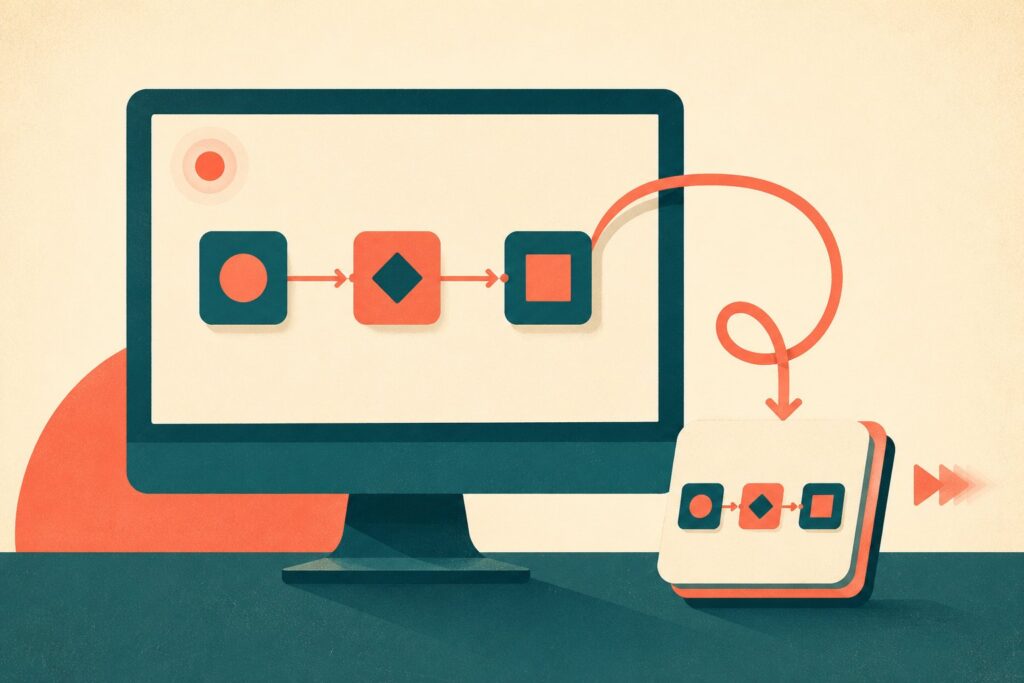
Under the hood, Claude captures the full demonstration: what is on your screen, where you click, what you type, and what you say as you narrate the steps. It then processes that recording into a structured, reusable skill definition and saves it in your skill library, ready to run again when you need it. If you have read our explainer on what AI skills are, this is the same idea of a packaged, repeatable capability, except you are authoring one by demonstration instead of by writing it out.
How it works
The flow is meant to be quick. You open the plus menu in the Claude desktop app and choose Record a skill, which starts a recording session. You then perform the task the way you normally would, talking through what you are doing and why as you go, since the voice narration helps Claude understand intent rather than just mimicking clicks. When you finish, Claude processes the recording, keyboard input, mouse activity, screen content, and your spoken explanation together, into a saved skill.
From then on, the skill sits in your library and can be run again on demand. The narration matters here: explaining your reasoning as you record is what lets Claude generalize the task rather than blindly replay a fixed set of movements, so a well-narrated recording tends to produce a more useful skill than a silent one.
Where to find it and who gets it
Record a Skill is part of Claude Cowork, Anthropic’s agentic workspace, and you reach it from the plus menu inside the Claude desktop application. It is available to subscribers on the Claude Pro, Max, and Team plans, and Anthropic has been rolling it out through the Cowork interface. If you already use Cowork on desktop, it shows up alongside the other ways you hand Claude a task, which we covered when Cowork expanded to web and mobile.
Why it matters
The significance is less about a single feature and more about who gets to automate. Until now, turning a recurring task into something an AI could handle reliably meant either careful prompt engineering or actual scripting, both of which are skills in their own right and both of which exclude a lot of people who would benefit most. Record a Skill replaces that with a demonstration, which almost anyone can do. Showing a workflow visually and verbally is a far lower barrier than describing it in text or code.
For the kinds of recurring, mechanical work that fills a lot of days, reports, spreadsheet formatting, file organization, and similar chores, that shift is meaningful. It also fits the broader direction of agentic AI, where the goal is not just to answer questions but to carry out multi-step tasks. A library of skills you taught by demonstration is a practical way to build up that capability without becoming a prompt engineer.
The caveats worth knowing
A few things deserve a clear-eyed look before you lean on this. The first is privacy. A screen recording captures whatever is on your screen, including anything sensitive that happens to be visible while you demonstrate, so it is worth being deliberate about what is open before you hit record. The second is brittleness. A skill learned from a demonstration is tied to the way an application looked and behaved at recording time, and interfaces change, so a recorded workflow can break when a website redesigns a page or an app moves a button. The third is oversight. A skill that runs on your machine can take real actions, so the same care you would apply to any agent that clicks and types on your behalf applies here, especially for tasks that send, submit, or delete.
None of this makes the feature less useful. It just means treating a recorded skill as something to supervise and occasionally re-teach, rather than a set-and-forget automation.
How it fits Claude’s direction
Record a Skill is a small feature with a clear strategic logic. Anthropic has been building Cowork into a place where Claude does work rather than just discusses it, and the hardest part of that is not the model’s capability but getting real tasks into it in a form it can repeat reliably. Demonstrated skills are a natural answer, because they capture the specifics of how a given person actually does a job. Expect the pattern of teaching by showing, rather than only by telling, to spread as agentic tools compete to make automation approachable for non-technical users.
Frequently Asked Questions
What is Claude’s Record a Skill feature?
It is a feature that lets you teach Claude a repeatable task by recording your screen while you perform it and narrate the steps. Claude captures your screen activity, mouse clicks, keystrokes, and voice explanation, then processes the demonstration into a structured, reusable skill saved in your library that it can run again on demand.
How do I use Record a Skill?
Open the plus menu in the Claude desktop app and choose Record a skill to start a session. Perform the task as you normally would while talking through what you are doing and why. When you finish, Claude turns the recording into a saved skill. Narrating your reasoning helps Claude generalize the task rather than just replay your exact clicks.
Who can use Record a Skill?
It is available to Claude Pro, Max, and Team subscribers, through the Cowork interface in the Claude desktop application. Anthropic has been rolling it out to those paid tiers.
What kinds of tasks is it good for?
It suits recurring, mechanical work that is easier to show than to describe, such as building a weekly report, formatting a spreadsheet a particular way, or organizing files into set folders. These are the tasks where writing precise instructions is more tedious than simply demonstrating the workflow once.
Is Record a Skill safe to use with sensitive information?
Be deliberate. A screen recording captures whatever is visible on your screen, including anything sensitive that happens to be open while you demonstrate. Close unrelated windows and documents before recording, and remember that a skill which runs on your machine can take real actions, so supervise anything that sends, submits, or deletes.
Will a recorded skill keep working over time?
Not necessarily. A skill learned from a demonstration is tied to how an application looked and behaved when you recorded it, so it can break when a website or app changes its interface. Treat recorded skills as something to check periodically and re-teach when a workflow stops working, rather than a permanent automation.
How is this different from writing a prompt or a script?
A prompt or a script requires you to describe a task in words or code, which is its own skill. Record a Skill replaces that with a demonstration, so you show the workflow visually and verbally instead of writing it out. That lowers the technical barrier and makes authoring an automation accessible to people who would not write a script.