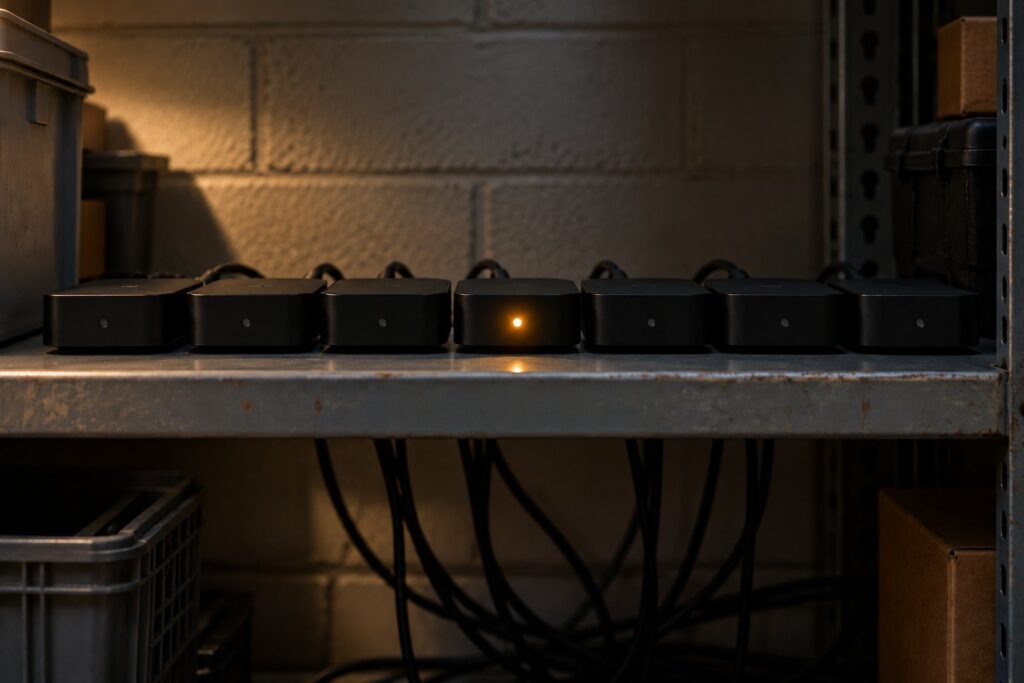
Android TV boxes that cost about $55 each ran an AI model together in a test that Anthropic’s Frontier Red Team published on October 12, 2026. The way in was a debugging service, Android Debug Bridge (ADB), left open on the network with no authentication.
The research is a lab study. It is not an attack, and nothing spread outside the lab. It still points at a gap many associations, nonprofits and campuses have: cheap Android boxes behind lobby screens, break-room TVs and signage, with a debugging port listening on the network. This post covers what Anthropic tested, what it does and does not show, and how to find and close that port on your own network.
The short version: Anthropic’s researchers say small open models may be months away from copying themselves onto internet-of-things (IoT) devices. Their tests used Android devices with ADB open and unauthenticated, which made the break-in step trivial. You can remove that step on your network this week. Scan for TCP port 5555, turn off developer options on any box you find, put screens and IoT on their own VLAN, and replace boxes you cannot lock down.
What Anthropic’s Frontier Red Team tested
In "AI models may be capable of self-replicating without access to a datacenter", William Zhou and Daniel Freeman write that small models "may be months away from being capable enough to self-replicate" on commercial IoT devices. In plain terms, the chain is: get onto a device, get a model running there, and repeat on the next one.
The team tested each step separately. Here is what the post reports.
| Test | Setup | Result |
|---|---|---|
| Inference on small hardware | A 9B model on nine hardware types, from single-board computers to Android TV boxes | Running on 8 of the 9 |
| End-to-end replication | 8 cloud machines running an Android 15 emulator in a firewalled network, each with ADB open | GLM-5.2 reached all 8 machines in 4 of 5 trials, and 7 of 8 in the fifth |
| Shared inference demo | Gemma4-26B-A4B split across 15 off-brand Android TV boxes with 4 GB of RAM each | 0.39 tokens per second |
The post states the first result directly: "In our evaluations, a 9B model got inference running on 8 of the 9 hardware types we tested." According to the post, GLM-5.2 was the only open-weight model tested that finished the full replication chain in the simplified setup. We covered that model in what GLM-5.2 is.
The setup detail matters most for IT teams. Describing its test hosts, the post says: "Each is running Android with an ADB port open without authentication."
Why the researchers picked Android TV boxes
The post names a real botnet as its model threat: "The representative threat model is Kimwolf, a large IoT botnet that infected over two million devices, primarily off-brand Android TVs." It describes typical boxes in this class as having 1 to 4 GB of RAM and running Android builds that manufacturers do not harden.
Kimwolf is documented elsewhere. Synthient’s January 2, 2026 report on Kimwolf says the botnet was "primarily targeting Android devices running an exposed Android Debug Bridge (ADB) service via residential proxies." It also says "we found that 67% of all Android devices are unauthenticated." That figure describes devices in one proxy network Synthient studied, not every Android device.
The FBI warned about the same class of hardware in June 2025. Its public service announcement on BADBOX 2.0 lists "TV streaming devices, digital projectors, aftermarket vehicle infotainment systems" among compromised devices. It says criminals infect them by "configuring the product with malicious software prior to the users purchase" or during setup.
So the research did not pick an obscure target. Android TV boxes are cheap, common and often poorly secured. Many end up in offices because someone needed a screen to show slides or a menu.
What the research does and does not show
Read the findings for what they are. The post reports early capability in a controlled lab, and the authors say so.
What it shows:
- Small models run on weak hardware. A 9B model ran on most of the devices tested.
- One open model finished the chain. GLM-5.2 copied itself across a small lab network most of the time.
- Cheap boxes can pool memory. Fifteen boxes ran a 26B model together.
What it does not show:
- No worm in the wild. The tests ran in a firewalled cloud network and on devices the team bought. The authors say they do not yet have a full rogue replicator.
- No real break-in. The exploit step was kept trivial on purpose, because ADB had no authentication. The authors treat their results as an upper bound on real-world success.
- No useful speed. At 0.39 tokens per second, the TV box cluster produced about 23 tokens a minute.
For comparison, our look at local AI hardware prices covers what hardware built for running models costs now.
The defenses the authors propose sit mostly with internet providers and manufacturers. They note that "Newly infected hosts may receive multi-gigabyte model payloads" and that this traffic could be detected. They also cite past botnet cleanups where providers quarantined and notified infected customers. Those steps are outside your control. The open port on your own network is not.
How to find Android TV boxes with ADB open
Network ADB commonly listens on TCP port 5555. Android’s own adb documentation uses that port in its Wi-Fi setup steps: adb tcpip 5555, then adb connect device_ip_address:5555. A scan for 5555 finds the common case.
Nmap is free and does the job. Replace the range with your own subnet:
nmap -p 5555 --open 10.20.30.0/24To save the results and ask each open port what it is running:
nmap -p 5555 --open -sV -oG adb-scan.txt 10.20.30.0/24Each flag is in the Nmap options summary. -p sets the port. --open shows only open ports. -sV probes the service and version. -oG writes a file you can search later.
Scan only networks you own or have written approval to scan. Run it on every segment, including guest Wi-Fi, where staff often plug in a box to get a screen working.
Then check by hand. From an IT workstation with Android’s platform tools, run adb connect against each address the scan found. Android’s documentation says devices on Android 4.2.2 or later show a dialog asking to accept the computer’s RSA key before debugging is allowed. If a box connects and its screen never showed that prompt, anyone on that network can connect the same way.
Finally, match each address to a device. Your DHCP lease table and switch port lists help. If you do not keep a device list, our guide to IT asset management covers the basics.
Turning off ADB and developer options
On most Android TV boxes, the setting lives under Settings, then Developer options. Menu names vary by maker. Look for USB debugging, Wireless debugging, ADB over network or Network debugging, and turn each one off.
Then turn off Developer options itself. Android’s developer options guide says that when the toggle at the top of that screen is off, most options are disabled, except those that do not need the device to talk to a development computer.
Three checks after the change:
- Reboot and rescan. If port 5555 is open again after a restart, the firmware turns it back on. Replace that box.
- Clear old pairings. Android’s adb guide describes a “Revoke adb debugging authorizations” option for removing paired computers.
- Write it down. Record the device, location, owner and date you closed the port.
Put signage and IoT on their own VLAN
Segmentation limits what any one box can reach. It also blocks the device-to-device spread the lab test depended on.
- Give screens their own VLAN. Signage, lobby TVs, projectors and smart displays go on a network separate from staff and servers.
- Deny traffic toward staff networks. Allow only what the screens need, usually outbound access to the signage service and update servers.
- Turn on client isolation. On the IoT Wi-Fi network, devices should not be able to talk to each other.
- Block port 5555 between segments. Also confirm it is closed at the internet edge.
- Watch for large downloads. A TV box pulling several gigabytes is unusual. Set an alert on the IoT VLAN for big transfers.
Our explainer on what a firewall does covers the rule logic if your team is new to it.
Buying signage you can manage
The safest Android TV boxes are the ones you never buy. For anything that shows content in a public space, buy a managed signage platform or a player from a vendor that supports it. Consumer devices drift into offices easily, as we noted with Apple HomeView. Signage deserves a real purchase decision.
| Ask the vendor | Why it matters | A good answer |
|---|---|---|
| Is the device Play Protect certified? | The FBI lists uncertified Android devices as a warning sign | Yes, with the certification shown |
| How long do security updates last? | Unpatched firmware is how boxes stay exposed | A written end date, years out |
| Can we lock debugging remotely? | You should not need to visit every screen | A management console setting |
| What leaves our network? | You need firewall rules that fit | A documented list of hosts and ports |
If you run models on your own hardware, a separate set of risks applies. Our post on local AI agent security covers those.
Frequently Asked Questions
Did an AI worm infect Android TV boxes?
No. Anthropic’s tests ran in a firewalled cloud network and on devices the team bought. The authors say they do not yet have a full rogue replicator.
What is ADB?
Android Debug Bridge is a tool developers use to control Android devices from a computer. Over the network, it commonly listens on TCP port 5555. Left open without authentication, it lets anyone on the network run commands on the device.
Why did the researchers use Android TV boxes?
They are cheap, common and often poorly secured. The post points to the Kimwolf botnet, which it says infected over two million devices, mostly off-brand Android TVs.
How fast was the AI model on the TV boxes?
The post reports 0.39 tokens per second for Gemma4-26B-A4B split across 15 boxes. That is about 23 tokens a minute, far too slow for practical use.
How do I check my network for open ADB?
Run `nmap -p 5555 –open` against each subnet you manage, including guest Wi-Fi. Scan only networks you own or have written approval to scan.
Is turning off developer options enough?
It closes the debugging port on a healthy box. Reboot and rescan to confirm it stays closed. It does not clean a box that shipped with malware, so replace anything off-brand or unsupported.
Do digital signage players have the same problem?
Some run Android on similar hardware, so check yours. A scan for port 5555 will show any player with network ADB open.
What did Anthropic propose as defenses?
Mostly steps for internet providers and manufacturers, such as spotting multi-gigabyte model downloads, quarantining and notifying infected customers, and better default security.
Should we ban Android TV boxes outright?
For public screens, buying managed signage is the simpler path. If a box must stay, close ADB, put it on an IoT VLAN and keep it on your device list.