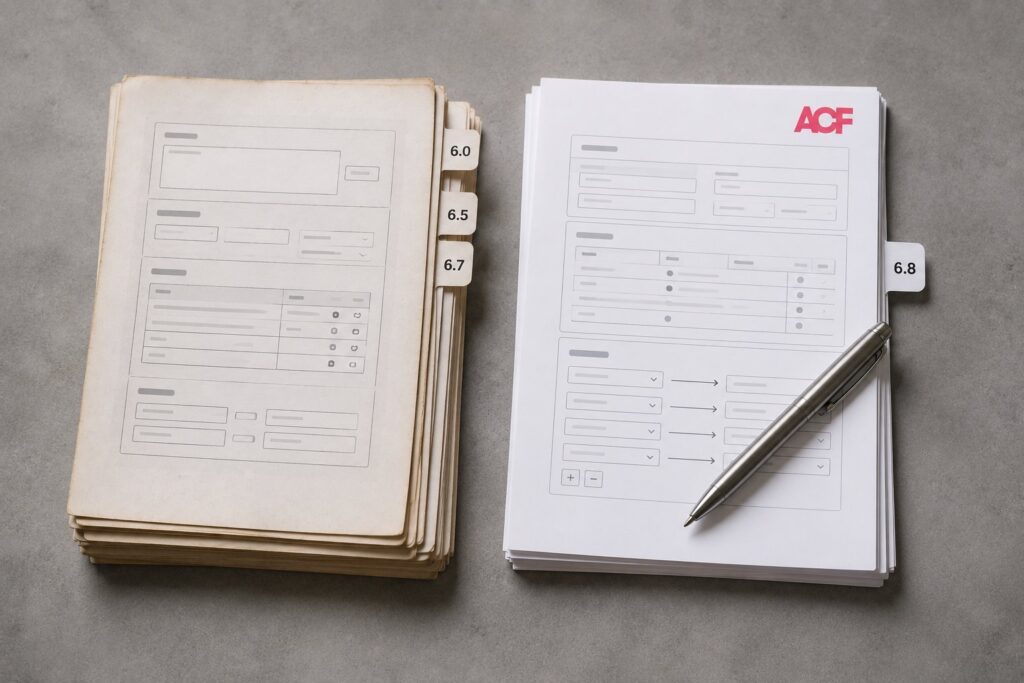
ACF 6.8 is the largest functional release in the ACF 6.x line, shipping in 2026 with several substantial additions that change what Advanced Custom Fields is capable of as a WordPress content modeling tool. The schema mapping pane (covered in our worked-examples piece on the feature) lets ACF field groups produce Schema.org structured data without custom code. The Abilities API integration connects ACF to the broader WordPress AI agent framework. New schema-aware field types reduce manual configuration, and field group versioning improvements address migration friction that has affected ACF deployments for years. Each of these would be a meaningful release on its own; together they make 6.8 the version that shifts what WordPress sites should consider doing with custom fields. Our release recap covers the announcement in full.
This piece compares ACF 6.8 against the prior 6.x line (6.0, 6.5, and 6.7, the versions most sites are upgrading from): the feature changes that justify the upgrade, the compatibility considerations that need attention, the migration steps, and the cases where staying on an earlier version remains appropriate. It assumes familiarity with ACF; first-time users are better served by ACF’s own getting-started documentation.
The short version: ACF 6.8 is a strong upgrade for any site that uses ACF for non-trivial content modeling, particularly one that publishes structured content (recipes, products, events, articles) suited to Schema.org markup, or one planning to let AI agents interact with its content. The upgrade is operationally straightforward for most sites, and ACF keeps a low compatibility floor, so few sites are blocked by version prerequisites. Sites with custom field types or unusual extensions should verify compatibility first. Sites with very simple ACF use gain less from the headline features and can defer if the upgrade is inconvenient.
The major feature additions in ACF 6.8
A summary of what ACF 6.8 added that earlier versions did not have:
The schema mapping pane. A dedicated tab in the field group editor that lets a developer specify a Schema.org type for a field group and bind individual fields to specific Schema.org properties. ACF then generates the appropriate JSON-LD output automatically on the front end. The feature eliminates the custom code that has historically been required to bridge custom fields to structured data, and it supports the full Schema.org vocabulary. It is an ACF PRO feature.
Abilities API integration. The WordPress Abilities API, which shipped in WordPress 6.9 with a client-side JavaScript counterpart following in 7.0, is the surface through which AI agents discover what actions they can take on a site. ACF 6.8 registers field-group operations as Abilities, so AI agents that connect to a site (through the Connectors API or directly through MCP) can read, create, and update ACF field values through standardized, permission-gated operations. This is the integration that turns ACF data from static custom fields on posts into agent-addressable structured content. It ships in free ACF as well as PRO.
Schema-aware field types. ACF 6.8 introduced field types with Schema.org semantics baked in: a Person type that maps to Schema.org Person, an Organization type that maps to Organization, a Place type with address sub-fields, and similar. These produce structurally correct output without the developer mapping sub-fields by hand. They are convenience layers on top of what the schema mapping pane can do manually.
Improved field group versioning. ACF 6.8 changed how field groups are versioned and synchronized across environments, with fewer cases where a sync produces unexpected results. The improvements primarily benefit sites using the wp acf json command set in CI/CD pipelines, which the versioning changes make more reliable.
Block editor refinements. ACF Blocks gained better default styling, tighter integration with the WordPress 7.0 pattern model, and a new opt-in block-editor datastore (in the 6.8.1 patch) that brings revision and autosave support to ACF fields. The PRO field types (Repeater, Flexible Content, Gallery, Clone) also received performance and usability refinements. None is a marquee feature, but together they improve the day-to-day experience.
Compared to ACF 6.7
ACF 6.7 is the previous version most professional sites are likely upgrading from. The Abilities API integration existed in 6.7 in a pre-release form and shipped fully in 6.8; sites that adopted it early get the production version, and the API surface is mostly compatible but worth verifying. Schema integration in 6.7 was limited to community plugins, so 6.8’s first-party schema mapping is more capable and more cleanly integrated. The versioning issues that produced occasional confusion when syncing between environments in 6.7 are largely resolved, and the ACF Blocks editor experience is smoother.
For sites on 6.7, the upgrade is straightforward and recommended unless there is a specific reason to delay. Compatibility risk is low because 6.7 was recent.
Compared to ACF 6.5
The differences against 6.5 are more substantial. The schema mapping pane is entirely new, so sites that built custom code to generate Schema.org markup from ACF data can replace it with native mapping. The Abilities API integration did not exist, so sites that want AI agent access to ACF data need 6.8. Several field types were added or revised between 6.5 and 6.8, and sites on older field type configurations may want to migrate where appropriate. Field group versioning in 6.5 had more rough edges than 6.7, so teams doing manual export and import to manage ACF across environments get meaningful relief. Performance is also better for field groups with many repeated rows; sites using Repeater fields with hundreds of rows will notice.
For sites on 6.5, the upgrade is recommended. The two-major-version jump warrants more careful testing than a single-version jump, but the underlying compatibility is mostly preserved.
Compared to ACF 6.0 and earlier
Sites still on ACF 6.0 or earlier are running a meaningfully older version with accumulated differences. The good news is that ACF has kept a low version floor: 6.8 still supports WordPress 6.0 and up, and PHP 7.4 through 8.3, so most sites can upgrade ACF without first jumping WordPress or PHP. That removes the prerequisite barrier that stops many plugin upgrades.
The real deltas are elsewhere. Several field types have been deprecated or reworked since 6.0, so sites using deprecated types need to replace them or be prepared for them to change behavior. The block editor integration patterns have evolved substantially, and sites using ACF in older patterns may need to update the integration. And every headline 6.8 feature (schema mapping, schema-aware field types, the Abilities API) is absent from 6.0, so the upgrade is where those capabilities arrive.
For sites on 6.0 or earlier, the upgrade is a real project. The recommended approach is to step through intermediate versions (6.0 to 6.5 to 6.8) rather than jumping directly, verifying at each step so that issues surface one at a time instead of all at once.
Compatibility considerations
Several patterns to verify before upgrading:
Custom field types. Sites that wrote custom ACF field types with the add_field_type API should confirm the custom types still work in 6.8. ACF maintains backward compatibility for most cases but has occasionally changed internal interfaces that custom types depend on. Load the field group editor in 6.8 and verify the custom type appears and functions.
Plugins that extend ACF. Extensions that hook ACF’s actions and filters (ACF Extended and others) should be checked against 6.8. Major extensions generally keep up with releases; smaller ones may lag.
Themes that integrate deeply with ACF. Themes with ACF integration baked in, often through ACF Blocks or custom rendering helpers, should be verified. Themes from major shops are usually updated; custom themes may need work.
Caching and multisite. Some caching plugins cache ACF field values in ways that can go stale after an upgrade, so flush all caches afterward. Multisite installs carry per-site ACF state, so upgrade one site, verify, then roll out to the rest.
Migration steps
The standard procedure: read ACF’s 6.8 release notes to catch anything specific to your setup; confirm prerequisites (WordPress and PHP versions, dependencies); take a database backup as the rollback path; and run the upgrade in a staging environment first, never straight to production. Upgrade through the plugin updater or with WP-CLI (wp plugin update advanced-custom-fields-pro), then verify each field group still displays correctly and that configured field types are present.
Next, click through pages that use ACF data and confirm the front end renders correctly, including any new JSON-LD output the schema mapping now emits. Sites using JSON-based field group management should run wp acf json sync so the file system and database agree after any serialization changes. Test critical workflows end to end (forms, post save and reload, any AI agents that depend on ACF data), because the full workflow test catches integration issues that a field-group check misses. Once staging is verified, run the same upgrade in production, where it should be uneventful.
When to stay on an earlier version
Despite the recommendation to upgrade, a few cases warrant staying put. If a custom field type or critical extension has not been verified for 6.8 and the site cannot risk finding out in production, stay on the current version until the extension is confirmed or updated. Sites on PHP below 7.4 or WordPress below 6.0 (both rare in 2026) need to clear those floors first, though the upgrade is modest. And a site that uses ACF only for a few basic fields on a single group benefits little from schema mapping or the Abilities API; upgrading still brings the operational improvements, but the priority is lower.
What to consider for ACF 7.0
Looking forward, the WP Engine ACF team has discussed ACF 7.0, but no release date is committed as of mid-2026. Likely directions, based on the team’s public communications and the pattern of 6.x evolution, include deeper integration with the WordPress 7.0 block model and further AI agent work as the Abilities API matures beyond its 6.9 debut. For planning purposes, treat ACF 6.8 as the stable production version through 2026, with no urgency to wait for 7.0.
Frequently Asked Questions
Is ACF 6.8 free or Pro-only?
ACF 6.8 ships as both ACF (free) and ACF PRO. The Abilities API integration is available in the free plugin. The schema mapping pane and the automatic Schema.org JSON-LD generation are ACF PRO features, as are the advanced field types (Repeater, Flexible Content, and similar) that have always been Pro-only.
Can I upgrade ACF without upgrading WordPress or PHP?
In most cases, yes. ACF 6.8 supports WordPress 6.0 and later and PHP 7.4 through 8.3, so the majority of sites already meet the requirements and can upgrade ACF on its own. Only sites below those floors need to upgrade the platform first.
Will the upgrade break my existing field groups?
Almost certainly not. ACF prioritizes backward compatibility for field groups, and existing groups continue to work the same way after the upgrade. The exceptions are groups that rely on deprecated field types, which is why verifying field groups in staging is part of the migration.
Does the schema mapping work for existing field groups, or do I need to recreate them?
It works for existing field groups. The schema mapping tab is added to the existing field group editor, so you can add a mapping to a group you already have without recreating it or changing its field definitions.
How does the Abilities API integration affect security?
The integration exposes ACF operations to AI agents that hold the appropriate permissions, and the standard WordPress permission model gates which agents can perform which operations. Properly configured, it does not reduce security; it makes the existing permission model machine-callable rather than opening a new door.
Should I update plugins that extend ACF before or after upgrading ACF?
Before. Verify that your ACF extensions support 6.8 first, and if they do not, defer the ACF upgrade until they do. Upgrading ACF ahead of an unverified extension is the most common way an upgrade goes wrong.
What is the rollback path if the upgrade fails?
Restore the database backup taken before the upgrade, downgrade the ACF plugin to the prior version (through WP-CLI or manual file replacement), and verify the site is back to its pre-upgrade state. This is why the backup is a required step rather than an optional one.
Will my existing ACF JSON export files still work?
Yes. The JSON format is stable across the 6.x line, so files from 6.5 or 6.7 import correctly into 6.8. Running `wp acf json sync` after the upgrade reconciles any serialization details that changed.
How does ACF 6.8 compare to Meta Box or Pods?
ACF, Meta Box, and Pods are the three major custom-field plugins for WordPress. ACF has the largest user base and the most polished UI, Meta Box has stronger support for code-first configuration, and Pods leans into content-modeling features. ACF 6.8’s schema mapping and Abilities API integration give it the strongest AI-era story of the three.